Exchange Online
A cloud-based service included in Microsoft 365, delivering scalable messaging and collaboration features with simplified management and automatic updates.
This browser is no longer supported.
Upgrade to Microsoft Edge to take advantage of the latest features, security updates, and technical support.
' cx='32' cy='32' r='32' /%3E%3Ctext x='50%25' y='55%25' dominant-baseline='middle' text-anchor='middle' fill='%23FFF' %3ES%3C/text%3E%3C/svg%3E)
We have a hybrid environment in which DL's created in On Premis . We need to add bulk of users to the particular DL.
Please provide us with the Command to add bulk(400-500) users to Distribution list
Need instructions with detailed commandlets please

@JustinMicheal-7973
First, you need to know that due to this group is created on Exchange on-premises, you can only add Exchange on-premises mailboxes into it, you cannot add Exchange online created mailboxes to it.
If you want to add multiple mailboxes into group in batch. You need to prepare a source file contains mailboxes that you want to add:
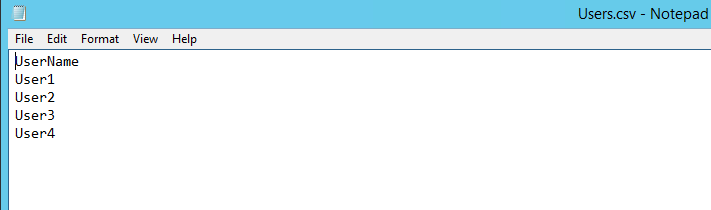
Then you will could use script below to add those mailboxes into the group that you wanted:
$users = Import-Csv c:/temp/users.csv

foreach ($user in $users){
    Add-DistributionGroupMember -Identity "Group" -Member $user.UserName
}
Here are detailed information about it:
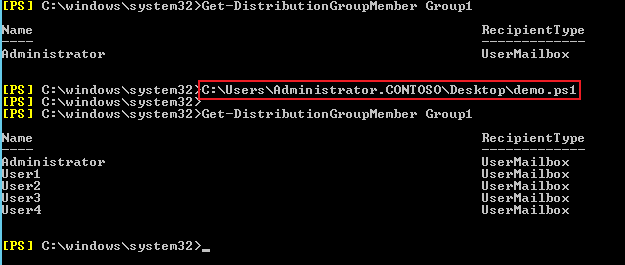
If the response is helpful, please click "Accept Answer" and upvote it.
Note: Please follow the steps in our documentation to enable e-mail notifications if you want to receive the related email notification for this thread.