Dear @Langhorst, Dir,
Welcome to Microsoft Q&A.
Thank you for describing what you’re trying to achieve, I took some time to look into your exact scenario (Planner Premium embedded in a Teams channel, and dragging Outlook emails into the task conversation). I haven’t seen any official Microsoft documentation confirming that dragging an email directly into a Planner Premium task conversation is a supported feature.
In my own checks (and with a few colleagues on our side), we see the same behavior you described: the drop action can result in “Error rendering this message”, which suggests the current Planner/Teams conversation surface may not be able to render that Outlook message object. In other words, this looks very much like a current limitation of the new Planner/Teams integration, even if it worked in older experiences.
If your goal is to turn an email into actionable work and keep it connected to the task, the most reliable supported path today is to create a task from the email using To Do / My Day in the new Outlook, then link that task (or the email) back to Planner. Microsoft’s guidance for new Outlook explicitly supports dragging an email into the To Do tab in the My Day pane to create a task: Drag a message to create a task
(This matches the workflow you referenced: open My Day, show the To Do tab, then drag the email from Mail into that pane.)
After that, you can add the email link (or the created To Do task reference) into the Planner task as a link/attachment, which tends to be more consistent than dropping the raw email into the conversation.
If your requirement is specifically “drag email into task conversation” (not just creating a task), I’d recommend submitting feedback because this appears to be a feature gap/limitation in the current experience. You can do this via Teams/Planner feedback entry points so the product team can track it with the right context.
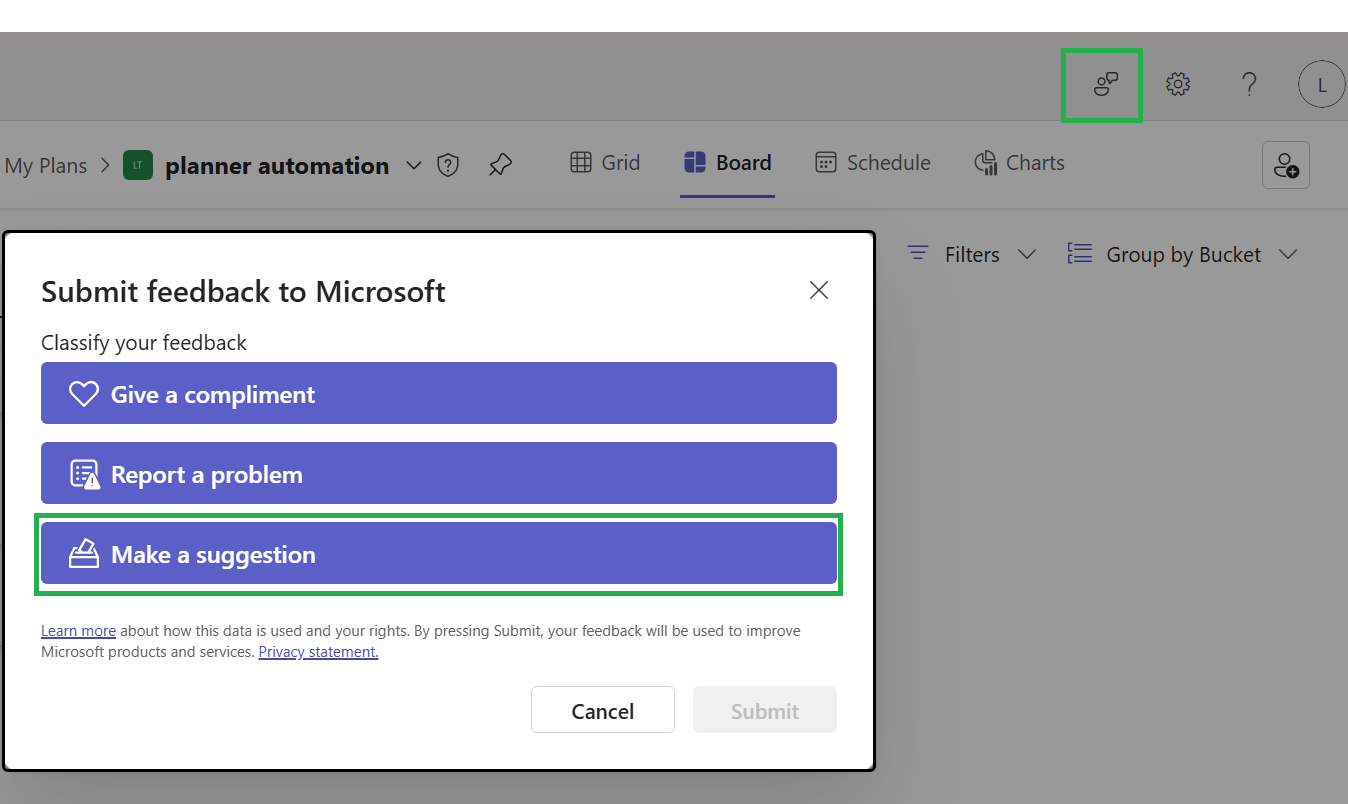
I hope the information above helps clarify what’s currently possible and why you’re seeing this behavior.
If you find this response helpful, you may consider marking it as the answer. I believe there are many other users looking for the same information and workarounds, and marking it as accepted can help them find relevant guidance more easily. It can also make it easier for others to discover the right place to provide feedback, which in turn helps increase the visibility of these requests to the product teams.
Thank you for taking the time to share your experience and feedback.
Warm regards,
If you have extra questions about this answer, please click "Comment".
Note: Please follow the steps in our documentation to enable e-mail notifications if you want to receive the related email notification for this thread.
' cx='32' cy='32' r='32' /%3E%3Ctext x='50%25' y='55%25' dominant-baseline='middle' text-anchor='middle' fill='%23FFF' %3ELD%3C/text%3E%3C/svg%3E)

' cx='32' cy='32' r='32' /%3E%3Ctext x='50%25' y='55%25' dominant-baseline='middle' text-anchor='middle' fill='%23FFF' %3ELD%3C/text%3E%3C/svg%3E)