' cx='32' cy='32' r='32' /%3E%3Ctext x='50%25' y='55%25' dominant-baseline='middle' text-anchor='middle' fill='%23FFF' %3EMA%3C/text%3E%3C/svg%3E)
5,380 questions
' cx='32' cy='32' r='32' /%3E%3Ctext x='50%25' y='55%25' dominant-baseline='middle' text-anchor='middle' fill='%23FFF' %3EA%3C/text%3E%3C/svg%3E)
Hello,
Welcome to our Microsoft Q&A platform!
You can put your Controls to <StackLayout> in the ContentPage.
   <?xml version="1.0" encoding="utf-8" ?>
   <ContentPage xmlns="http://xamarin.com/schemas/2014/forms"
                xmlns:x="http://schemas.microsoft.com/winfx/2009/xaml" xmlns:sho="http://sharpnado.com" xmlns:app141="clr-namespace:App141"
                x:Class="App141.MainPage">


       <StackLayout>
           <Button Text="dddd"></Button>
           <Button Text="ddddg11"></Button>

           <app141:MyEntryHideKeyboard  x:Name="MyEntry"></app141:MyEntryHideKeyboard>
       </StackLayout>

   </ContentPage>
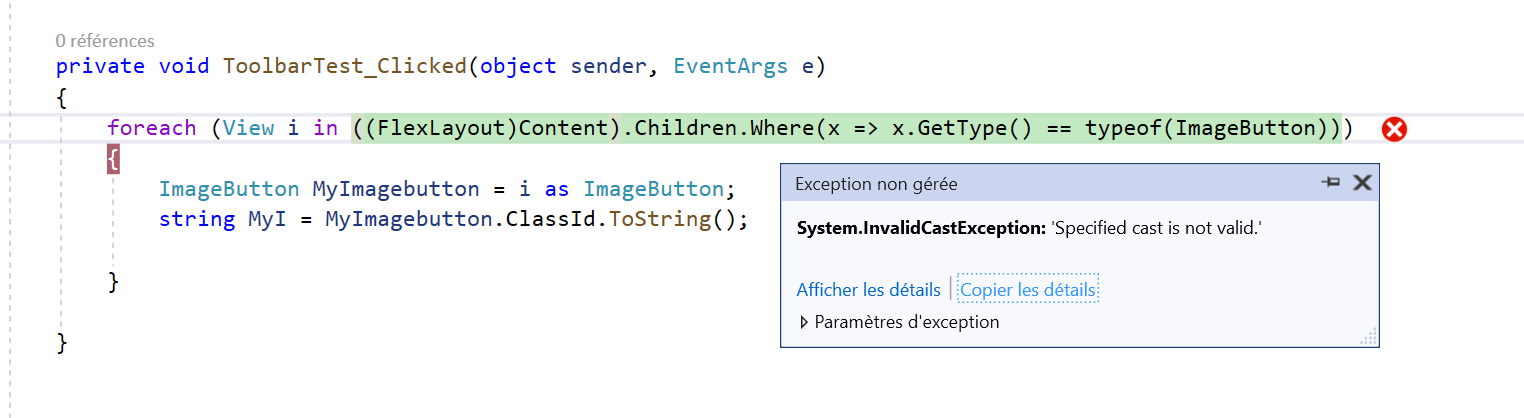
Then we can use foreach for form button controls in the backround code.
   public MainPage()
           {
               InitializeComponent();

               foreach (View i in ((StackLayout)this.Content).Children.Where(x => x.GetType() == typeof(Button))) {
                   Button button= i as Button;


               }

           }
Best Regards,
Leon Lu
If the response is helpful, please click "Accept Answer" and upvote it.
Note: Please follow the steps in our documentation to enable e-mail notifications if you want to receive the related email notification for this thread.