
Challenge gaining remote access, by RDP, to Hyper-V guest OS (without first manually logging on)
' cx='32' cy='32' r='32' /%3E%3Ctext x='50%25' y='55%25' dominant-baseline='middle' text-anchor='middle' fill='%23FFF' %3EDD%3C/text%3E%3C/svg%3E)
David Dartnell
11
Reputation points
Hi Everyone,
I am running Windows Server 2012 R2 with Hyper-V.
In Hyper-V I have configured a Windows 10 guest.
I am experiencing a challenge with configuring Remote Desktop access to the Guest.
In Group Policy I have configured three Objects, as follows -
a). Configured AD Users to "Allow log on through Terminal Services"
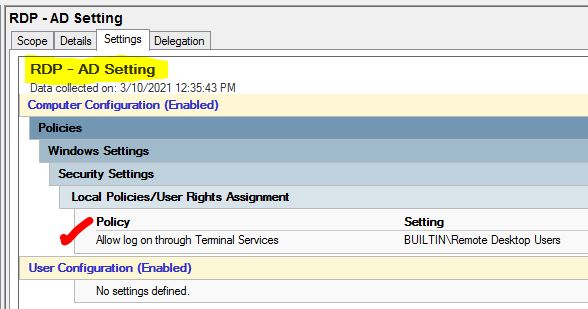
I have added my intended Remote users to the "Remote Desktop Group" in AD
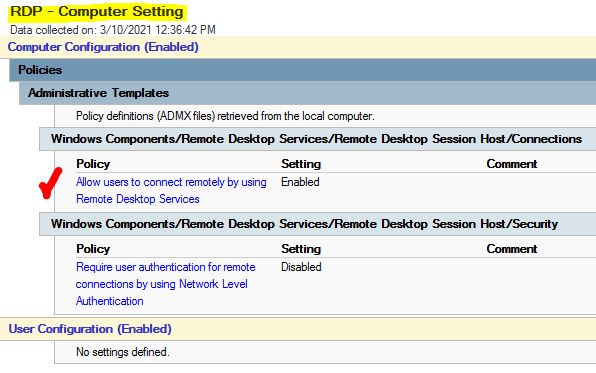
b). Configured Windows 10 (the guest OS) to "Allow users to connect remotely..."
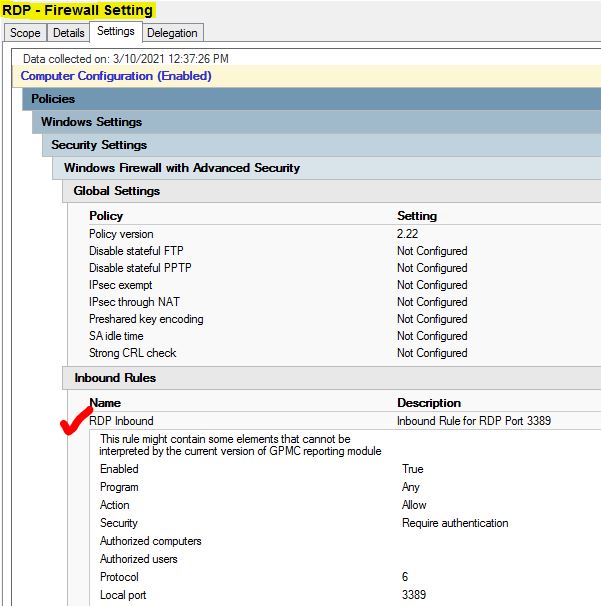
c). Configured Client Firewall to allow RDP connections
However after configuring all of the above settings I still needed to manually log on to the guest and add the remote user as shown below -
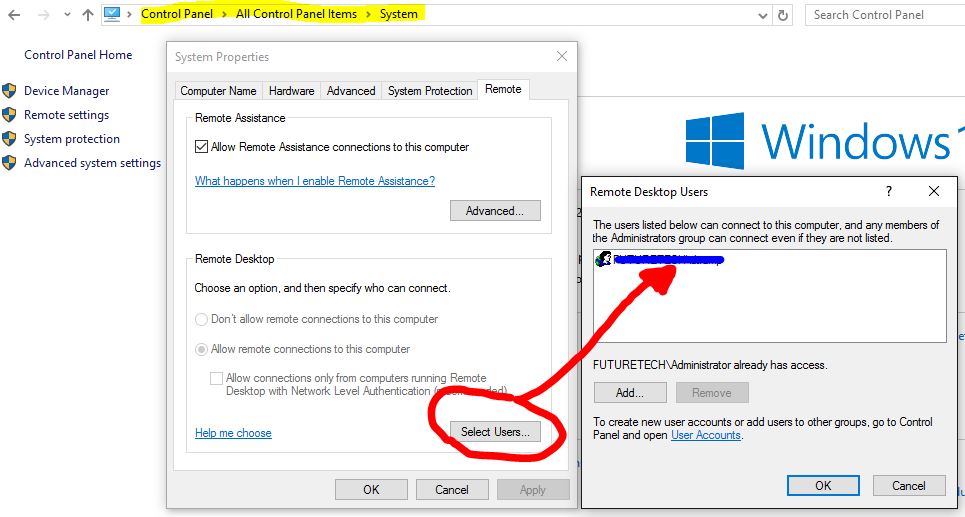
My question is "How can I configure the Guest remotely, presumably through Group Policy, rather than using the above dialog which requires a manual logon?"
Any help with this will be greatly appreciated.
Kind Regards,
Davo
Windows for business | Windows Client for IT Pros | User experience | Remote desktop services and terminal services
Windows for business | Windows Server | User experience | Other
Sign in to answer