Details
I am using Microsoft Copilot Studio to build an agent that needs to be consumed in two channels:
Microsoft Teams
A web application using iFrame (embedded chat)
Current behavior / limitation
If No authentication is selected:
The agent works correctly in iFrame
  ❌ The agent **cannot be used in Microsoft Teams**

  If **Authentication is enabled**:

     The agent works in **Microsoft Teams**

        For **iFrame**, authentication is required
Manual authentication scenario
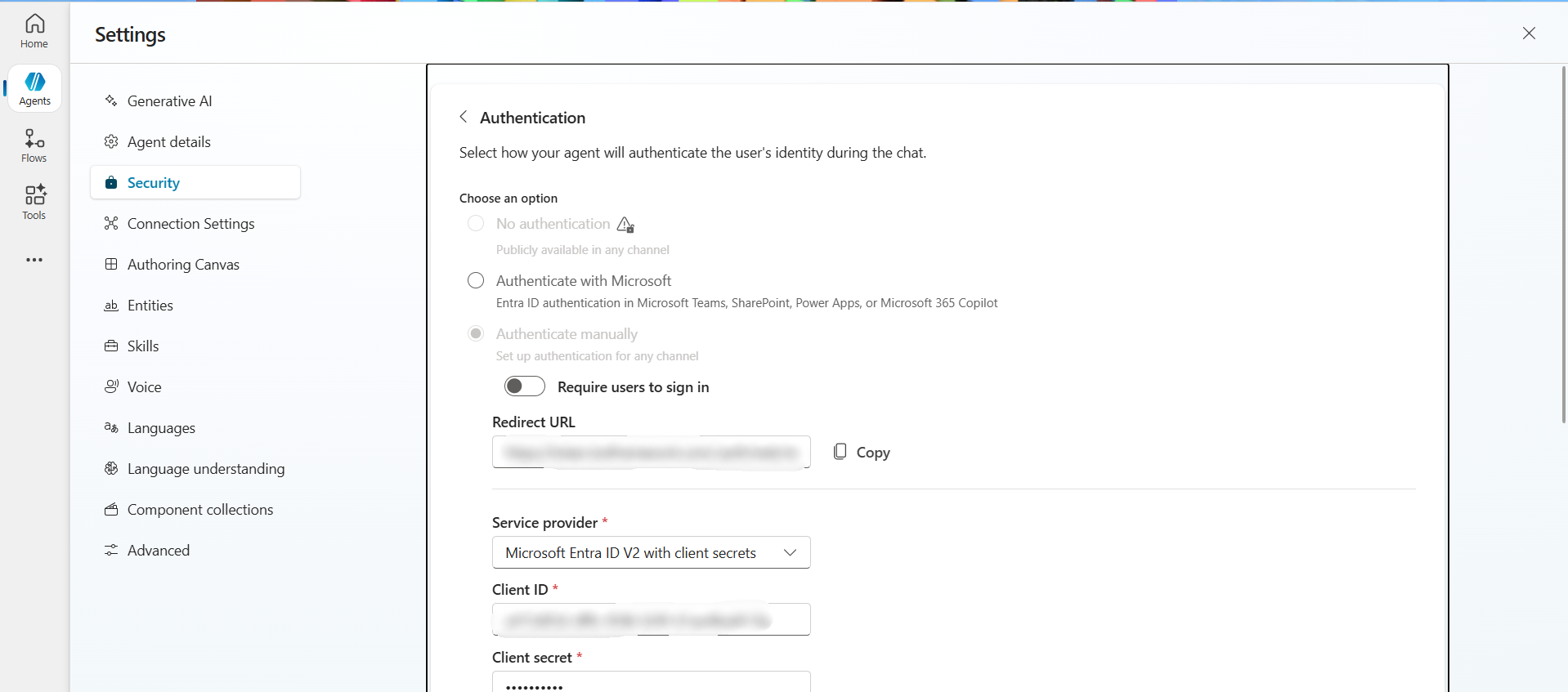
When using Manual authentication (Client ID + Client Secret):
In the agent chat, a Sign in button is shown
Clicking it opens a new page
The user must:
Copy the authentication code
  Paste it back into the agent chat

  Only after this step, the conversation can continue
This flow works, but it is not user-friendly, especially for:
Repeated sessions
iFrame-embedded chat experiences
Non-technical end users
Problem statement
I need:
One Copilot Studio agent
That works in both Microsoft Teams and iFrame
Without requiring users to copy-paste authentication codes repeatedly
Preferably with SSO or silent authentication where possible
Questions
- Is it currently possible to configure a Copilot Studio agent that works in both Teams and iFrame with a single authentication setup?
Are there any recommended authentication patterns (Entra ID, OAuth, SSO, token exchange, etc.) to avoid the manual copy-paste authentication flow?
Is this a known limitation of Copilot Studio channels, or is there a planned improvement on the roadmap?
Any official guidance or best-practice recommendation would be very helpful.
Details
I am using Microsoft Copilot Studio to build an agent that needs to be consumed in two channels:
Microsoft Teams
A web application using iFrame (embedded chat)
Current behavior / limitation
If No authentication is selected:
The agent works correctly in iFrame
  ❌ The agent **cannot be used in Microsoft Teams**

  If **Authentication is enabled**:

     The agent works in **Microsoft Teams**

        For **iFrame**, authentication is required
Manual authentication scenario
When using Manual authentication (Client ID + Client Secret):
- In the agent chat, a Sign in button is shown
- Clicking it opens a new page
- The user must:
- Copy the authentication code
- Paste it back into the agent chat
- Only after this step, the conversation can continue
This flow works, but it is not user-friendly, especially for:
Repeated sessions
iFrame-embedded chat experiences
Non-technical end users
Problem statement
I need:
One Copilot Studio agent
That works in both Microsoft Teams and iFrame
Without requiring users to copy-paste authentication codes repeatedly
Preferably with SSO or silent authentication where possible
Questions
Is it currently possible to configure a Copilot Studio agent that works in both Teams and iFrame with a single authentication setup?
Are there any recommended authentication patterns (Entra ID, OAuth, SSO, token exchange, etc.) to avoid the manual copy-paste authentication flow?
Is this a known limitation of Copilot Studio channels, or is there a planned improvement on the roadmap?
Any official guidance or best-practice recommendation would be very helpful.
' cx='32' cy='32' r='32' /%3E%3Ctext x='50%25' y='55%25' dominant-baseline='middle' text-anchor='middle' fill='%23FFF' %3EVB%3C/text%3E%3C/svg%3E)
' cx='32' cy='32' r='32' /%3E%3Ctext x='50%25' y='55%25' dominant-baseline='middle' text-anchor='middle' fill='%23FFF' %3ESM%3C/text%3E%3C/svg%3E)