SCOM 2019 Reports

matan alter 161 Reputation points
2021-10-04T11:28:08.783+00:00

Hi all,
i installed new environment of scom 2019 and i have some problems with my report server (i thinks)
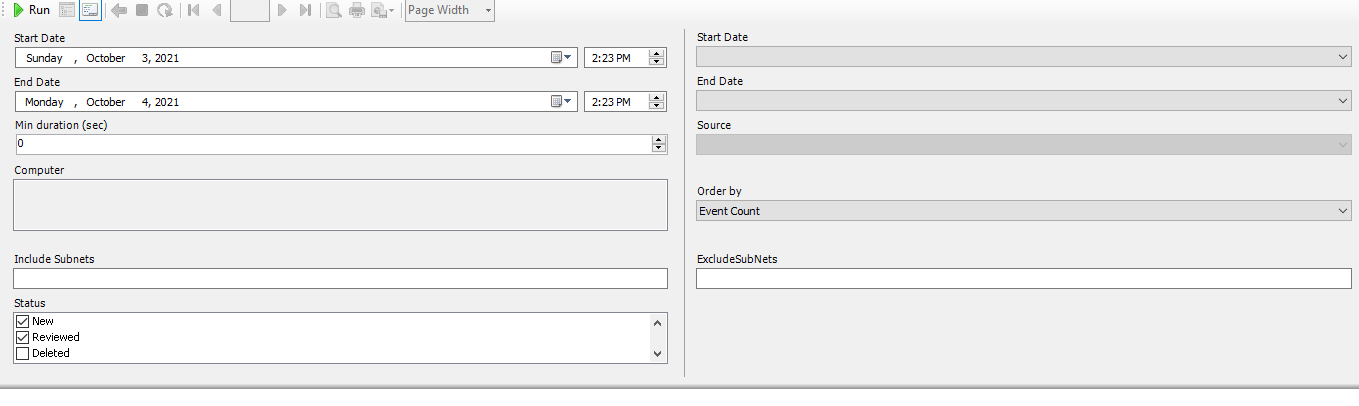
first , when im trying to deploy reports i sww gray blanks in the computer\source option

137345-image.png

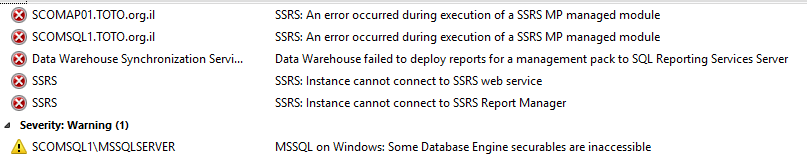
in addition i have some SSRS alerts :

137346-image.png

please help me with this.

Best regards,
Matan.

System Center Operations Manager
A family of System Center products that provide infrastructure monitoring, help ensure the predictable performance and availability of vital applications, and offer comprehensive monitoring for datacenters and cloud, both private and public.

0 comments No comments
{count} votes

2 answers

Sort by: Most helpful
  1. System Center guy 691 Reputation points
    2021-10-05T05:49:15.327+00:00

    Issue may be come from the account permission.
    At first, please check reporting server service account which should be SCOM datareader account.

    roger


  2. XinGuo-MSFT 22,246 Reputation points
    2021-10-06T09:27:27.787+00:00

    Please try to verify that SSRS is working properly:

    Open the Reporting Services Configuration Manager, and then connect to a report server instance that Operations Manager uses. Check whether the configuration is normal.

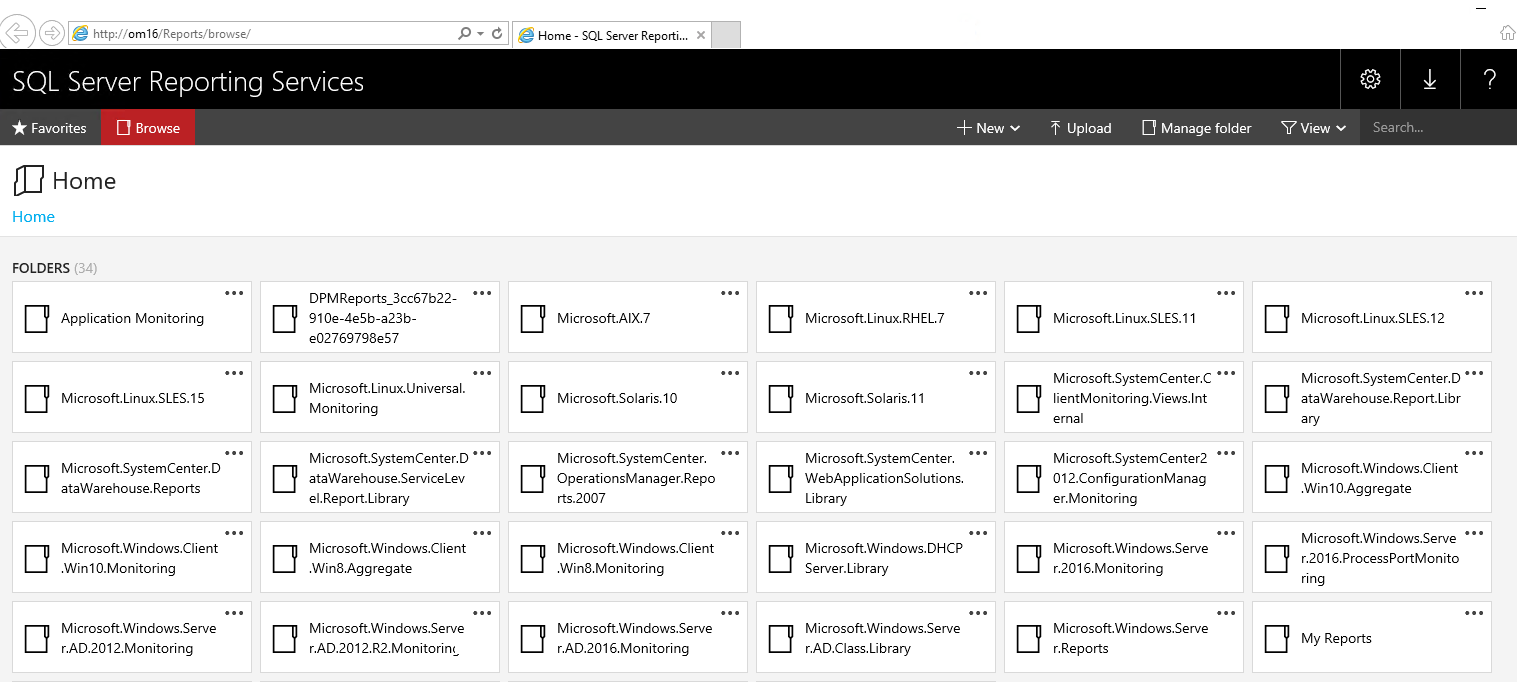
    Open a Web Browser on the server.
    Browse to http://localhost/reports/

    138077-capture.png

    SCOM 2019 Troubleshooting: Reports fail to deploy
    https://social.technet.microsoft.com/wiki/contents/articles/53799.scom-2019-troubleshooting-reports-fail-to-deploy.aspx

    0 comments No comments

Your answer

Answers can be marked as 'Accepted' by the question author and 'Recommended' by moderators, which helps users know the answer solved the author's problem.