Windows 11 - No Transparency

Jerry Duncan 36 Reputation points
2021-10-05T21:04:25.913+00:00

In my recently installed Windows 11 I have chosen the transparency settings like this:

137865-untitled.png

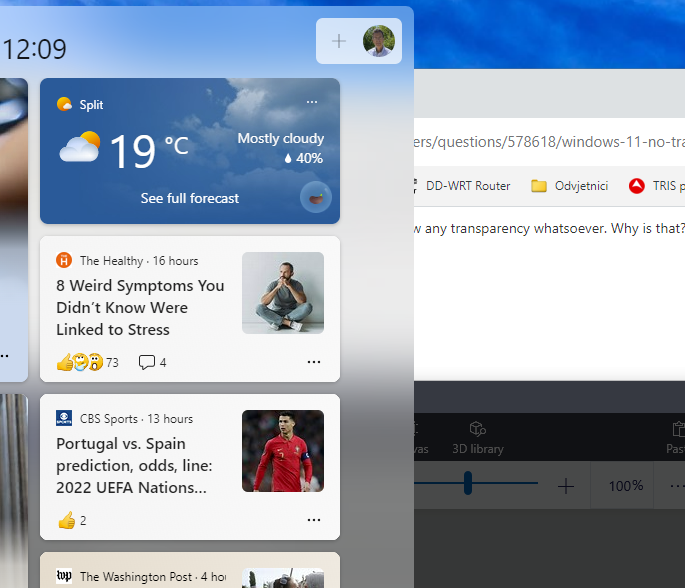
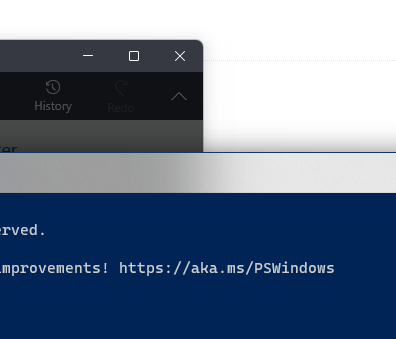
However, none of the screen elements show any transparency whatsoever. Why is that? Have I missed something?

Windows for business | Windows Client for IT Pros | User experience | Other
{count} vote

13 answers

Sort by: Most helpful
  1. Limitless Technology 40,081 Reputation points
    2021-10-06T10:47:10.573+00:00

    Hi there,

    Windows disables almost all the graphical customizations if the battery saver mode is enabled.

    1. Click on the Action Center icon on the extreme left-hand corner of the Taskbar.
    2. Then, make sure the “Battery Saver” tab is blank. If it is enabled, disable it.

    If the reply is helpful, please Upvote and Accept it as an answer

    0 comments No comments

  2. Kapil Arya 36,491 Reputation points Volunteer Moderator
    2021-10-06T10:50:26.68+00:00

    Make sure you're not on battery saver mode. Try enabling transparency using registry:

    https://www.kapilarya.com/enable-disable-transparency-effects-in-windows-11

    Let me know if this helps!

    Note: Included link in this reply refers to blog post by a trusted Microsoft MVP.

    0 comments No comments

  3. Jerry Duncan 36 Reputation points
    2021-10-06T12:17:21.327+00:00

    Many thanks for the good advice! However, something is still wrong.
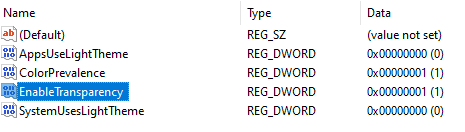
    The Personalization transparency effects setting is on. The battery saver is not enabled. The registry entries in HKEY_CURRENT_USER\Software\Microsoft\Windows\CurrentVersion\Themes\Personalize look like this:

    138191-image.png

    However, I see no transparency. Not on my Surface Pro screen when used as mobile, not on my two 27" 4K monitors when the PC is docked.

    Go figure!


  4. Ronald Valdehueza 1 Reputation point
    2021-11-01T00:21:05.183+00:00

    This Windows 11 marketing is all cr@p. I upgraded for the transparency but it's got zero effect.

    0 comments No comments

  5. Coolcats 1 Reputation point
    2022-02-05T14:45:05.397+00:00

    Its probably because u don't have the dedicated graphics drivers installed or u enabled the power saver. Actually I was also having the same question but when I realized about the same with windows aero for windows 7 if the drivers are not installed

    0 comments No comments

Your answer

Answers can be marked as 'Accepted' by the question author and 'Recommended' by moderators, which helps users know the answer solved the author's problem.