Microsoft 365 and Office | SharePoint | For business | Windows
A group of Microsoft Products and technologies used for sharing and managing content, knowledge, and applications.

This browser is no longer supported.
Upgrade to Microsoft Edge to take advantage of the latest features, security updates, and technical support.
' cx='32' cy='32' r='32' /%3E%3Ctext x='50%25' y='55%25' dominant-baseline='middle' text-anchor='middle' fill='%23FFF' %3EPS%3C/text%3E%3C/svg%3E)
New user have permission to Sharepoint group and Lists, can also run the Flow, but the said Flow does not show up in his My Flow section of Power Automate
So the creator makes instant flow for the Sharepoint Lists to be used by everyone. The flow is owned by creator (account deactivated) and Co-Owned with the said Sharepoint Lists.
That's basically the question. Why didn't the Flow appear in My Flow if he can use it? Why can't the new user manage the said Flow? How the creator should arrange the Flow ownership so that the whole Sharepoint Group can manage single centralized Flow (not a copy for each member)
Sorry but I'm new here, so if there's any screenshot needed please tell me. Thanks

Hello @Project-SC, M-Athar-Aufi ,
Welcome to Q&A Forum!
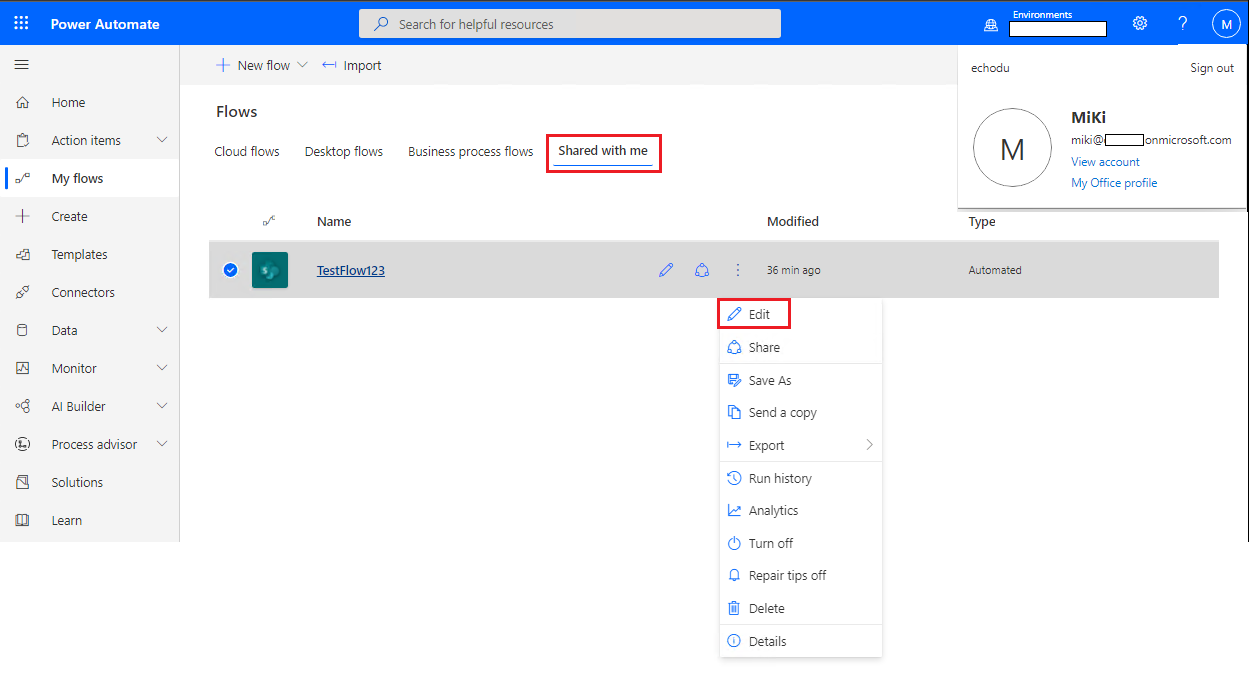
According to my test, if you add the entire SharePoint list or library as owner of the Flow, it is true that the Flow will not appear on the this user’s My flows page.
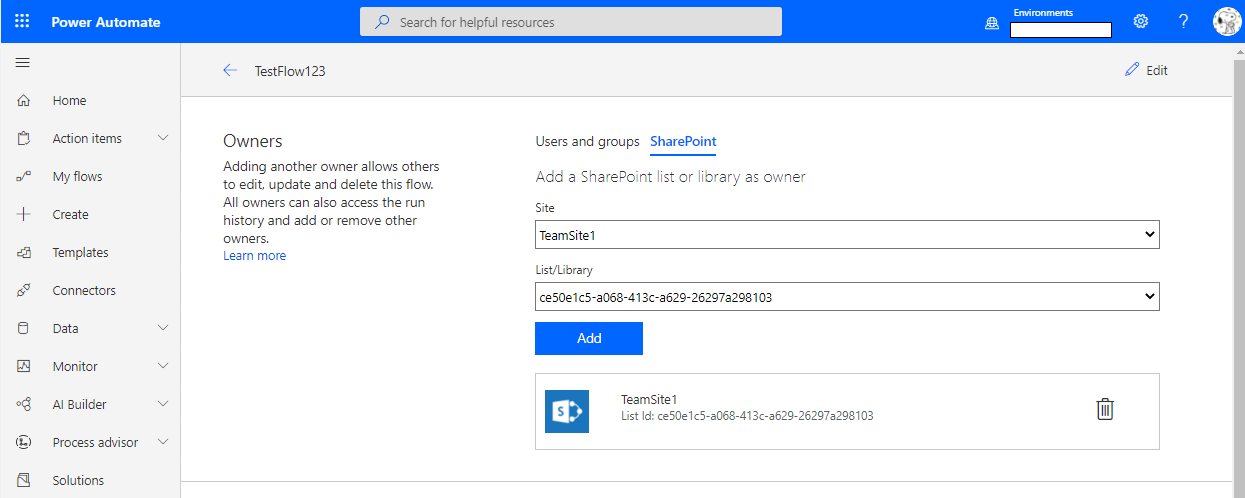
If you want the SharePoint group to be able to manage this flow, please following steps:
1.Log in to the Power Automate as the administrator who has created the flow.
2.Share this flow with SharePoint Group
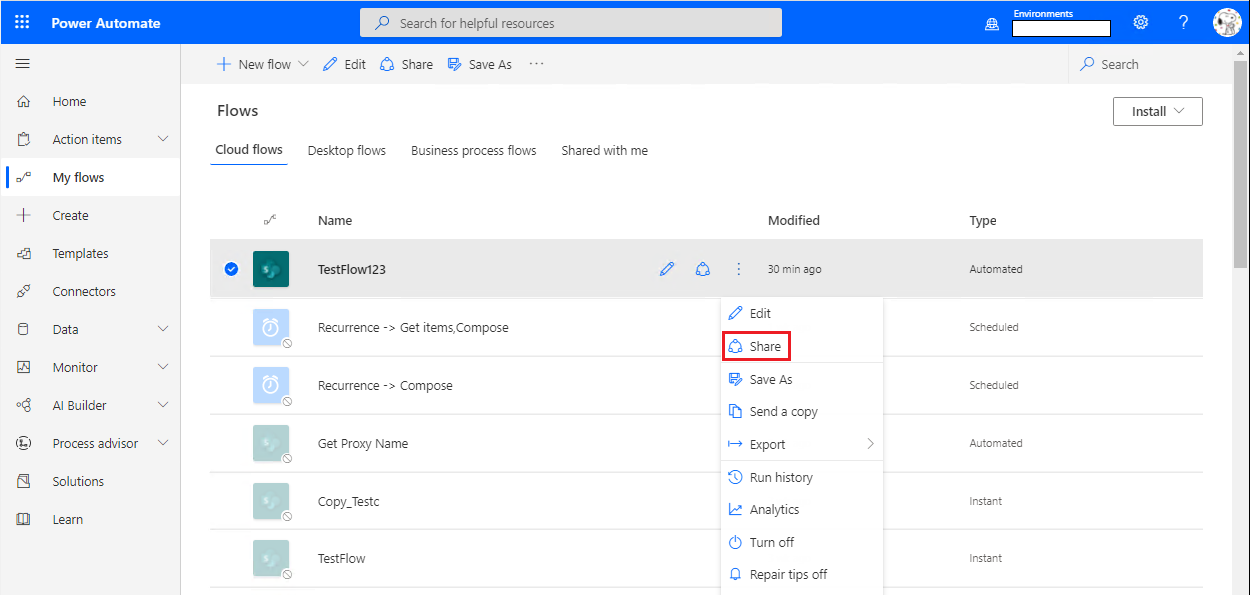
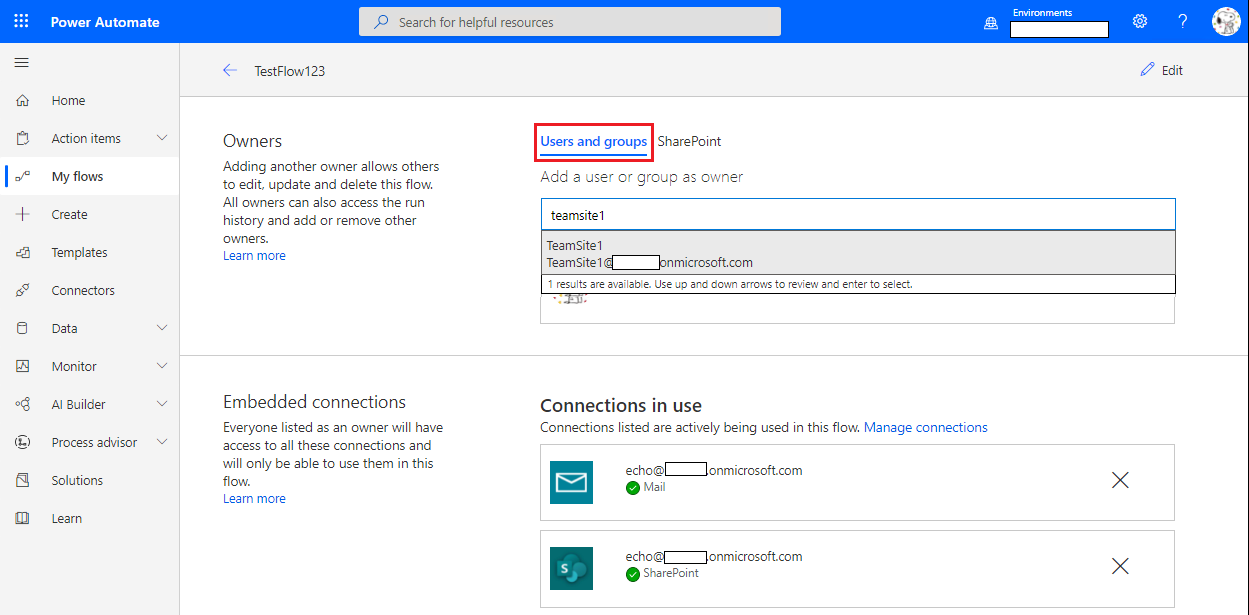
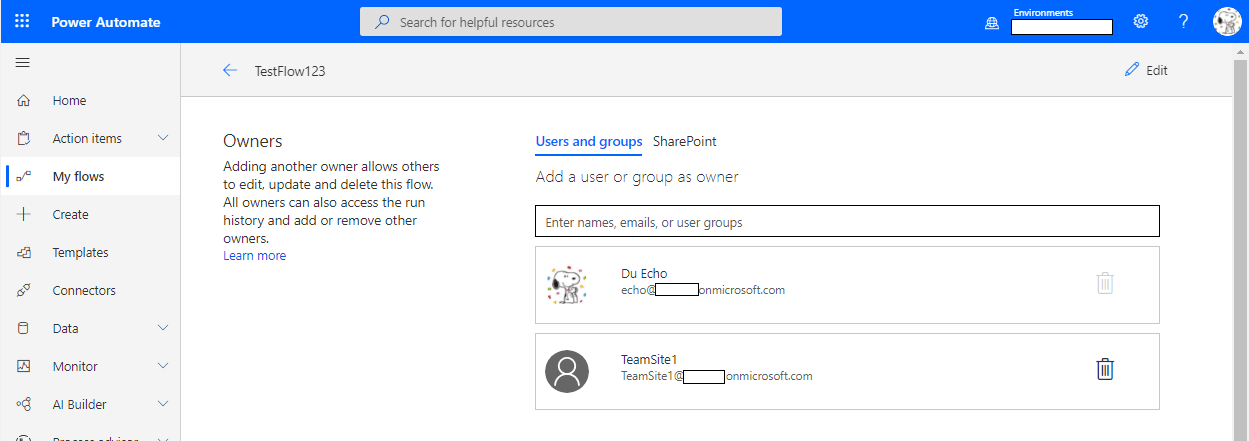
3.This Flow will appear in "Shared with me" tab of user's My flow page.
Thanks,
Echo Du
====================================
If an Answer is helpful, please click "Accept Answer" and upvote it.
Note: Please follow the steps in our documentation to enable e-mail notifications if you want to receive the related email notification for this thread.
Thank you for your answer, really adds depth to my understanding of how to use Flows.
However, the creator account has been deactivated, and from my understanding the only way to gain control of the Flow is to reactivate it.
But thank you nonetheless, I just hope I don't post it in the wrong forum (oops).
Do you by any chance can refer me to any resources or material that helps new user with structured learning? Would be great to avoid mistake like this in the future
Hi @Project-SC, M-Athar-Aufi ,
Thanks for your reply.
Here are some links that might help you:
Thanks,
Echo Du