Microsoft 365 and Office | SharePoint | For business | Windows
A group of Microsoft Products and technologies used for sharing and managing content, knowledge, and applications.

This browser is no longer supported.
Upgrade to Microsoft Edge to take advantage of the latest features, security updates, and technical support.
' cx='32' cy='32' r='32' /%3E%3Ctext x='50%25' y='55%25' dominant-baseline='middle' text-anchor='middle' fill='%23FFF' %3ERR%3C/text%3E%3C/svg%3E)
I have a SP 2013 Search result webpart, i wanted to update the current pagging view , by default it showing only 1 & 2 with next button.
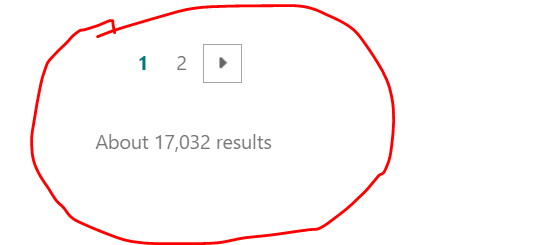
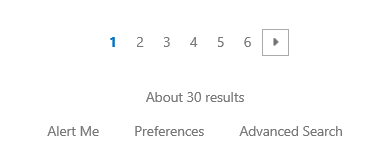
It should show at least 6 digit for me for Example (< 1 2 3 4 5 6 >). Can any one help me on this. How can i achieve it.
A group of Microsoft Products and technologies used for sharing and managing content, knowledge, and applications.
The process of building custom solutions for SharePoint Server.

First, export Search Results Web Part and edit it.
Number of pages in pagination UI is controlled by two variables in the Search Results web part:
<property name="MaxPagesBeforeCurrent" type="int">5</property>
<property name="MaxPagesAfterCurrent" type="int">5</property>
Then import the changed web part via site settings>choose web parts under Web Designer Galleries>upload it as shown below:
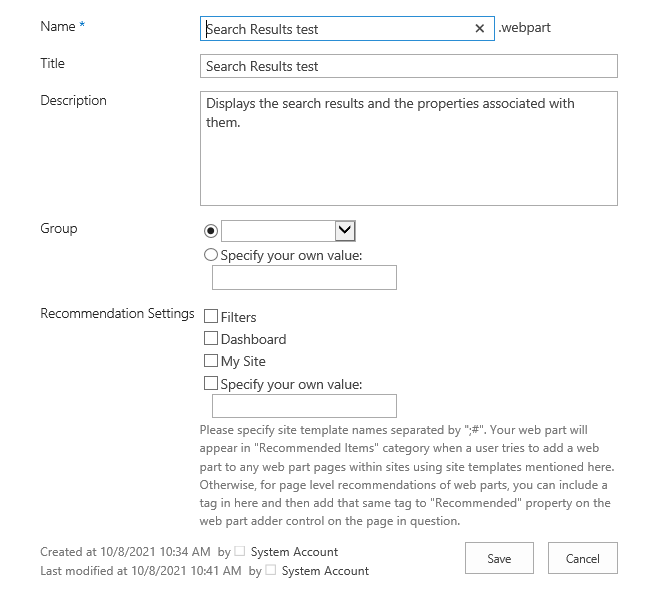
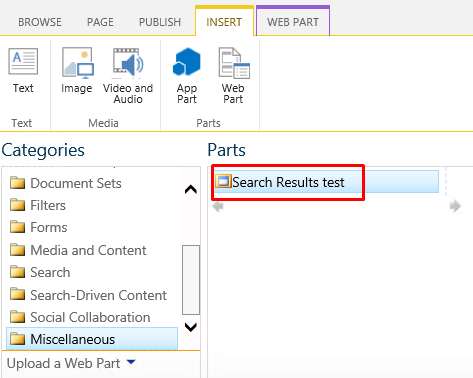
Then remove the default search result web part, add the customized web part:
You will now get this:
If an Answer is helpful, please click "Accept Answer" and upvote it.
Note: Please follow the steps in our documentation to enable e-mail notifications if you want to receive the related email notification for this thread.
Do you have any progress on this issue?
Please remember to update this thread if you need further assistance.
I’m checking how the things are going on about this issue.
Please feel free to reply if there is any update.

Hello @Rajiv Ranjan ,
If Julie's reply helps you, please remember to accept her reply as answer via the "Accept Answer" button, it will be beneficial to others in this forum who meet the same issue in the future. Thanks for your understanding and cooperation.