Recently we are facing issue on couple of iPhone 6 device which is enrolled in intune. We have pushed the Outlook app as a required app and the app gets installed. We are using MFA for authentication. user opens up the app and enter the email address it asks for user name and password then it ask for mfa code. Auth get successful and the get the Page expired - the page you are trying to access is no longer available. Below is the screenshot. The same user when trying with the latest iPhone it works fine with no issue. This issue occurs only on iPhone 6.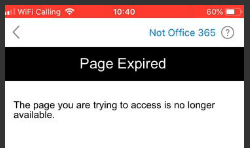
' cx='32' cy='32' r='32' /%3E%3Ctext x='50%25' y='55%25' dominant-baseline='middle' text-anchor='middle' fill='%23FFF' %3ESK%3C/text%3E%3C/svg%3E)