After installing Visual Studio, I received an error after the installation.
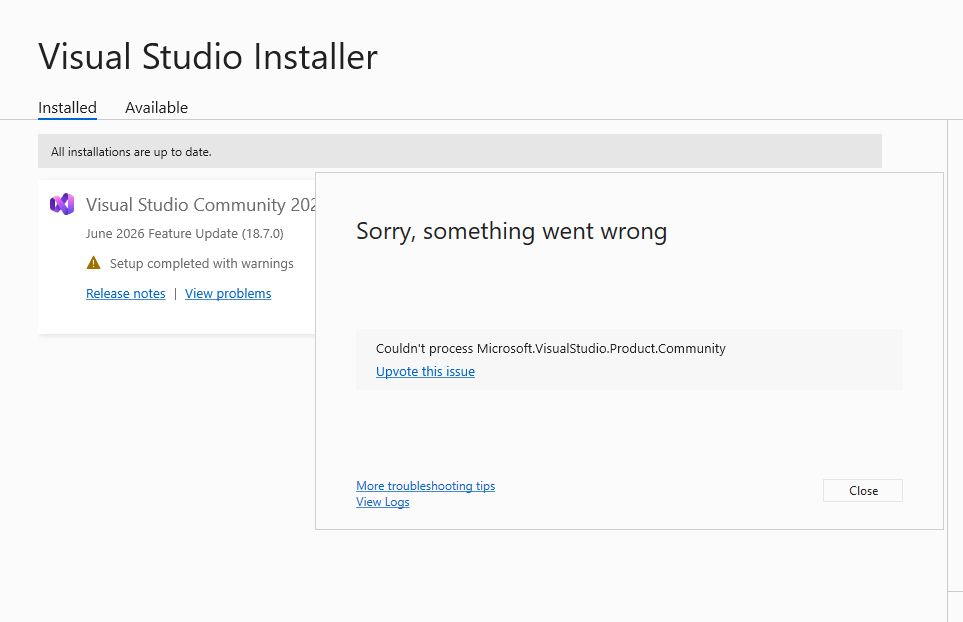
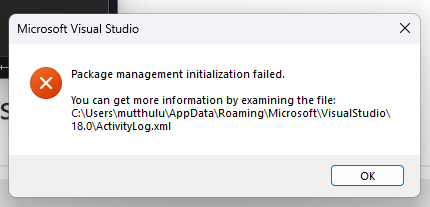
Attaching the log message:
Something went wrong with the install.

You can troubleshoot the package failures by:

    1. Search for solutions using the search URL below for each package failure
    2. Modify your selections for the affected workloads or components and then retry the installation
    3. Remove the product from your machine and then install again

If the issue has already been reported on the Developer Community, you can find solutions or workarounds there. If the issue has not been reported, we encourage you to create a new issue so that other developers will be able to find solutions or workarounds. You can create a new issue from within the Visual Studio Installer in the upper-right hand corner using the "Provide feedback" button.

================================================================================

Product finalizer failed to execute.
    Search URL
        https://aka.ms/VSSetupErrorReports?q=PackageId=Microsoft.VisualStudio.Product.Community;PackageAction=Finalize;ReturnCode=1
    Details
        Command executed: "C:\Program Files\Microsoft Visual Studio\18\Community\common7\ide\vsfinalizer.exe" -ResponseFilePath "C:\ProgramData\Microsoft\VisualStudio\Packages\_Instances\9f74ac42\ResponseFiles\he4qtthu.txt"
        Return code: 1
        Return code details: Incorrect function.
    Log
        C:\Users\mutthulu\AppData\Local\Temp\dd_setup_20260612143420_134_Microsoft.VisualStudio.Product.Community.log
' cx='32' cy='32' r='32' /%3E%3Ctext x='50%25' y='55%25' dominant-baseline='middle' text-anchor='middle' fill='%23FFF' %3EMY%3C/text%3E%3C/svg%3E)