
Kindly go through the following article:
How to Fix “Windows cannot access the specified device path or file” on Windows 10
This browser is no longer supported.
Upgrade to Microsoft Edge to take advantage of the latest features, security updates, and technical support.
' cx='32' cy='32' r='32' /%3E%3Ctext x='50%25' y='55%25' dominant-baseline='middle' text-anchor='middle' fill='%23FFF' %3EMA%3C/text%3E%3C/svg%3E)
When restarting Windows 10 and logging in as Administrator, I get the following error message.
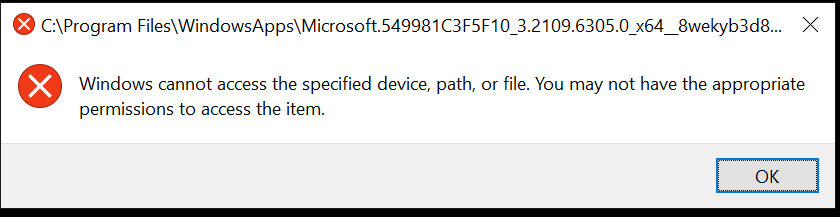
I have run System File Checker, and cleared all corrupt files. No change.
I have run DKIM and repaired the image. No change.
I located the directly, and appeared to be related to Cortana. I turned off Cortana in Group Policy. No change.
I have reinstall all Windows default apps via PowerShell. No change.
Any ideas
' cx='32' cy='32' r='32' /%3E%3Ctext x='50%25' y='55%25' dominant-baseline='middle' text-anchor='middle' fill='%23FFF' %3EGR%3C/text%3E%3C/svg%3E)
I had this error once, you cannot open it anymore because it was either removed, blocked, or something went wrong.
' cx='32' cy='32' r='32' /%3E%3Ctext x='50%25' y='55%25' dominant-baseline='middle' text-anchor='middle' fill='%23FFF' %3ESS%3C/text%3E%3C/svg%3E)
Kindly go through the following article:
How to Fix “Windows cannot access the specified device path or file” on Windows 10