
Two days later, it's a problem again. Help solve it.
This browser is no longer supported.
Upgrade to Microsoft Edge to take advantage of the latest features, security updates, and technical support.
' cx='32' cy='32' r='32' /%3E%3Ctext x='50%25' y='55%25' dominant-baseline='middle' text-anchor='middle' fill='%23FFF' %3EA%3C/text%3E%3C/svg%3E)
Hi. I have a terminal farm of 11 servers. Windows Server 2019.
Today I cannot log in to one of the servers.
Connect by FQDN i got this error:

i can connect with Enter-PSSession dattum-rdp-06 from my PC:
InterfaceAlias : Ethernet0
InterfaceIndex : 2
InterfaceDescription : vmxnet3 Ethernet Adapter
NetProfile.Name : resoleasing.com
IPv4Address : 10.2.3.36
IPv6DefaultGateway :
IPv4DefaultGateway : 10.2.3.254
DNSServer : 10.2.3.1
10.1.0.1
w32tm /query /status returns the correct values. Everything converges with the client.
Connect by ip:
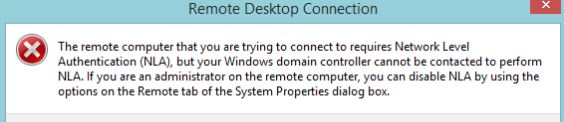
After disable NLA:
(Get-WmiObject -class "Win32_TSGeneralSetting" -Namespace root\cimv2\terminalservices -ComputerName $server -Filter "TerminalName='RDP-tcp'").SetUserAuthenticationRequired(0)
I got:
We can’t sign you with this credential because your domain isn’t available. Make sure your device is connected to your organization’s network and try again. If you previously signed in on this device with another credential, you can sign in with that credential.
Two days later, it's a problem again. Help solve it.