Microsoft Security | Intune | Configuration Manager | Deployment
Deploying software and updates using Configuration Manager

This browser is no longer supported.
Upgrade to Microsoft Edge to take advantage of the latest features, security updates, and technical support.
' cx='32' cy='32' r='32' /%3E%3Ctext x='50%25' y='55%25' dominant-baseline='middle' text-anchor='middle' fill='%23FFF' %3ED%3C/text%3E%3C/svg%3E)
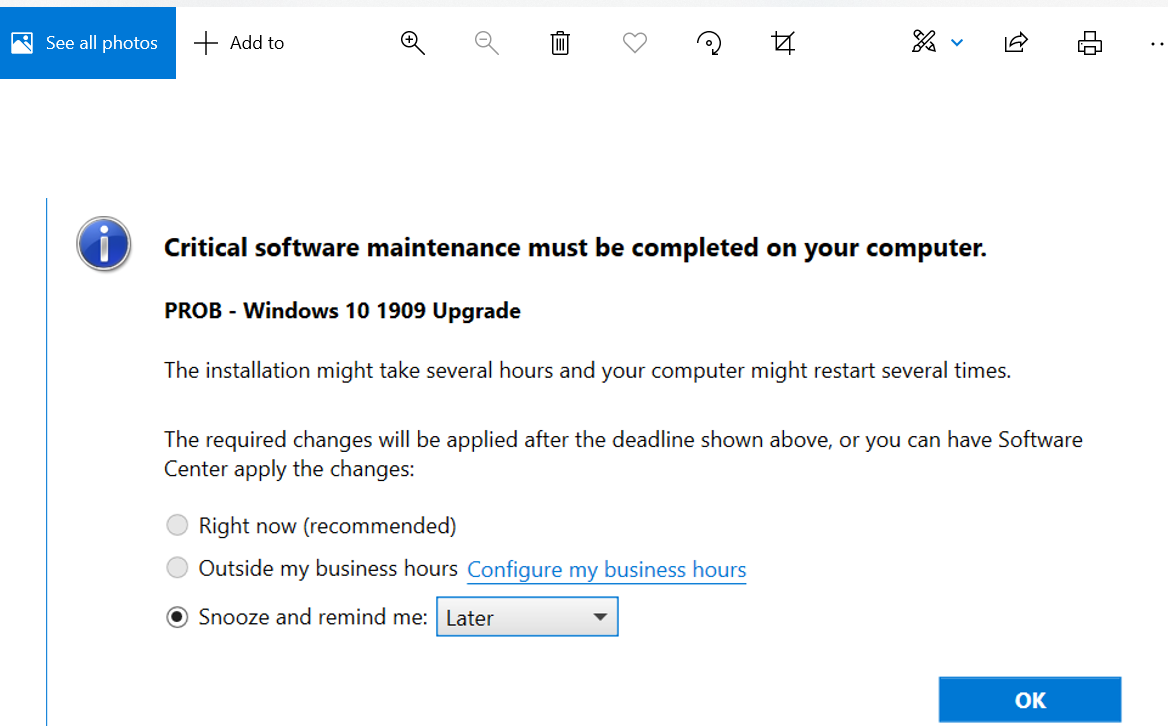
I am rolling the 1909 Windows update in a task sequence and I want to add a deadline to it. They are currently getting the following pop-up and I want to add a "on or after date and time" similar to what it shows in the second pic that I found on the internet. Currently they can just keep snoozing and I do not want that.

Hi @D_CIO ,
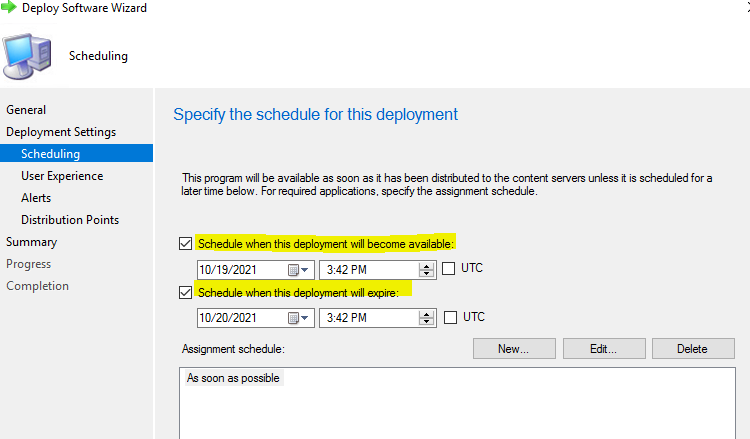
Schedule when this deployment will become available: Specify the date and time when the task sequence is available to run on the destination computer.
Schedule when this deployment will expire: Specify the date and time when the task sequence expires on the destination computer.
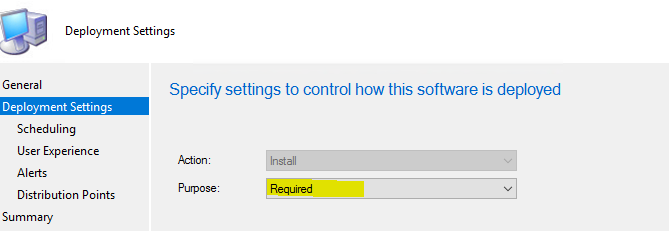
We could configure the deployment setting as Required, and set the expired the time, it will install once the time arrives.
Here is the screenshot we could refer to:
If the response is helpful, please click "Accept Answer" and upvote it.
Note: Please follow the steps in our documentation to enable e-mail notifications if you want to receive the related email notification for this thread.
Hi,
Just checking in to see if there is any update. We haven't heard from you for a few days and would like to know the current status of the problem. Is the problem solved? Do you need any further assistance? Look forward to hearing from you.
Thanks for your time.
Best regards,
Amanda
Hi @D_CIO ,
Hope everything goes well. May we know the current status of the question? If possible, I will provide the summary of this case to understand it better, hope it helps.
Issue:
How to set deadline of windows Task Sequence Windows Upgrade
Solution:
Please configure the deployment setting as Required, and set the expired the time, it will install once the time arrives.
If the answer is the right solution, please click "Accept Answer" and kindly upvote it. If you have extra questions about this answer, please click "Comment".
Note: Please follow the steps in our documentation to enable e-mail notifications if you want to receive the related email notification for this thread.
' cx='32' cy='32' r='32' /%3E%3Ctext x='50%25' y='55%25' dominant-baseline='middle' text-anchor='middle' fill='%23FFF' %3EKK%3C/text%3E%3C/svg%3E)
So if we set the deployment as required will the user get notification to install based on their convenience before the expire date?
for example
we set available day as today current time and expiry date of exactly 48 hours after. How we make sure the user gets notified more than once about the procedure he has to follow? for example click install to deploy OS that will take 60-120mins etc....?
Thanks