Hi,
After a recent Windows Update (25H2 feature update), both my laptop's built-in camera and microphone stopped working simultaneously.
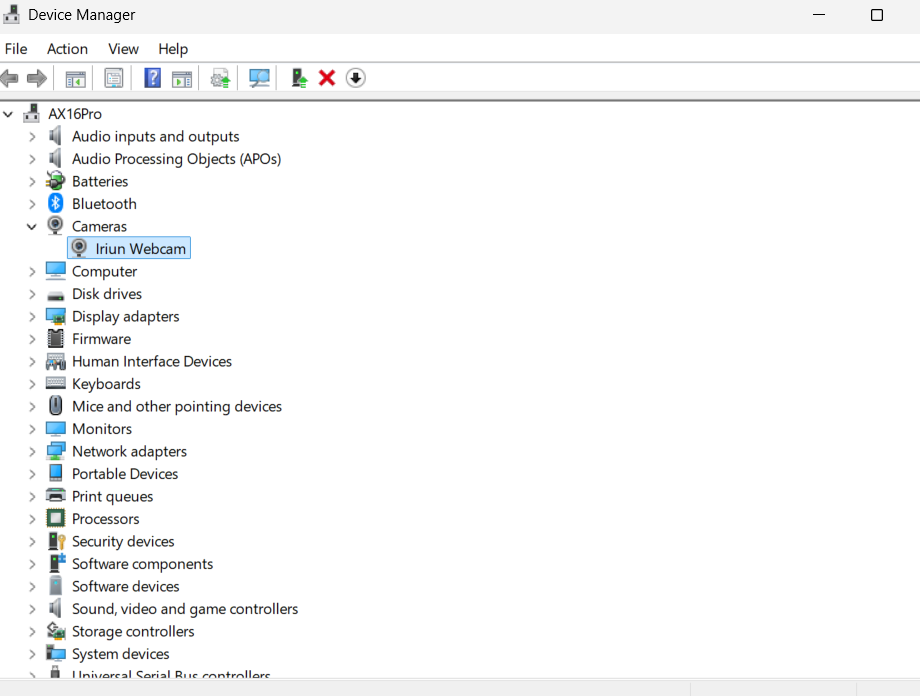
Device Manager shows the camera under "Cameras" as "USB Video Device" with the following error:
"This device cannot start. (Code 10)"
Hardware details:
- USB Hardware ID: USB\VID_058F&PID_3863&MI_00
- Camera sensor: GalaxyCore GC5035
- Bridge chip: Alcor Micro Corp
- OS: Windows 11 Pro, 64-bit
- Device model: AX16Pro
What I have already tried:
- Checked Camera/Microphone privacy settings - access is enabled
- Uninstalled the device in Device Manager and restarted (device reinstalls but Code 10 persists)
- Disabled USB selective suspend / unchecked "Allow computer to turn off this device to save power" on all USB Root Hubs
- Ran sfc /scannow and DISM /Online /Cleanup-Image /RestoreHealth - no corruption found
- Searched Microsoft Update Catalog for VID_058F&PID_3863 - no results found
- Checked OEM driver package - camera driver (gc5035.inf) is missing from the official AX16Pro driver pack
- Previously had Iriun Webcam (virtual camera software) installed and later uninstalled it; removed leftover driver packages (oem74.inf, oem36.inf) via pnputil /delete-driver
The device still shows Code 10 after all the above steps. I suspect either a corrupted registry filter (UpperFilters/LowerFilters) or a Windows Update driver regression affecting the USB video/audio class driver.
Could you help identify the root cause or suggest the correct generic driver/registry fix for this hardware ID?
Thank you.
' cx='32' cy='32' r='32' /%3E%3Ctext x='50%25' y='55%25' dominant-baseline='middle' text-anchor='middle' fill='%23FFF' %3EJG%3C/text%3E%3C/svg%3E)

