Microsoft 365 and Office | SharePoint | For business | Windows
A group of Microsoft Products and technologies used for sharing and managing content, knowledge, and applications.

This browser is no longer supported.
Upgrade to Microsoft Edge to take advantage of the latest features, security updates, and technical support.
' cx='32' cy='32' r='32' /%3E%3Ctext x='50%25' y='55%25' dominant-baseline='middle' text-anchor='middle' fill='%23FFF' %3EA%3C/text%3E%3C/svg%3E)
Hi,
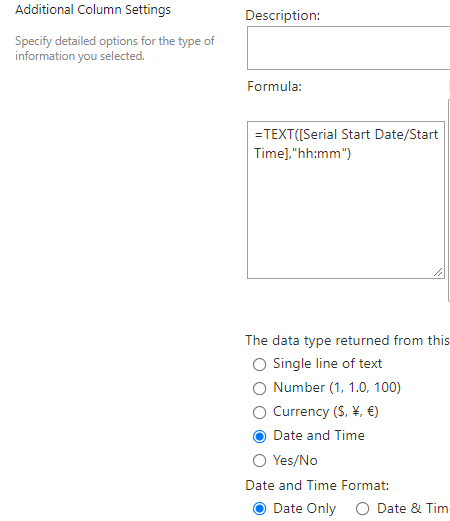
I have a calculated column - Calculated (calculation based on other columns) - with the below formula inputted to auto-display the time:
=TEXT([Serial Start Date/Start Time],"hh:mm")
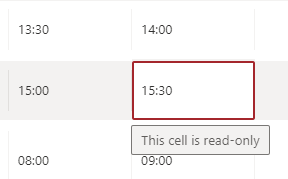
However, I noticed this makes the cells on Sharepoint 'read-only' - so I can't make edits to the time if I wanted to change something.
Is there a better formula to use where I could get the time to be auto-populated (based on a previous 'Date & Time' column), but still be able to make manual changes to contents in this cell? (without the time being altered from the original Date & Time Column which the information is being extrapolated from).
Thank you!

Hi @annonnon
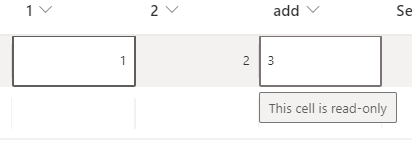
Per my research, the column with formula could not be edited manually. The value of it is depended on the calculated formula.
For example, I set the "add" column formula as 1+2, then the value could only depend on column "1" and column "2", which is read only.
If the answer is helpful, please click "Accept Answer" and kindly upvote it. If you have extra questions about this answer, please click "Comment".
Note: Please follow the steps in our documentation to enable e-mail notifications if you want to receive the related email notification for this thread.
Hi @Yi Lu_MSFT ,
Thank you for your response.
I see, so then there is no formula or method to have it auto populate the details but also be able to edit the cell?
Yes, this is by design.

Go to List settings -> Advanced Settings and Select Allow management of content type then press Ok. , and click in the _hidden column. Set the column setting to Hidden and click Ok.
Hello,
Thank you so much for your reply.
I clicked allow management of content type but the cell remains 'read-only' :(
With the _hidden column, where would that be? Is that to hide the original Date & Time column which the calculated column is extrapolating information from?