Microsoft 365 and Office | SharePoint | Development
The process of building custom applications and tools that interact with Microsoft SharePoint, including SharePoint Online in Microsoft 365.

This browser is no longer supported.
Upgrade to Microsoft Edge to take advantage of the latest features, security updates, and technical support.

note: I've also posted this on stack overflow, I will share the answer there if I can get one. All data and images have been "sanitized" to remove any identifying info
For some context, I am using sp-rest-proxy to make a tool which will get, modify and replace json data from SharePoint (MS 365) with a react interface. After figuring out the authentication issues I now have this issue preventing me from updating files.
sp-rest-proxy comes with a very handy interface that let's you test out various routes on localhost, the chunks below are the SharePoint REST relative endpoints. Also, though I am using example paths for privacy purposes, there are no special characters in the real ones, it's not that "%" issue.
This endpoint works great, gives me the data with no fuss.
/sites/front/_api/web/GetFileByServerRelativeUrl('sites/homePage/DivisionSite/DeptSite/myLibrary/folder/subFolder/data.json')/$value
but these result in 404s
/sites/front/_api/web/GetFolderByServerRelativeUrl('sites/homePage/DivisionSite/DeptSite/myLibrary/folder/subFolder')/files/add(url='data.json',overwrite=true)

/sites/front/_api/web/GetFolderByServerRelativeUrl('sites/homePage/DivisionSite/DeptSite/myLibrary/folder/subFolder')/Files('data.json')

/*
{
  "readyState": 4,
  "responseText": "{\"error\":{\"code\":\"-2147024893, System.IO.DirectoryNotFoundException\",\"message\":{\"lang\":\"en-US\",\"value\":\"File Not Found.\"}}}",
  "responseJSON": {
    "error": {
      "code": "-2147024893, System.IO.DirectoryNotFoundException",
      "message": {
        "lang": "en-US",
        "value": "File Not Found."
      }
    }
  },
  "status": 404,
  "statusText": "Not Found"
}
*/
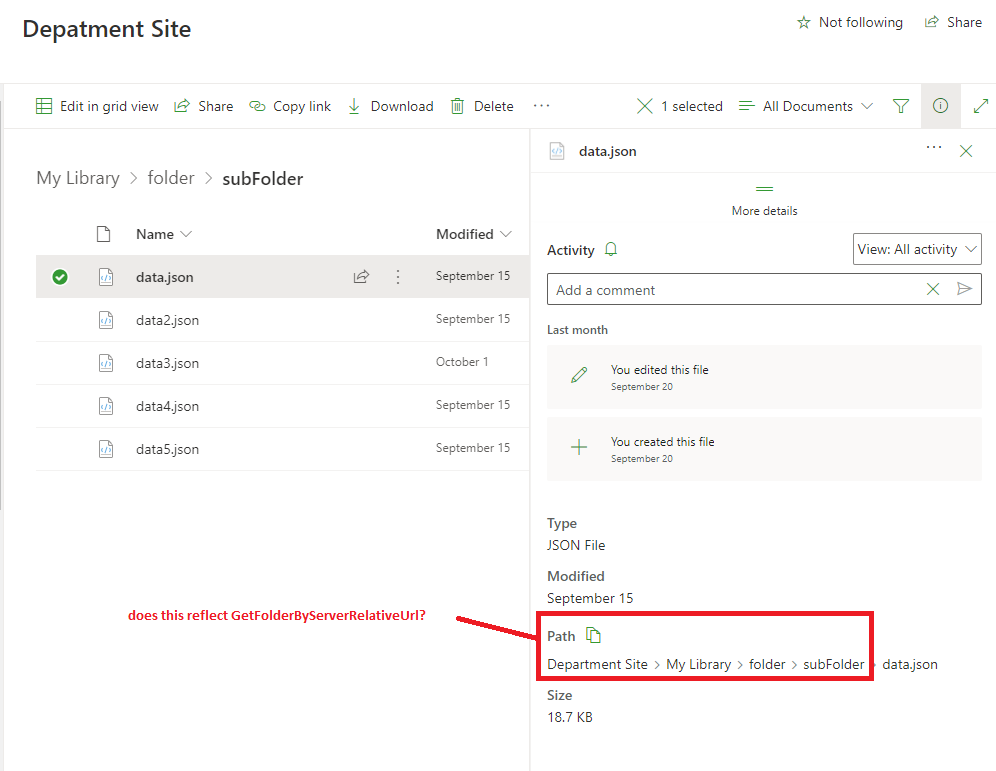
I can use the interface to see that my folder exist and contains items (my json files)
/sites/front/_api/web/GetFolderByServerRelativeUrl('sites/homePage/DivisionSite/DeptSite/myLibrary/folder/subFolder')
/*
"..." represents stuff I hid for privacy
{
  "d": {
    "__metadata": {
      "id": "...",
      "uri": "...",
      "type": "SP.Folder"
    },
    "Files": {
      "__deferred": {
        "uri": "..."
      }
    },
    "ListItemAllFields": {
      "__deferred": {
        "uri": "..."
      }
    },
    "ParentFolder": {
      "__deferred": {
        "uri": "..."
      }
    },
    "Properties": {
      "__deferred": {
        "uri": "..."
      }
    },
    "StorageMetrics": {
      "__deferred": {
        "uri": "..."
      }
    },
    "Folders": {
      "__deferred": {
        "uri": "..."
      }
    },
    "Exists": true,
    "IsWOPIEnabled": false,
    "ItemCount": 5,
    "Name": "otherFolder",
    "ProgID": null,
    "ServerRelativeUrl": "sites/homePage/DivisionSite/DeptSite/myLibrary/folder/subFolder",
    "TimeCreated": "2021-09-20T18:51:29Z",
    "TimeLastModified": "2021-10-01T20:03:03Z",
    "UniqueId": "...,
    "WelcomePage": ""
  }
}
*/
However, when I try to view files...
/sites/front/_api/web/GetFolderByServerRelativeUrl('sites/homePage/DivisionSite/DeptSite/myLibrary/folder/subFolder')/Files
/*
{
  "d": {
    "results": []
  }
}
*/
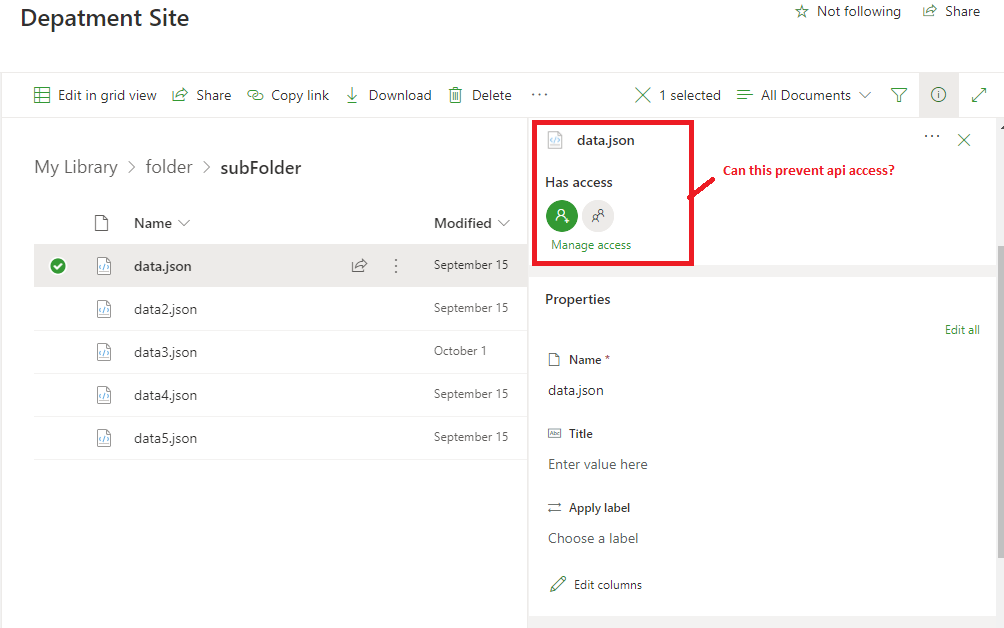
My app permissions are set as follows: (as suggested here)
<AppPermissionRequests AllowAppOnlyPolicy="true">
  <AppPermissionRequest Scope="http://sharepoint/content/tenant" Right="FullControl" />
</AppPermissionRequests>
as well as some visual that may help.
' cx='32' cy='32' r='32' /%3E%3Ctext x='50%25' y='55%25' dominant-baseline='middle' text-anchor='middle' fill='%23FFF' %3EMM%3C/text%3E%3C/svg%3E)
Hi @C.J. Morrison ,
Per my test, I could reproduce your issue when retrieving files from the subsite.
I have a site and the site url is /sites/test, and the file is in a subsite sub1. And if I got the file with the endpoint starting with the root site url like this: /sites/test/_api/web/GetFolderByServerRelativeUrl('/sites/test/sub1/myLibrary/folder/subFolder/')/files
I got the same result as yours:
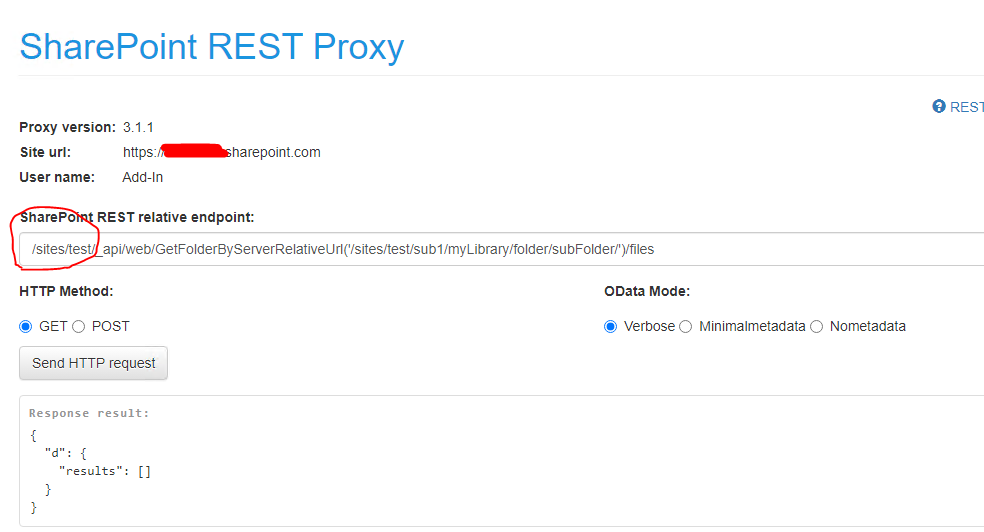
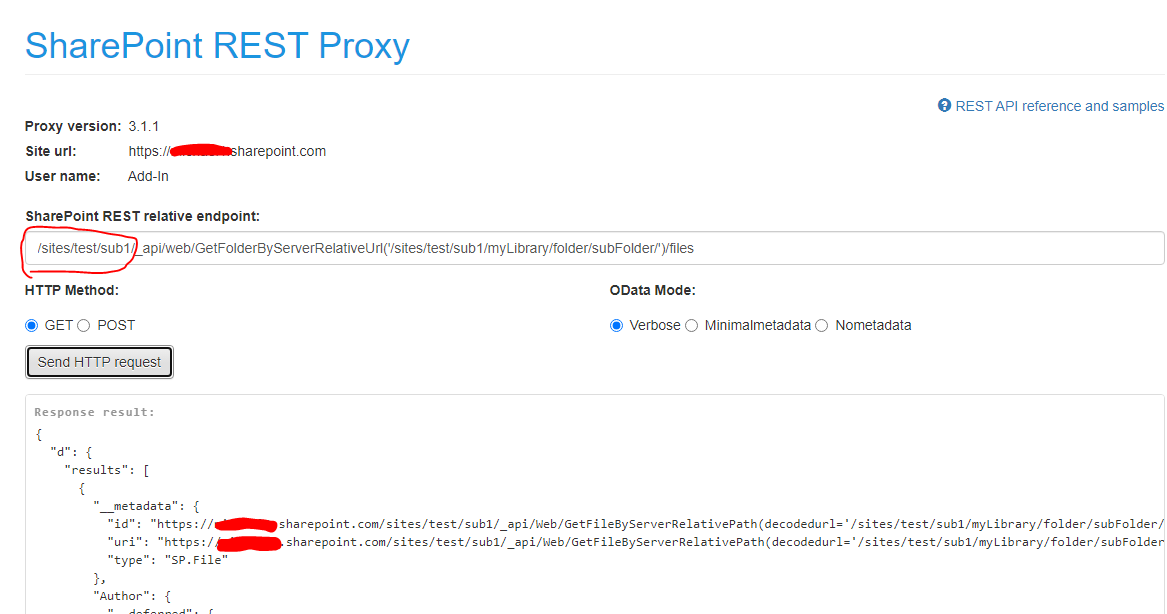
To resolve this, we should use the endpoint starting with the subsite(where you files in) url:
If the answer is helpful, please click "Accept Answer" and kindly upvote it. If you have extra questions about this answer, please click "Comment".
Note: Please follow the steps in our documentation to enable e-mail notifications if you want to receive the related email notification for this thread.
Thank you! this completely worked! I had been struggling with it for weeks.
' cx='32' cy='32' r='32' /%3E%3Ctext x='50%25' y='55%25' dominant-baseline='middle' text-anchor='middle' fill='%23FFF' %3ELF%3C/text%3E%3C/svg%3E)
Hi
I'm still having problems trying to get a file from sharepoint api rest, according with sharepoint, the file is here:
../sites/Documentos/Documentos%20compartidos/test/OTIF2023CAN.xlsb
so when I try to run get url like this:
..sites/Documentos/_api/web/GetFolderByServerRelativeUrl('Shared%20Documents/test')/Files
I'm getting this:
but the file really is there:
any other option?
thanks
' cx='32' cy='32' r='32' /%3E%3Ctext x='50%25' y='55%25' dominant-baseline='middle' text-anchor='middle' fill='%23FFF' %3ERS%3C/text%3E%3C/svg%3E)
..sites/Documentos/_api/web/GetFolderByServerRelativeUrl('Shared%20Documents/test')/Files
You have to use sites/Documentos/_api/web/GetFolderByServerRelativeUrl('**/sites/Documentos**/Shared%20Documents/test/**OTIF2023CAN.xlsb**')/$value
Type that in the browser to check if that file starts downloading and then you can try the same in postman