Azure Data Factory
An Azure service for ingesting, preparing, and transforming data at scale.
This browser is no longer supported.
Upgrade to Microsoft Edge to take advantage of the latest features, security updates, and technical support.
' cx='32' cy='32' r='32' /%3E%3Ctext x='50%25' y='55%25' dominant-baseline='middle' text-anchor='middle' fill='%23FFF' %3EES%3C/text%3E%3C/svg%3E)
Hi Team,
I am trying to ingest the source(Nested Json) data into Azure sql using ADF.
Source: Nested Json - Copy activity can be able to read the 100 rows only and beyond that data needs to loaded using until now (Iterations).
Direct copy is able to load the nested Json (one of the Key-value pair is a Object type) .
In mapping key.[*] --> loaded to a column and using cross apply I am able to flatten the data.
But the copy job in until activity(Iterations) is not able to identify Three source fields in the translator.
Eg:
{"type":"TabularTranslator","schemaMapping":{"uniquId":"Function_unique_Identifier",
"functionNo":"Function_number",
"lastUpdated":"last_updated_Datetime",
"function.totalCharges.revenueCenter(Total Adjusted Charges)":"Revenuecenter_total_adjusted_charges",
"function.totalCharges.revenue(Total)":"revenueCenter_Total",
"totals.taxes.Sales_Tax_6_":"Total_Sales_Tax_6",
"totals.fees.Service_Charge_23_":"Total_Service_Charge_23",
"revenueCenters[*]":"revenueCenter_name_raw"},
"collectionReference":"$.results"}
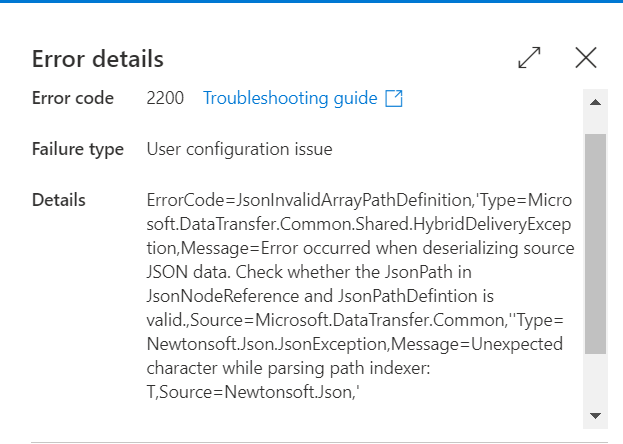
Getting below error-
Question:
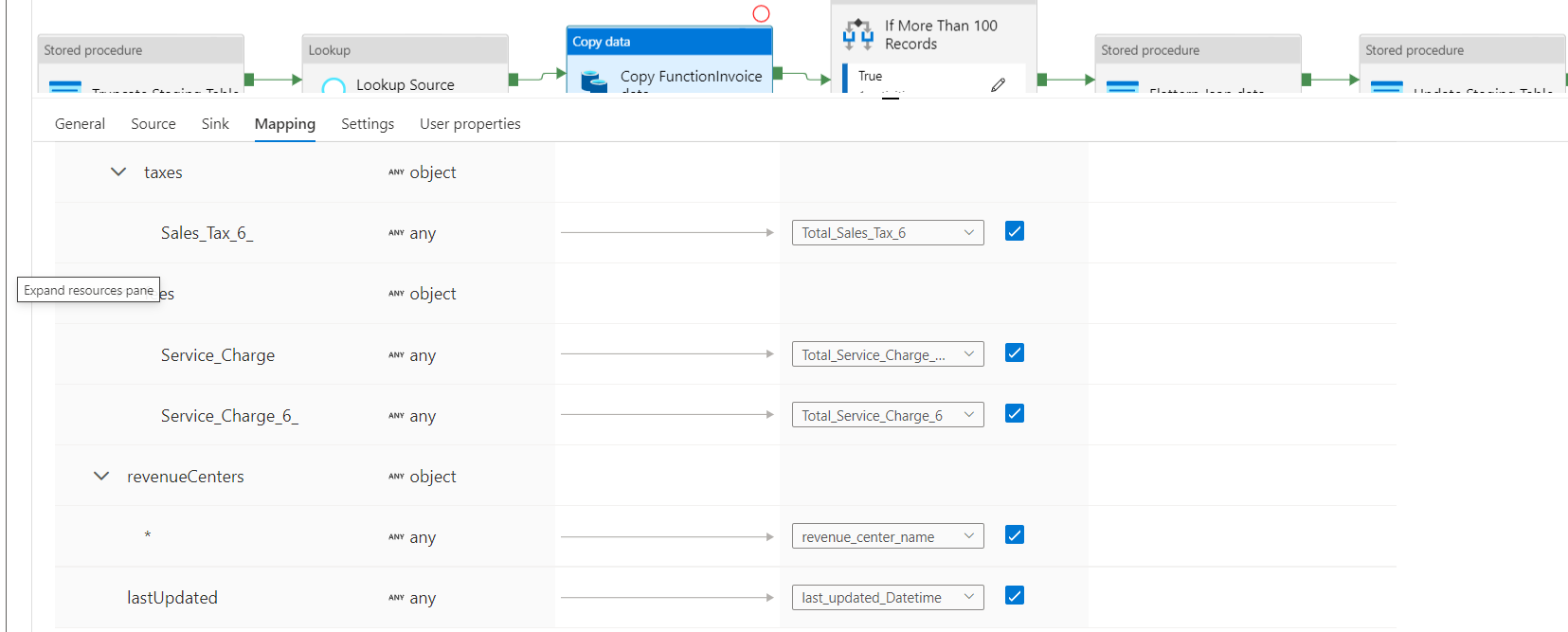
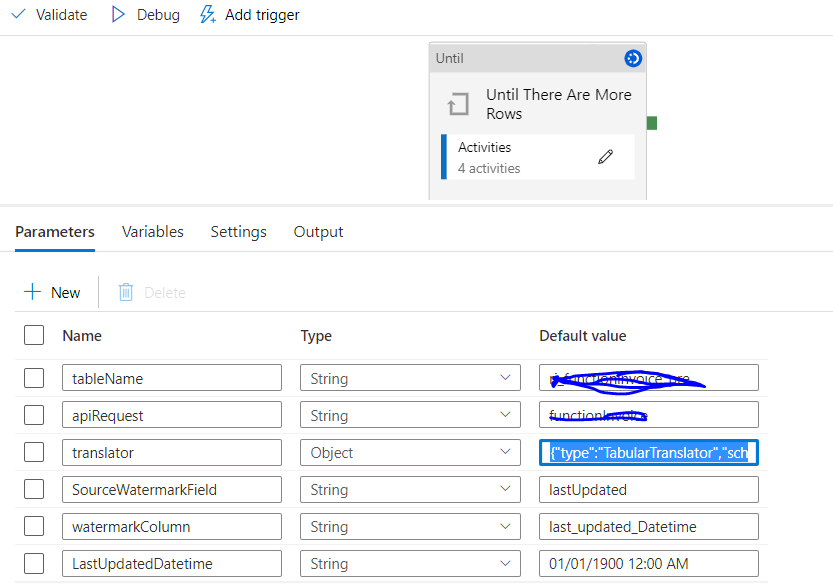
Please find the sample Translator that being used in parameters as part of child pipeline:
{"type":"TabularTranslator","schemaMapping":{"uniqueId":"Function_unique_Identifier","functionNumber":"Function_number","lastUpdated":"last_updated_Datetime","function.totalCharges.revenueCenter(Total)":"revenueCenter_Total","totals.taxes.Sales_Tax_6_":"Total_Sales_Tax_6","totals.fees.Service_Charge_23_":"Total_Service_Charge_23"},"collectionReference":"$.results"}
-- When I remove "function.totalCharges.revenueCenter(Total)":"revenueCenter_Total" from the mapping in the Translator list , It is working as expected and data is getting copied.

Hi @Elluri Srinivas ,
Just checking in to see if the below answer helped. If this answers your query, do click  and upvote
  for the same. And, if you have any further query do let us know.
Hi @Elluri Srinivas ,
Thank you for posting query in Microsoft Q&A Platform.
Q. But the copy job in until activity(Iterations) is not able to identify Three source fields in the translator.
A. I believe, it is may be because of the reason you are not having mapping manually defined inside until loop copy activity. If yes, Please define mappings there either manually or dynamically.
Below video, explains an example of columns dynamic mapping in copy activity.
https://www.youtube.com/watch?v=b27gmOufge4
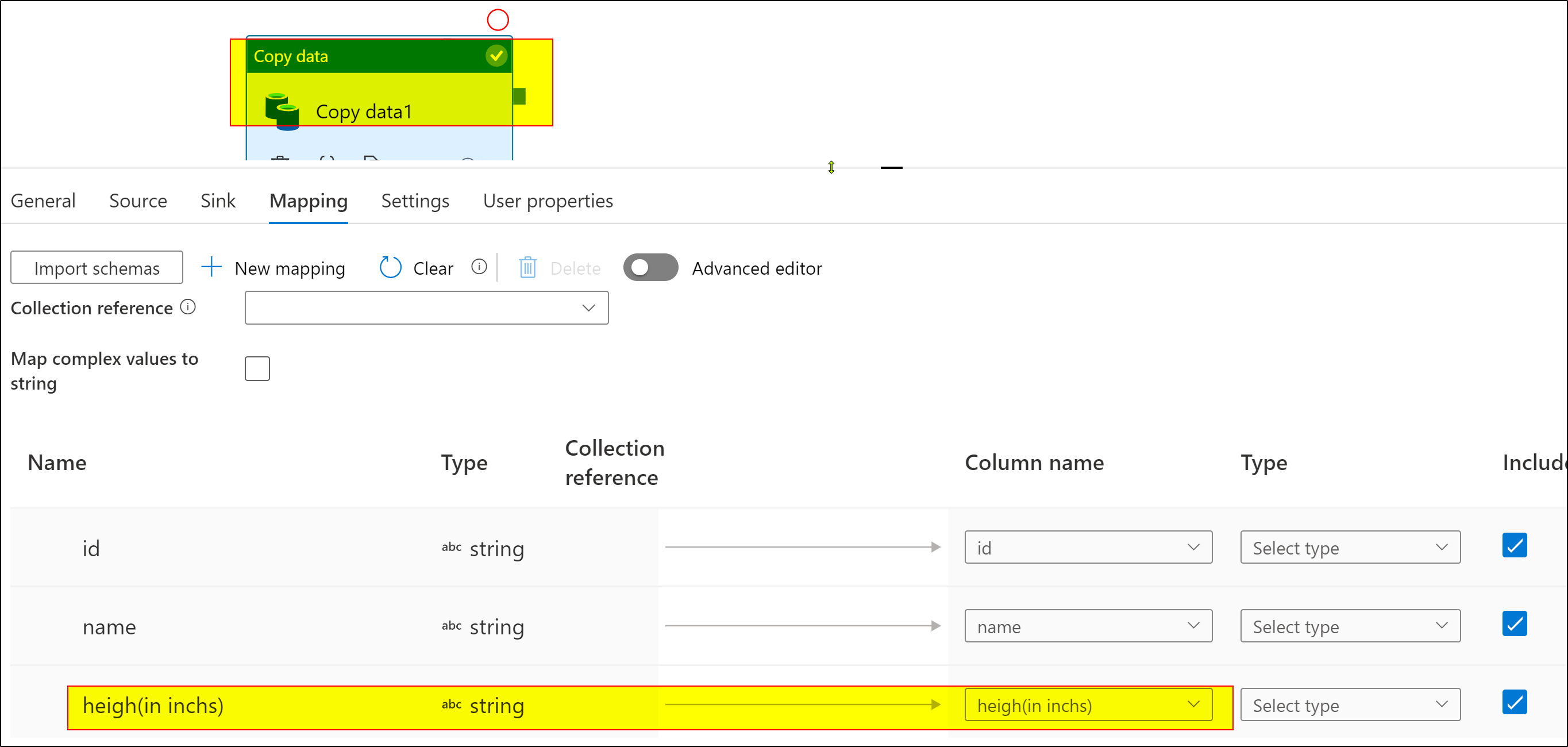
Q. How can we handle the white spaces and () characters in Translator in ADF?
A. I tried with sample json where I have json keys with with () and spaces. Its working fine. Please check below screenshot.
Correct me if my understanding of your asks are incorrect and feel free to share more details on ask with exact implementation steps to repro issue and help on resolution. Thank you.
Hi @Elluri Srinivas ,
Did you get chance to look above comment and share updates how it went or any blockers?