Azure Data Factory
An Azure service for ingesting, preparing, and transforming data at scale.
This browser is no longer supported.
Upgrade to Microsoft Edge to take advantage of the latest features, security updates, and technical support.
' cx='32' cy='32' r='32' /%3E%3Ctext x='50%25' y='55%25' dominant-baseline='middle' text-anchor='middle' fill='%23FFF' %3ESC%3C/text%3E%3C/svg%3E)
Team,
I have multiple mapping data flows wherein source is Cosmos DB and having a derived transformation which is breaking an array of days of an year into a separate document into sink destination.
i.e. source looks somewhat like below
"days": [
{
"day": 275,
"year": 2019,
"duration": 210
},
{
"day": 276,
"year": 2019,
"duration": 1070
}
]
The destination cosmos DB documents would be a new document for each day..
My derived column is generating 100K+ documents in a single pipeline run using Azure managed IR ( i.e. General Purpose compute using 4(+4 Driver cores)), however the pipeline keeps on running and the sink destination cosmos container gets corrupted as well (i.e. it doesn't even loads up and gives the existing data in it).
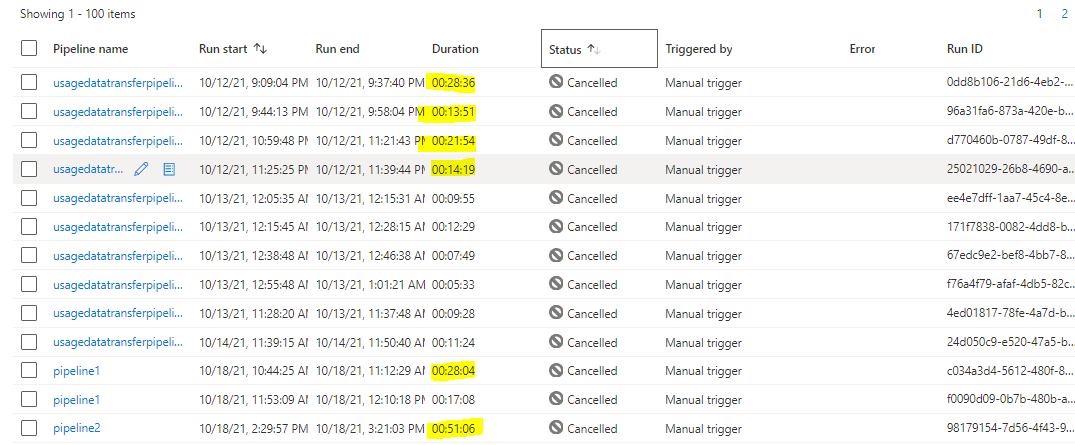
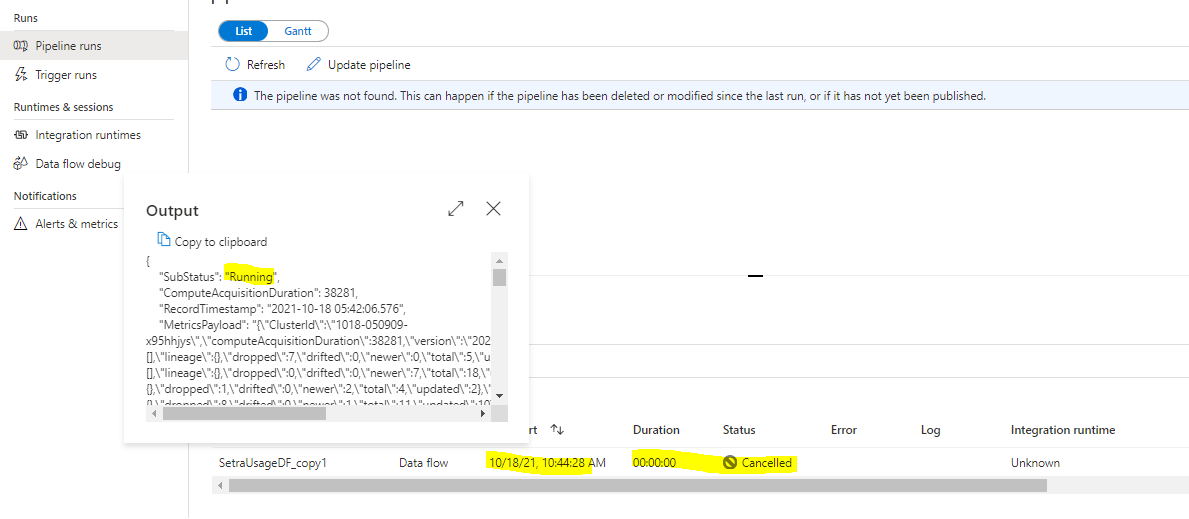
I have tried cancelling the pipeline runs(recursive cancel as well), but they are still reflecting as "running" in output section.
Tried using a SR(2110130060001605), but of no use and getting continuous responses that "team is working on this".
So how can I debug this issue from my side. Is this something related to the inefficiency of the IR i am using to run my pipeline or is it somewhat related to the data flow i am running.144138-adfscript.txt
Below are the run ID's which can be referenced for this issue. Attached is the dataflow script as well.
98179154-7d56-4f43-9de9-ace6d2c90c00
96a31fa6-873a-420e-b002-4fa2234ef366
0dd8b106-21d6-4eb2-8f52-0276bbc8d326
24d050c9-e520-47a5-bc19-a1b9efb50332
' cx='32' cy='32' r='32' /%3E%3Ctext x='50%25' y='55%25' dominant-baseline='middle' text-anchor='middle' fill='%23FFF' %3ESS%3C/text%3E%3C/svg%3E)
Hi @SARASWAT CHETAN ,
Thanks for using Microsoft Q&A !!
I am checking internally on this issue and get back you.
Thanks
Saurabh
Hi SaurabhSharma-msft,
Do we have any updates on this request. I haven't received any proper justification via the SR raised via my azure subscription.
Hi @SARASWAT CHETAN ,
Can you please share the SR Number so that I can check on this one.
Thanks
Saurabh
SR(2110130060001605) is the SR details..