Developer technologies | Visual Studio | Setup
The process of installing, configuring, and customizing Visual Studio to support development workflows across languages, platforms, and workloads.
This browser is no longer supported.
Upgrade to Microsoft Edge to take advantage of the latest features, security updates, and technical support.
' cx='32' cy='32' r='32' /%3E%3Ctext x='50%25' y='55%25' dominant-baseline='middle' text-anchor='middle' fill='%23FFF' %3EW%3C/text%3E%3C/svg%3E)
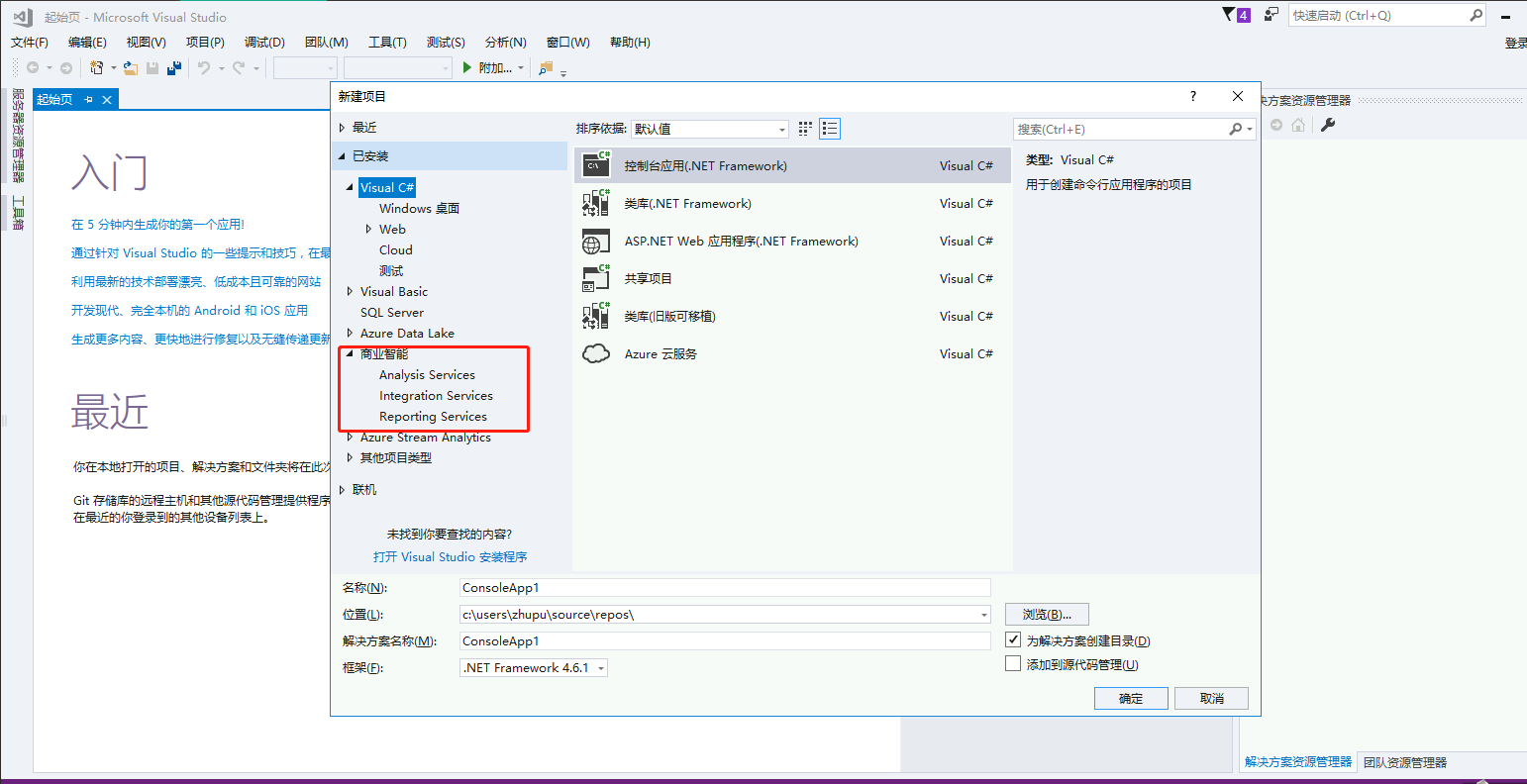
I installed the SSDT package, but the SSDT is not displayed on vs2017, can anyone tell me how to fix it?
' cx='32' cy='32' r='32' /%3E%3Ctext x='50%25' y='55%25' dominant-baseline='middle' text-anchor='middle' fill='%23FFF' %3ESL%3C/text%3E%3C/svg%3E)
Dear customer, do you have any updates? If Anna's suggestions not work, please feel free to let us know.
' cx='32' cy='32' r='32' /%3E%3Ctext x='50%25' y='55%25' dominant-baseline='middle' text-anchor='middle' fill='%23FFF' %3EAX%3C/text%3E%3C/svg%3E)
Hi @wajika ,
Welcome to Microsoft Q&A!
How did you install the SSDT package?
Starting with Visual Studio 2017, the functionality of creating Database Projects has been integrated into the Visual Studio installation.
You can install SQL Server Data Tools through installing the Data storage and processing workload.
After installing successfully, you can launch VS and create project by searching SQL Server Database Project.
For Analysis Services, Integration Services, or Reporting Services projects, it is installed through the SSDT standalone installer.
You can refer to the link:
https://learn.microsoft.com/en-us/sql/ssdt/download-sql-server-data-tools-ssdt?view=sql-server-ver15#ssdt-for-visual-studio-2017
Sincerely,
Anna
*
If the answer is the right solution, please click "Accept Answer" and kindly upvote it. If you have extra questions about this answer, please click "Comment".
Note: Please follow the steps in our documentation to enable e-mail notifications if you want to receive the related email notification for this thread.