
Well, you can follow this solution through registry or Group policy:
https://support.microsoft.com/en-us/topic/kb5005652-manage-new-point-and-print-default-driver-installation-behavior-cve-2021-34481-873642bf-2634-49c5-a23b-6d8e9a302872
:)
This browser is no longer supported.
Upgrade to Microsoft Edge to take advantage of the latest features, security updates, and technical support.
' cx='32' cy='32' r='32' /%3E%3Ctext x='50%25' y='55%25' dominant-baseline='middle' text-anchor='middle' fill='%23FFF' %3EWN%3C/text%3E%3C/svg%3E)
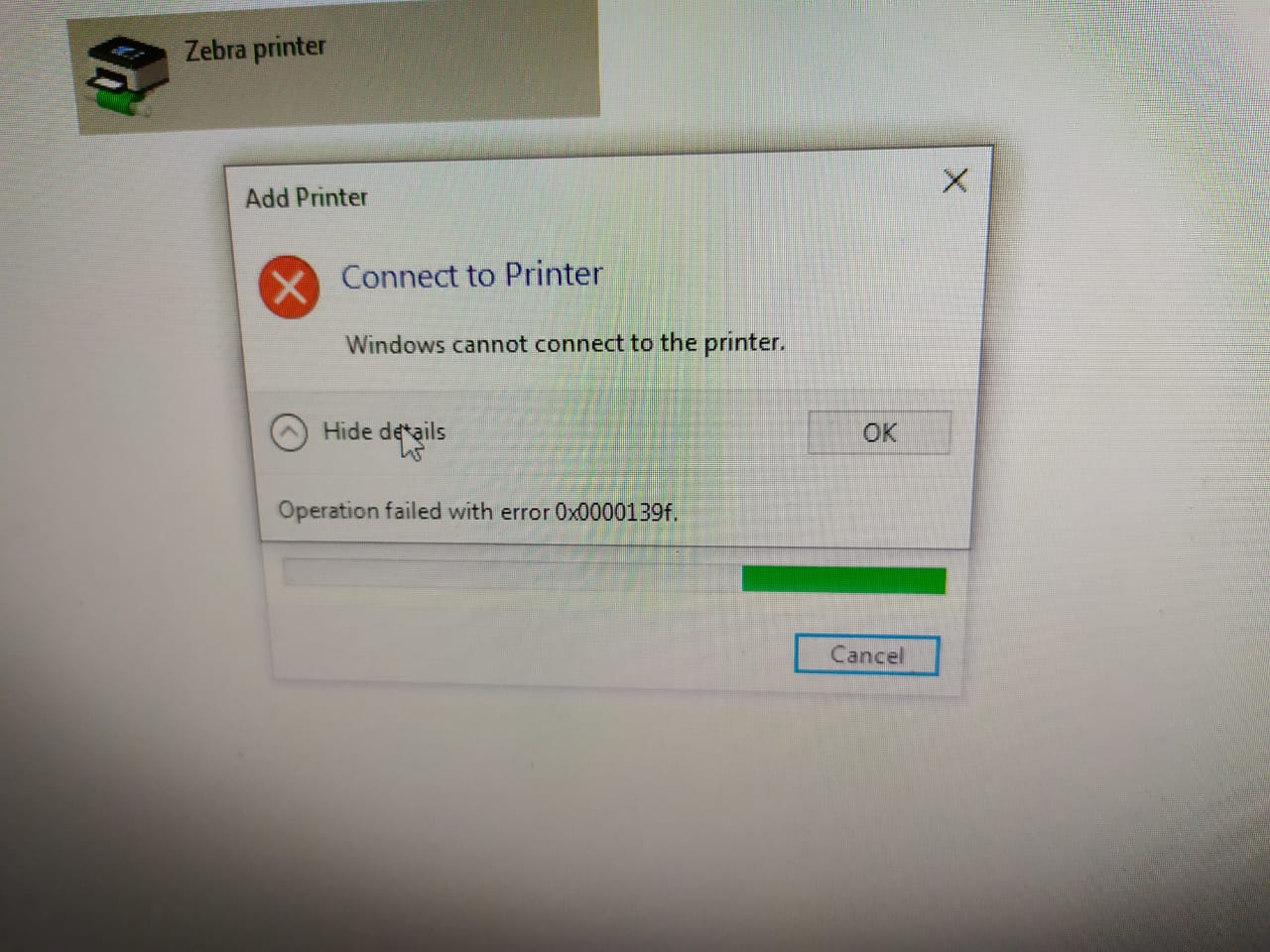
Cannot install shared printer.This error comes.
"Operation Failed With Error 0x0000139f"
Please give solution for install
' cx='32' cy='32' r='32' /%3E%3Ctext x='50%25' y='55%25' dominant-baseline='middle' text-anchor='middle' fill='%23FFF' %3EAA%3C/text%3E%3C/svg%3E)
I am also struggling with this issue. My label printers are shared from a print server and this just started happening at some point last week. Other printers seem to be working fine.
' cx='32' cy='32' r='32' /%3E%3Ctext x='50%25' y='55%25' dominant-baseline='middle' text-anchor='middle' fill='%23FFF' %3EPJ%3C/text%3E%3C/svg%3E)
' cx='32' cy='32' r='32' /%3E%3Ctext x='50%25' y='55%25' dominant-baseline='middle' text-anchor='middle' fill='%23FFF' %3ENV%3C/text%3E%3C/svg%3E)
Hello,
Same here, SATO label printers. All throwing this damn error.
C:\Windows\INF\setupapi.dev
Error 0x800b0109: A certificate chain processed, but terminated in a root certificate which is not trusted by the trust provider.
' cx='32' cy='32' r='32' /%3E%3Ctext x='50%25' y='55%25' dominant-baseline='middle' text-anchor='middle' fill='%23FFF' %3ETT%3C/text%3E%3C/svg%3E)
Well, you can follow this solution through registry or Group policy:
https://support.microsoft.com/en-us/topic/kb5005652-manage-new-point-and-print-default-driver-installation-behavior-cve-2021-34481-873642bf-2634-49c5-a23b-6d8e9a302872
:)
It seems that during some latest updates something has been changed.
I used to print from Win10 (19043.928) on a shared printer (on a Win7 machine) by just modifying the "Point and Print restrictions" settings through Group Policies. I wasn't getting any UAC dialog while installing the printer.
After some latest win10 updates I can't do that anymore. Although the printer driver installs (I can see that through Print Management) i get the 0x0000139f error right after the "Finishing the installation". Additionally I'm getting a UAC dialog prior to drivers installation.
The only way i can make it work is to install a Local Printer with a local port pointing to the path where the printer resides.
' cx='32' cy='32' r='32' /%3E%3Ctext x='50%25' y='55%25' dominant-baseline='middle' text-anchor='middle' fill='%23FFF' %3EKK%3C/text%3E%3C/svg%3E)
Hello @Wickramathilaka N.G it19096094 ,
I think I've got a solution how can you repair the issue you are experiencing.
These are my ideas to solve the problem, please let me know if everything is running correctly.