Developer technologies | .NET | Entity Framework Core
A lightweight, extensible, open-source, and cross-platform version of the Entity Framework data access technology.
This browser is no longer supported.
Upgrade to Microsoft Edge to take advantage of the latest features, security updates, and technical support.
' cx='32' cy='32' r='32' /%3E%3Ctext x='50%25' y='55%25' dominant-baseline='middle' text-anchor='middle' fill='%23FFF' %3EA%3C/text%3E%3C/svg%3E)
Dear,
I have read in this post that I should use EF 4.8 instead of .net 5.0
https://learn.microsoft.com/en-us/answers/questions/363546/adonet-entity-data-model.html
I have installed that framework from here https://dotnet.microsoft.com/download/dotnet-framework/thank-you/net48-developer-pack-offline-installer
even doing this, when I try to use 4.8 I can't see this version in target framework:
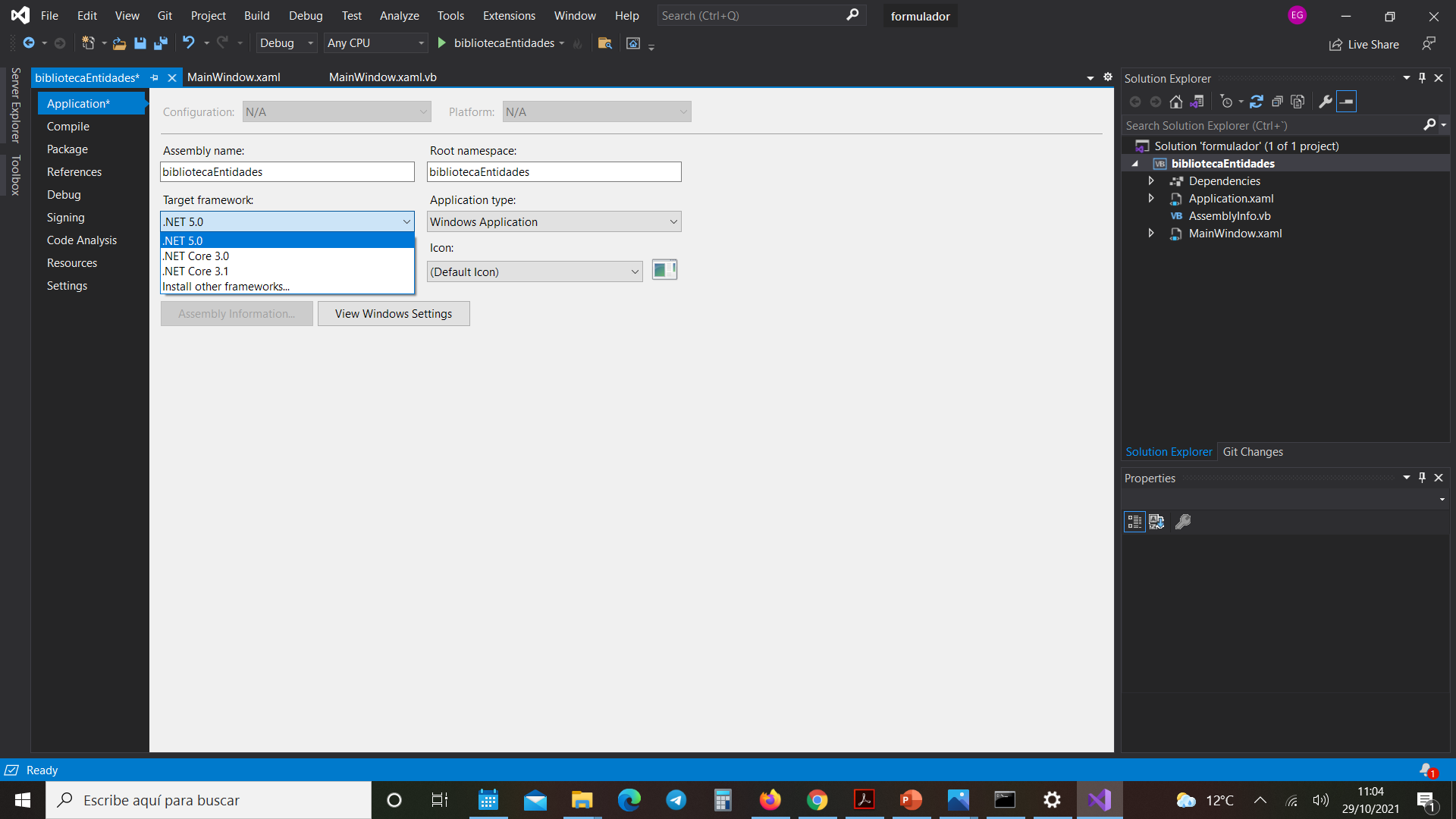
this are the frameworks that already have installed:
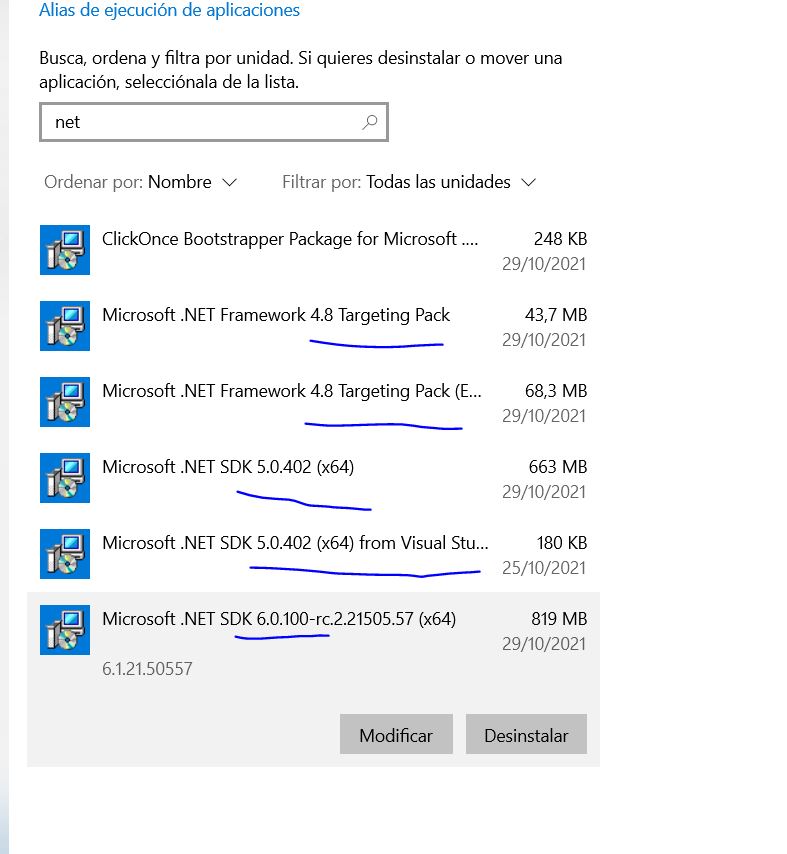
I also tried to install EF 6.0 from this url
https://dotnet.microsoft.com/download/dotnet/thank-you/sdk-6.0.100-rc.2-windows-arm64-installer
but I can't find here
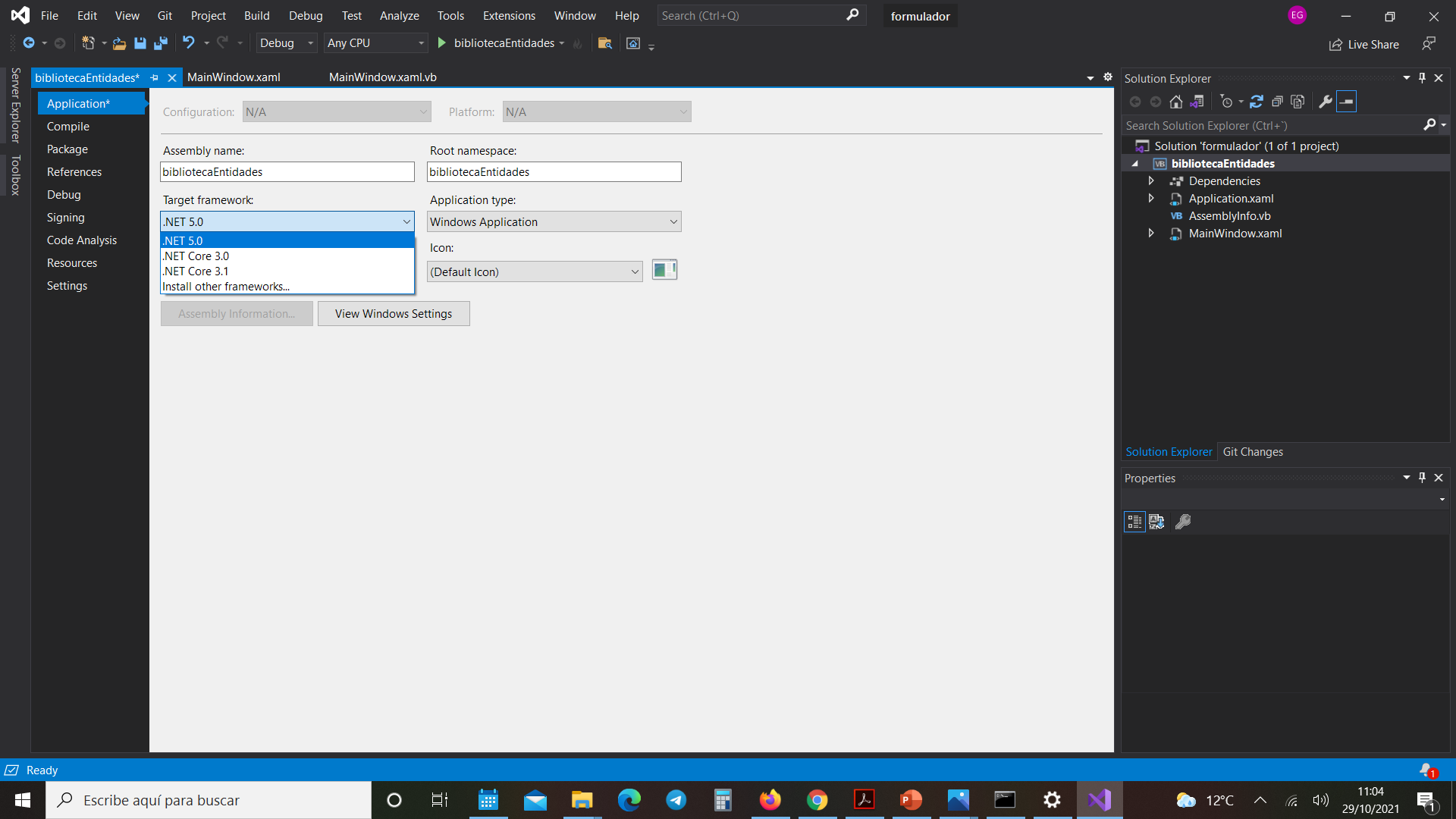
thanks a lot

@Asier , If you want to create .net Framework 4.8 app, you could Add a new Project -> WPF App(.NET Framework)->Choose .NET Framework4.8.
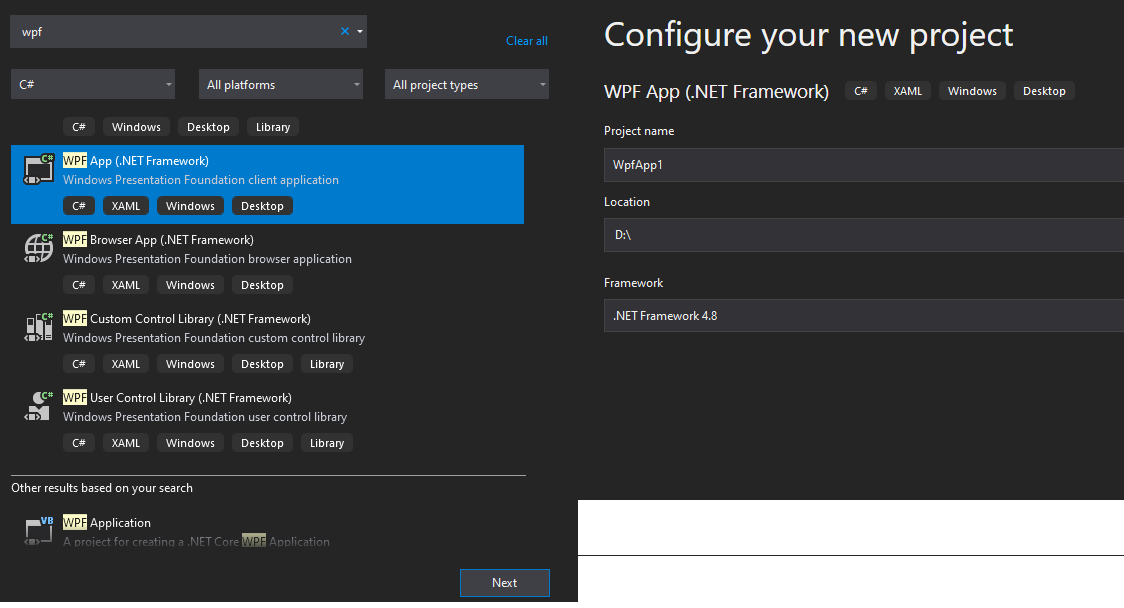
If you want to use .net 6.0, I recommend that you use vs2022 Preview to do it.
Please click Add a new Project -> WPF App->Name the Project->Choose .NET 6.0.
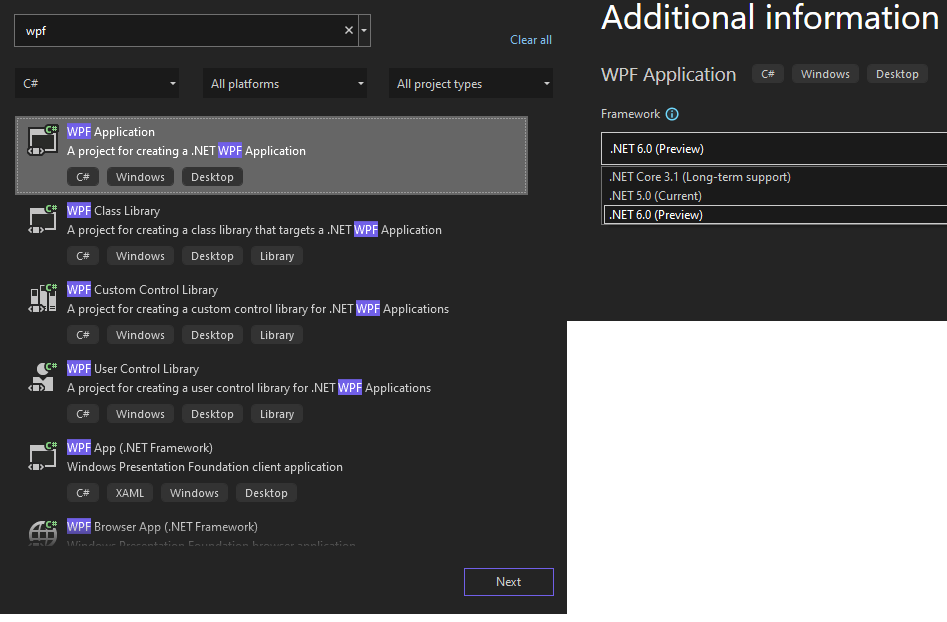
Hope this could help you.
If the answer is the right solution, please click "Accept Answer" and kindly upvote it. If you have extra questions about this answer, please click "Comment".
Note: Please follow the steps in our documentation to enable e-mail notifications if you want to receive the related email notification for this thread.