Microsoft 365 and Office | SharePoint | Development
The process of building custom applications and tools that interact with Microsoft SharePoint, including SharePoint Online in Microsoft 365.

This browser is no longer supported.
Upgrade to Microsoft Edge to take advantage of the latest features, security updates, and technical support.
' cx='32' cy='32' r='32' /%3E%3Ctext x='50%25' y='55%25' dominant-baseline='middle' text-anchor='middle' fill='%23FFF' %3ES%3C/text%3E%3C/svg%3E)
While loading the debug URL after running gulp serve coming up with following error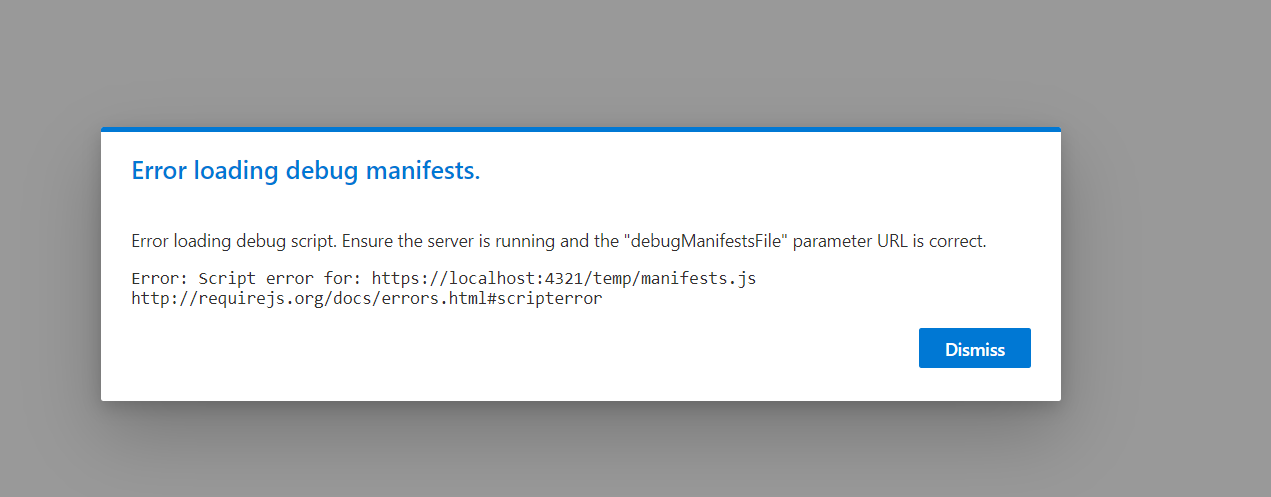
https://tenantname.sharepoint.com/sites/XXXSPFx/SitePages/CVD.aspx\*\*?debug=true&noredir=true&debugManifestsFile=https://localhost:4321/temp/manifests.js\*\*
Please help
' cx='32' cy='32' r='32' /%3E%3Ctext x='50%25' y='55%25' dominant-baseline='middle' text-anchor='middle' fill='%23FFF' %3ER%3C/text%3E%3C/svg%3E)
Hi @sns ,
Usually,we get the error message if we do not serve our solution using the gulp serve –nobrowser command or if we forgot to trust the self-signed certificate using the gulp trust-dev-cert command.
Please make sure if you have run these cmdlets.
gulp trust-dev-cert
gulp serve –nobrowse
If the answer is helpful, please click "Accept Answer" and kindly upvote it. If you have extra questions about this answer, please click "Comment".
Note: Please follow the steps in our documentation to enable e-mail notifications if you want to receive the related email notification for this thread.
Hi Raytheon Xie,
When we should run those commands. is it before running gulp serve? ( I have particular path in the command prompt, I should run it from same path from particular command prompt? )
Hi @sns ,
The gulp trust-dev-cert should be executed before gulp serve. You can also start the local web server without launching a browser by including the nobrowser argument to the gulp serve command.
gulp serve –nobrowse