Developer technologies | ASP.NET | ASP.NET Core
A set of technologies in the .NET Framework for building web applications and XML web services.
This browser is no longer supported.
Upgrade to Microsoft Edge to take advantage of the latest features, security updates, and technical support.
' cx='32' cy='32' r='32' /%3E%3Ctext x='50%25' y='55%25' dominant-baseline='middle' text-anchor='middle' fill='%23FFF' %3EBD%3C/text%3E%3C/svg%3E)
Hi all,
i am not able to post my question here.
Please find my question in attached file. Anyhelp would be appreciated
Please click here 145155-callingaspmethodjavascript.txt
A set of technologies in the .NET Framework for building web applications and XML web services.
Hi
Any help would be appreciated.Its urgent!
' cx='32' cy='32' r='32' /%3E%3Ctext x='50%25' y='55%25' dominant-baseline='middle' text-anchor='middle' fill='%23FFF' %3EBY%3C/text%3E%3C/svg%3E)
great help about a very confusing subject, thanks
' cx='32' cy='32' r='32' /%3E%3Ctext x='50%25' y='55%25' dominant-baseline='middle' text-anchor='middle' fill='%23FFF' %3EA%3C/text%3E%3C/svg%3E)
Hi @Blooming Developer ,
From your code, since you are using the type="submit" button, I assume there must have a form, right? After clicking the submit button, it will submit the form by default. In this scenario, if you are using the Ajax method to submit the form, it will submit twice. So, in the submit button click event, to use Ajax method, you must call the event.preventDefault(); command to prevent the default from submit action. You can refer the following code to use JQuery Ajax method to call the handler method:
In the Index page, create a handler method as below:
public class IndexModel : PageModel
{
    private readonly ILogger<IndexModel> _logger;
    private readonly ICurriculumService _repository;
    public IndexModel(ILogger<IndexModel> logger, ICurriculumService datatRepository)
    {
        _logger = logger;
        _repository = datatRepository;
    }
    public void OnGet()
    {
    }

    public async Task<IActionResult> OnPostSubmitAsync()
    {
        return new JsonResult("success");
    }
}
Then in the Index.cshtml: add a form with javascript:
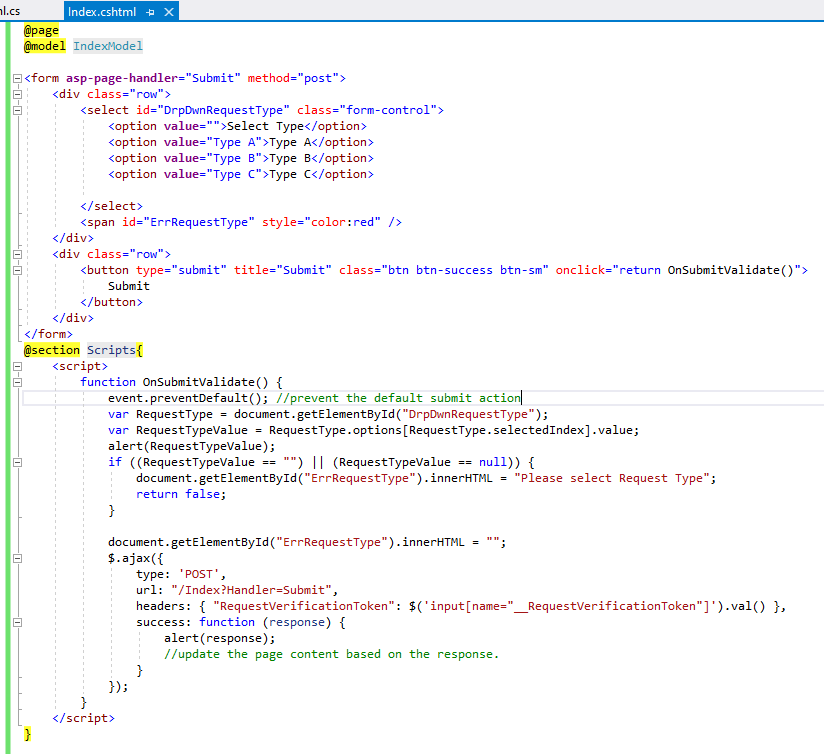
You can download the index.cshtml code from here: 145278-indexcshtml.txt
The result as below:
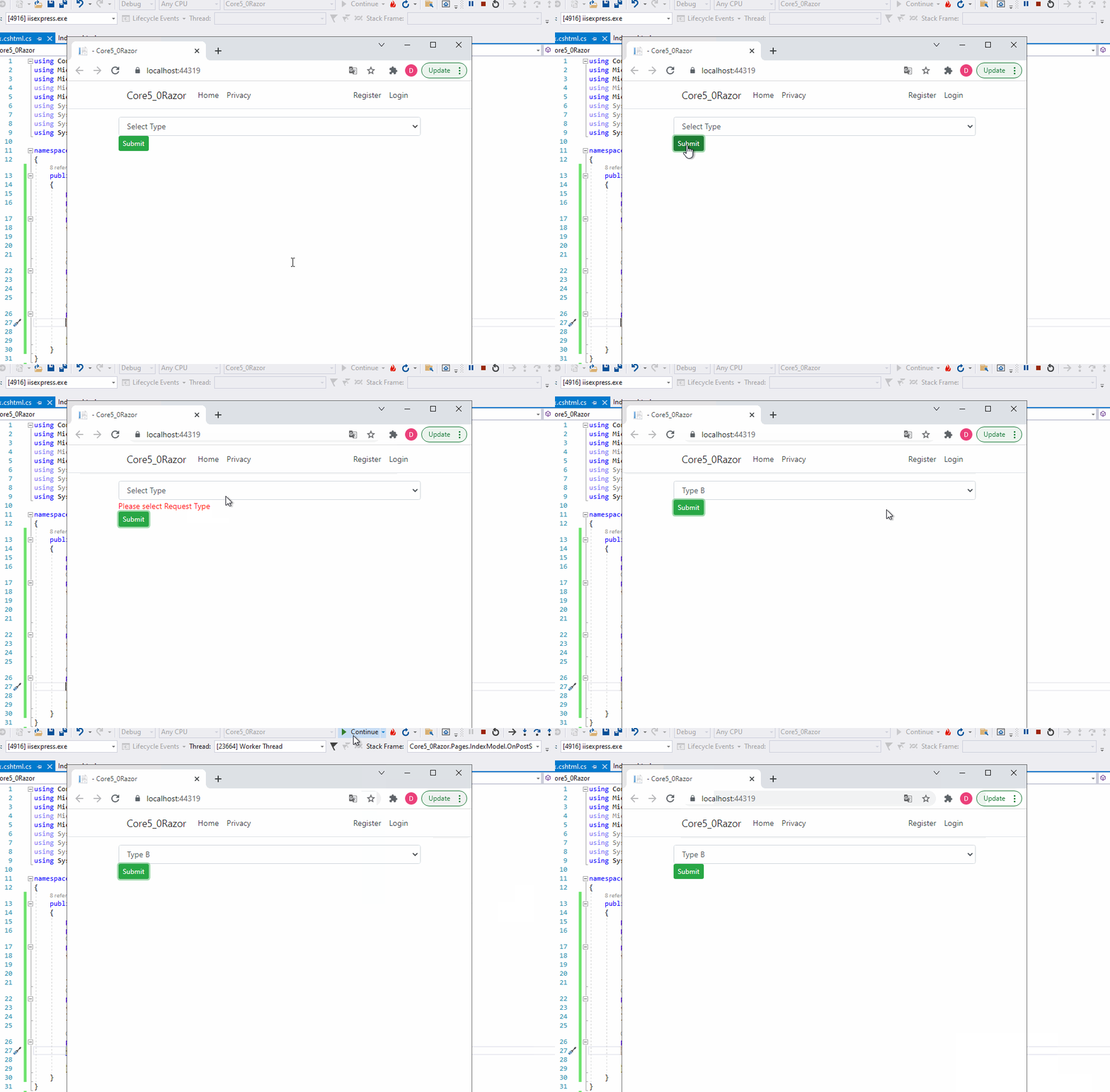
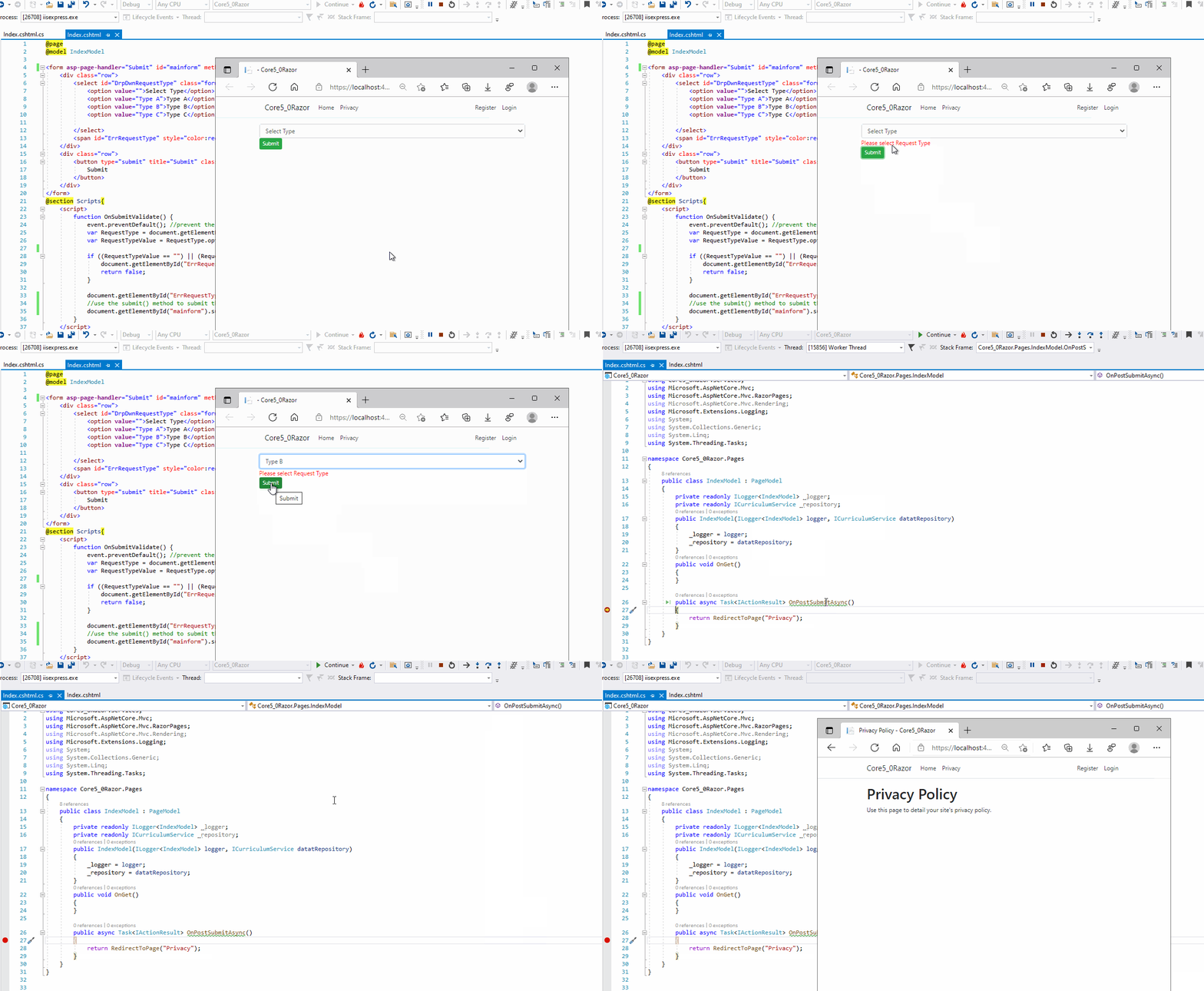
If you want to redirect to another page after calling the handler, you can use change the request url via the window. location .href(please remove the space) in the Ajax success function. Or you can remove the Ajax method, and in the button click event, you can add the custom validation, then based on the result to submit the form (get the form by id, then use the submit method submit the form).
Update:
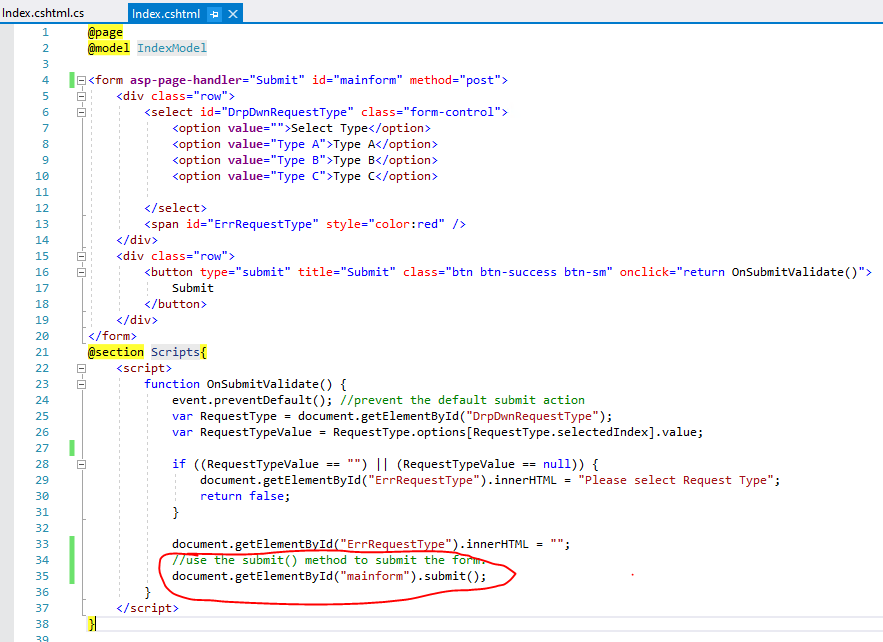
Code like this: document.getElementById("mainform").submit();
The result as below:
If the answer is the right solution, please click "Accept Answer" and kindly upvote it. If you have extra questions about this answer, please click "Comment".
Note: Please follow the steps in our documentation to enable e-mail notifications if you want to receive the related email notification for this thread.
Best regards,
Dillion
Hi @Anonymous ,
Thanks for the help.
I need one advice from you.Could please check the file attached and advice me accordingly? 145340-adviceneeded.txt
Hi @Blooming Developer ,
It seems that you want to use the submit button to submit the form. If that is the case, you can add an id attribute for the form element. After that, on the OnSubmitValidate function, you could get the form based on the id attribute and then call the submit() method to submit the form. Code like this: document.getElementById("mainform").submit();. For detail information, you can check my update in the above reply.
Hi @Anonymous ,
Thank you so much for the reply.