Azure Synapse Analytics
An Azure analytics service that brings together data integration, enterprise data warehousing, and big data analytics. Previously known as Azure SQL Data Warehouse.
This browser is no longer supported.
Upgrade to Microsoft Edge to take advantage of the latest features, security updates, and technical support.
' cx='32' cy='32' r='32' /%3E%3Ctext x='50%25' y='55%25' dominant-baseline='middle' text-anchor='middle' fill='%23FFF' %3EMR%3C/text%3E%3C/svg%3E)
Hi ,
I am trying to create view for the partitioned parquet files in my filesystem (TB of data). when querying an single parquet file without adding any filepath wildcard performs faster and returns result within few seconds
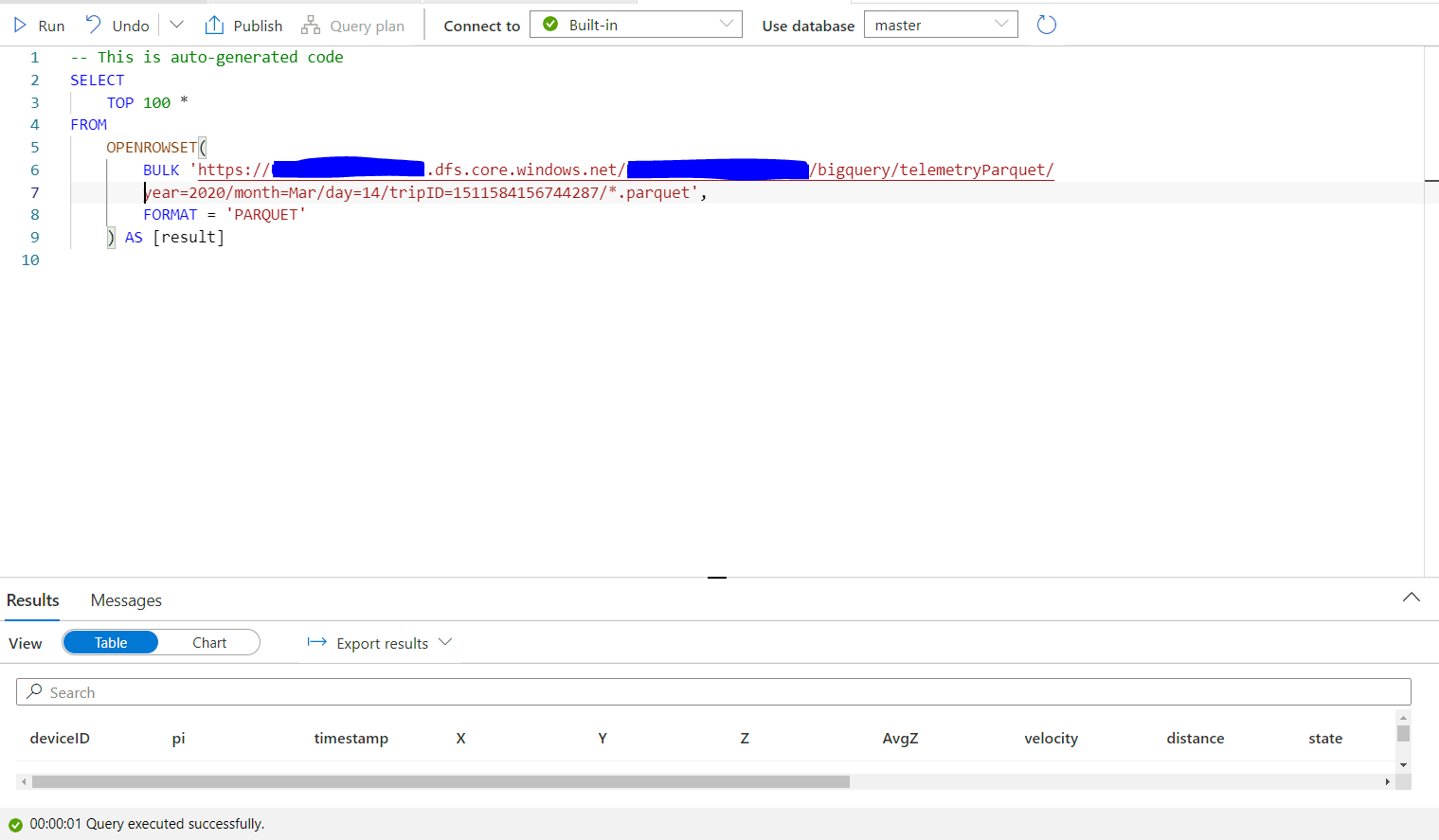
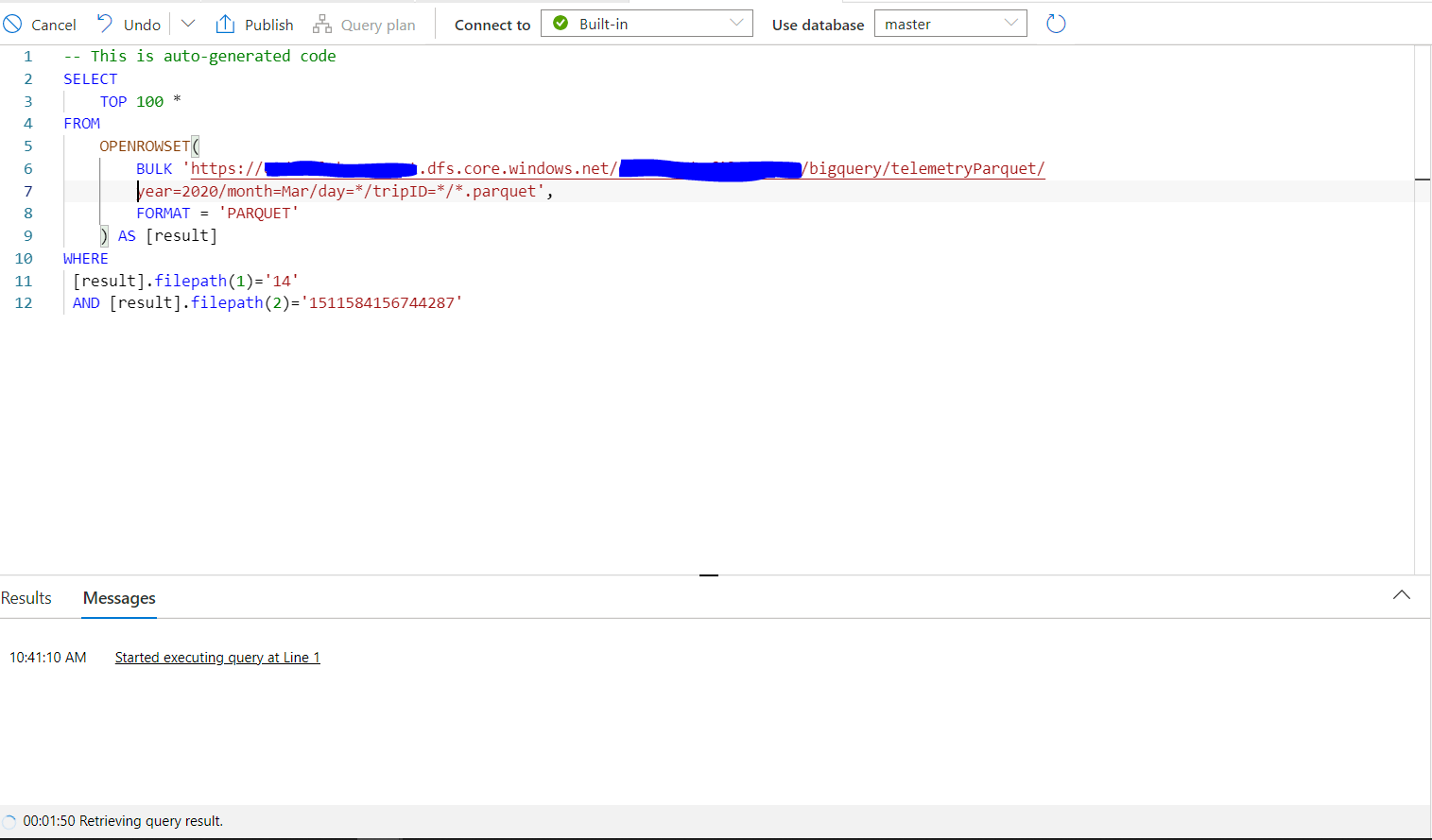
But when I introduce filepath wildcard , it slows down a lot (running more than 10 min). Both supposed to query the same file and i am expecting the same performance. Please advice if I am doing anything wrong
An Azure analytics service that brings together data integration, enterprise data warehousing, and big data analytics. Previously known as Azure SQL Data Warehouse.
A Microsoft extension to the ANSI SQL language that includes procedural programming, local variables, and various support functions.

Just checking in to see if the below answer helped. If this answers your query, do click  and upvote
  for the same. And, if you have any further query do let us know.
Following up to see if the below answer helped. If this answers your query, do click and upvote for the same. And, if you have any further query do let us know.
Answer accepted by question author

I guess you need to use dynamic SQL:
SELECT @sql = concat('SELECT TOP * 100
         FROM  OPENROWSET (BULK, 'http://.../Day=', @day, '/TripID=', @trip',
          '/*.parquet', FORMAT = PARQUET) AS result'
EXEC sp_executesql
From what I can tell this is supported on Synapse as well.
Let me start off to say that I know very little about Synapse.
But I can't say that I am surprised by the performance difference. For the performance to be the same, the optimizer would know how to push the arguments in the WHERE clause into the OPENROWSET function. Else OPENROWSET needs to retrieve all data, and only then Azure Synapse is able to filter it. On the other hand, with an exact path, OPENROWSET can go straight to the matter.
But as I said, I do not work with Synapse, so I could be completely off target.
Hi ErlandSommarskog,
Thank you . it seems that the arguments in the WHERE clause is not pushed into the OPENROWSET function and the OPENROWSET retrieves everything first and then filters based on WHERE clause. May be that is the way it supposed to work. Since I have TB of file data, I have more partitions to achieve a decent query performance. The way it works, disappoints me. Let me know if my understanding is wrong
Thank you for posting your query in Microsoft Q&A Platform.
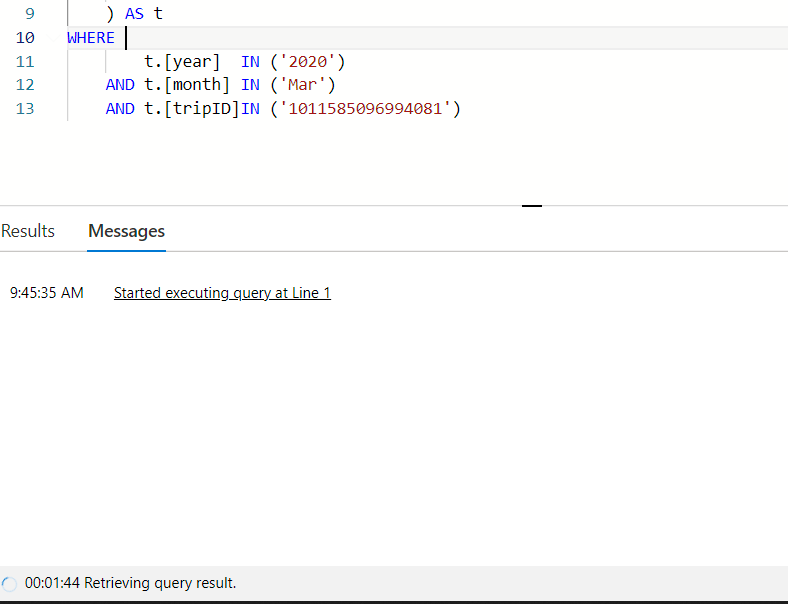
Could you please try using IN keyword for filepath() function and see how it behaves. Click here to know about filepath() function

Thank you ShaikMaheer-MSFT for your reply
in condition also not performing well , same as before
Using direct path will be faster comparing to using placeholders with wild card syntax. Because optimizer has to search for the placeholder values from where class inside folders and sub folders and then run query accordingly.
Hi @ShaikMaheer-MSFT
Yes that is what it is doing. It is not going to filter based on the filepath before it start searching. In my case it become useless because of this behavior , Since I have several TB of data, I am forced to use HDFS. Do you know any other solution for this?
Hi @Mahesh Raja Mahalingam - Using HDFS will help in your case.