Microsoft Security | Microsoft Entra | Microsoft Entra ID
A cloud-based identity and access management service for securing user authentication and resource access

This browser is no longer supported.
Upgrade to Microsoft Edge to take advantage of the latest features, security updates, and technical support.
' cx='32' cy='32' r='32' /%3E%3Ctext x='50%25' y='55%25' dominant-baseline='middle' text-anchor='middle' fill='%23FFF' %3EJS%3C/text%3E%3C/svg%3E)
I am trying to set up some Conditional Access policies that will allow non-compliant devices to access Office365 services in-browser, while also being able to use the Office suite on their device -- with the exception of adding a corporate email account to Outlook/Teams/OneDrive. Compliant devices should be able to use either browser or desktop apps, as well as adding their corporate email account to Outlook/Teams/OneDrive.
I attempted setting a policy that includes Office365 Exchange Online, and excludes Office365 but it appears Office365 contains Office365 Exchange Online and is taking precedence in the policy.
Is it possible to achieve the above scenario with basic Conditional Access policies?
The end goal is to prevent non-compliant devices from storing their mailbox data locally.
Thanks
' cx='32' cy='32' r='32' /%3E%3Ctext x='50%25' y='55%25' dominant-baseline='middle' text-anchor='middle' fill='%23FFF' %3EJS%3C/text%3E%3C/svg%3E)
Hi,
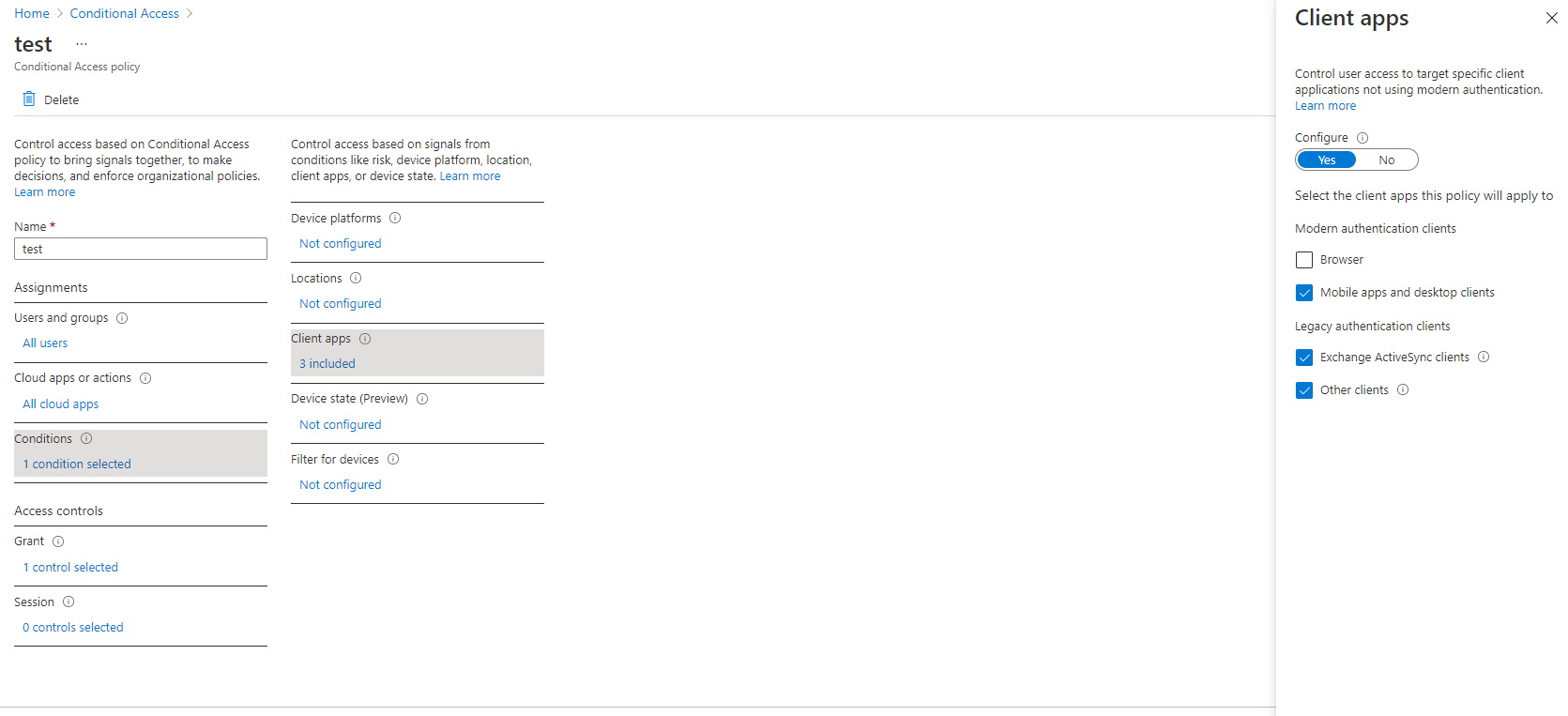
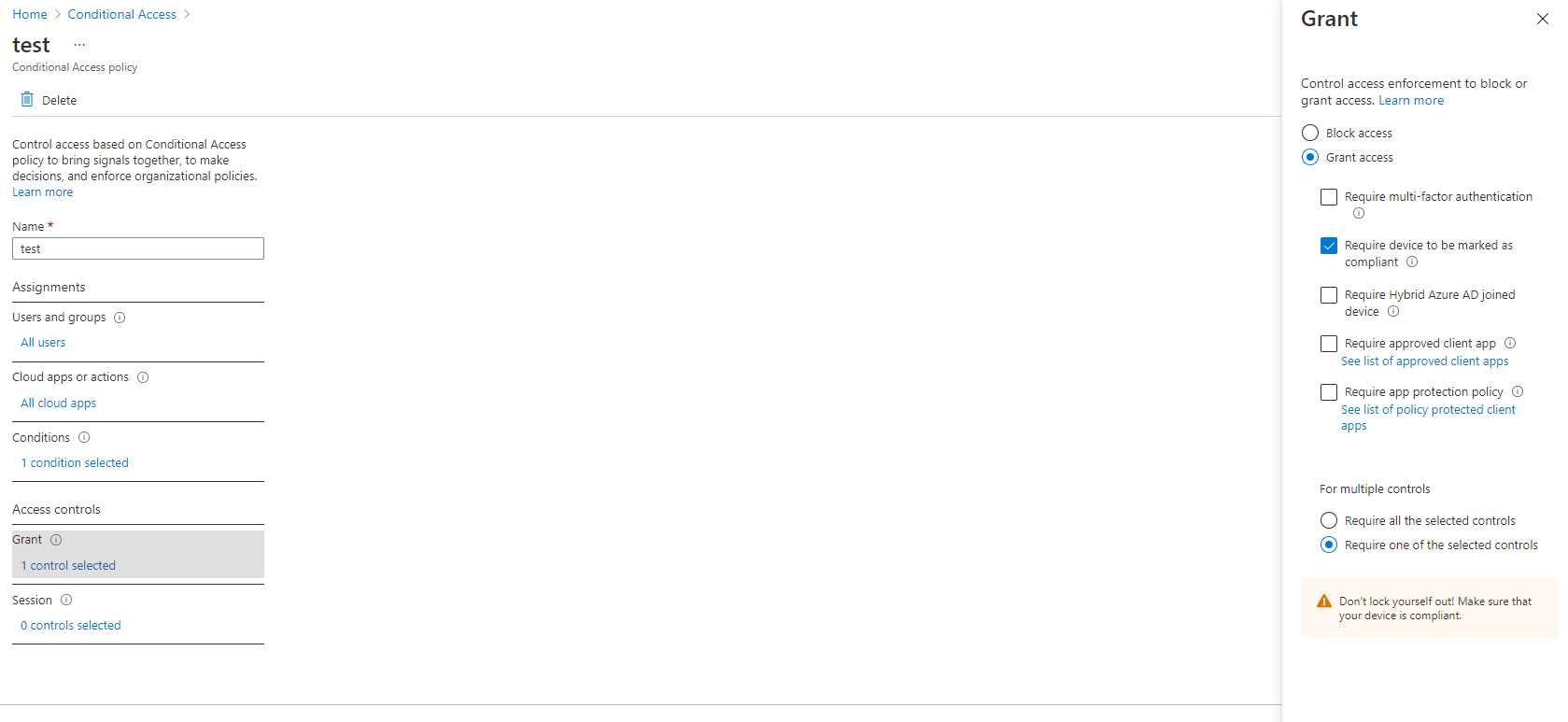
I think you can achieve this by setting conditions, I have some screen shots below.
The policy excludes browsers in "client apps" but has "require device to be marked as compliant" in the Grant tab
So the browser should bypass the rule checking for a non-compliant device.
Kind Regards,
Jamie Sabbatella