Microsoft Security | Microsoft Entra | Microsoft Entra ID
A cloud-based identity and access management service for securing user authentication and resource access

This browser is no longer supported.
Upgrade to Microsoft Edge to take advantage of the latest features, security updates, and technical support.
' cx='32' cy='32' r='32' /%3E%3Ctext x='50%25' y='55%25' dominant-baseline='middle' text-anchor='middle' fill='%23FFF' %3EW%3C/text%3E%3C/svg%3E)
Hi,
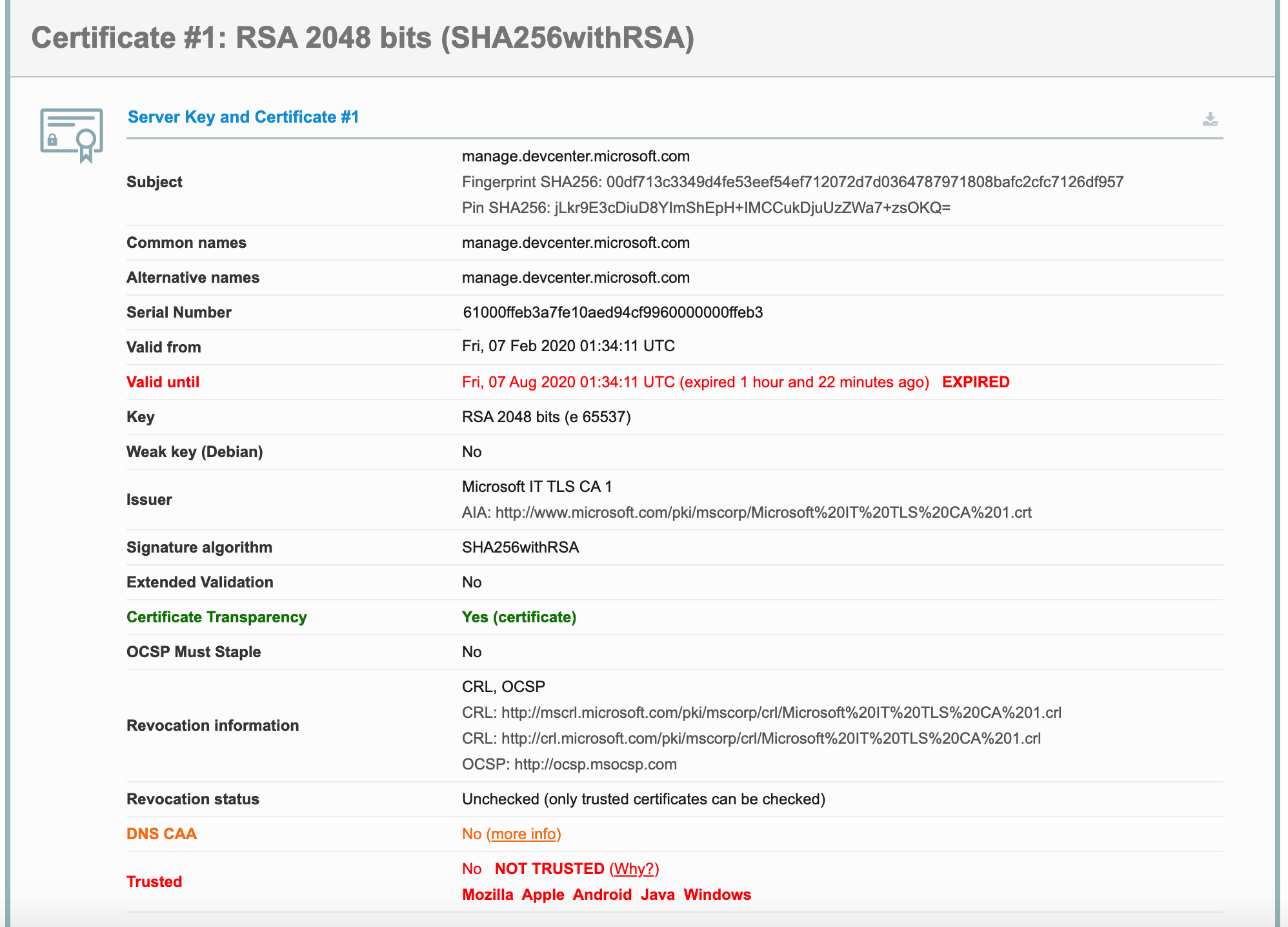
I want to request ratings and reviews for my app, but https://manage.devcenter.microsoft.com SSL Certificate expired.
Please fixed it, thank you.
A cloud-based identity and access management service for securing user authentication and resource access
Answer accepted by question author
' cx='32' cy='32' r='32' /%3E%3Ctext x='50%25' y='55%25' dominant-baseline='middle' text-anchor='middle' fill='%23FFF' %3ESM%3C/text%3E%3C/svg%3E)
@william , Thank you for reaching out. You can take a look into this following article: https://learn.microsoft.com/en-us/windows-hardware/drivers/dashboard/update-a-code-signing-certificate
This would help in updating the code-signing-certificate on the Dashboard. In case, you would need more help you need to create a support case with "https://developer.microsoft.com/windows/support."
You must Sign-in using your Partner Center Hardware dashboard username and password for any account or submission specific questions.
Select Contact us, Dashboard issue, and then Hardware submissions & signing (all OS version) from the dropdown. Live Chat and Email support hours are 8am-8pm CST Monday-Friday. SLA for an initial response is 24-48 hours for email support.
More details can be found here: https://learn.microsoft.com/en-us/windows-hardware/drivers/dashboard/hardware-dashboard-faq
Hope this helps.
Do let us know if this helps and if there are any more queries around this, please do let us know so that we can help you further. Also, please do not forget to accept the response as Answer; if the above response helped in answering your query.