Azure Virtual Machines
An Azure service that is used to provision Windows and Linux virtual machines.
This browser is no longer supported.
Upgrade to Microsoft Edge to take advantage of the latest features, security updates, and technical support.
' cx='32' cy='32' r='32' /%3E%3Ctext x='50%25' y='55%25' dominant-baseline='middle' text-anchor='middle' fill='%23FFF' %3EPP%3C/text%3E%3C/svg%3E)
I am having an issue connecting via RDP to a new VM. When setting the network rule, If I use a * for the port range, I am able to connect. But using the port 3389, it does not allow connection
An Azure service that is used to provision Windows and Linux virtual machines.
Answer accepted by question author
' cx='32' cy='32' r='32' /%3E%3Ctext x='50%25' y='55%25' dominant-baseline='middle' text-anchor='middle' fill='%23FFF' %3EKM%3C/text%3E%3C/svg%3E)
Hello, @Phillip Pace !
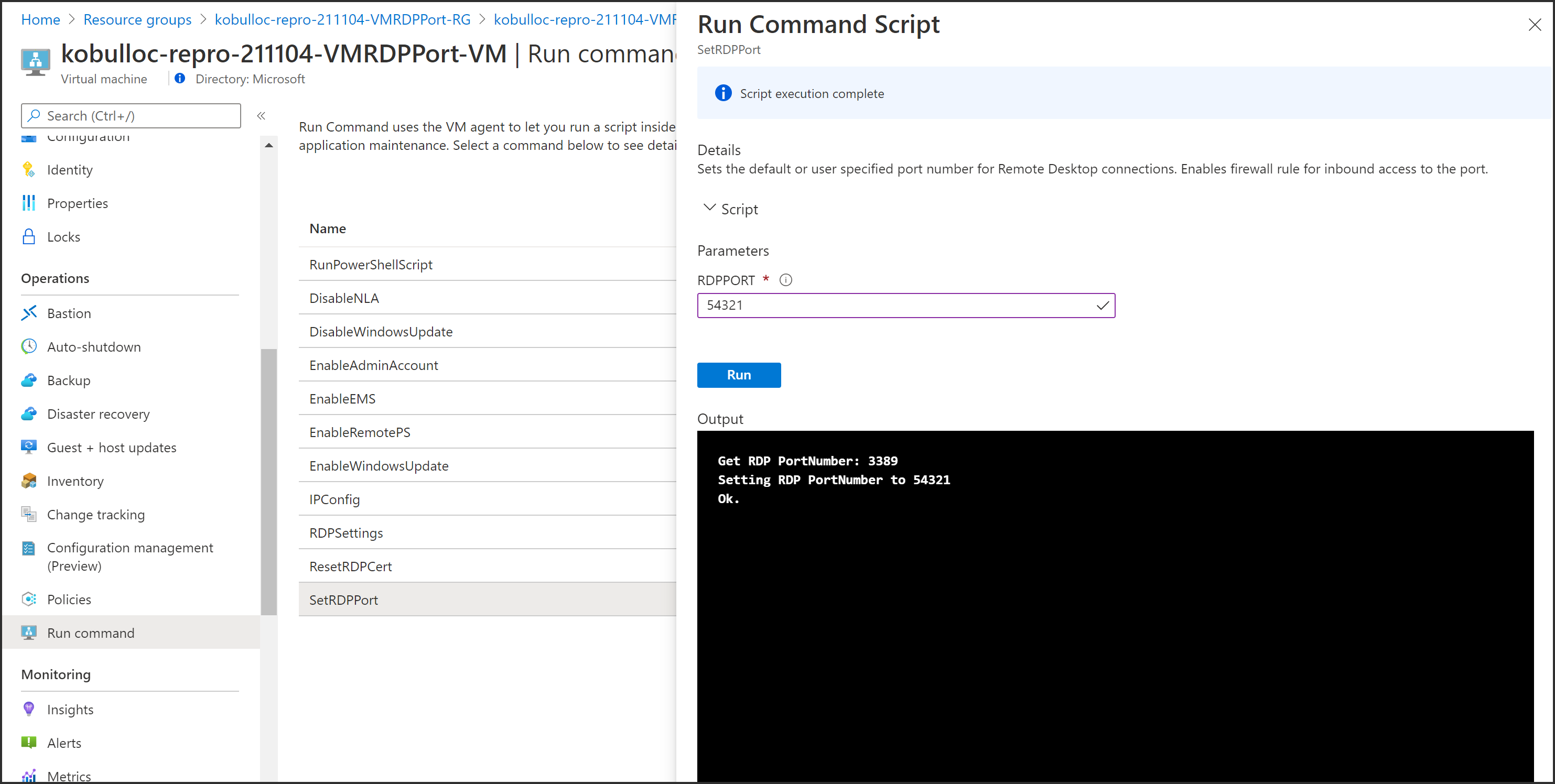
The fact that you are able to connect when using * for the port range but not 3389 makes me wonder if your VM was configured to use RDP on another port.
While this command is running, it will tell you what your current port is and setting the RDP port here will confirm that you are using port 3389 for RDP.