XAML
A language based on Extensible Markup Language (XML) that enables developers to specify a hierarchy of objects with a set of properties and logic.
772 questions
This browser is no longer supported.
Upgrade to Microsoft Edge to take advantage of the latest features, security updates, and technical support.
' cx='32' cy='32' r='32' /%3E%3Ctext x='50%25' y='55%25' dominant-baseline='middle' text-anchor='middle' fill='%23FFF' %3ERJ%3C/text%3E%3C/svg%3E)
Hi Guys,
Winforms Marquis stops working in WPF environment.
Here is the source code.
s!Ag7LlPZhmWxciyRICdiZlB1UVxxQ
' cx='32' cy='32' r='32' /%3E%3Ctext x='50%25' y='55%25' dominant-baseline='middle' text-anchor='middle' fill='%23FFF' %3EHL%3C/text%3E%3C/svg%3E)
If you want to open the winform window in wpf and display the progress bar normally at runtime, you could add the following code to your project.
           System.Windows.Forms.Application.EnableVisualStyles();
           System.Windows.Forms.Application.SetCompatibleTextRenderingDefault(false);
The content comes from the document Application.SetCompatibleTextRenderingDefault(Boolean) Method:
You can only call this method before the first window is created by your Windows Forms application.
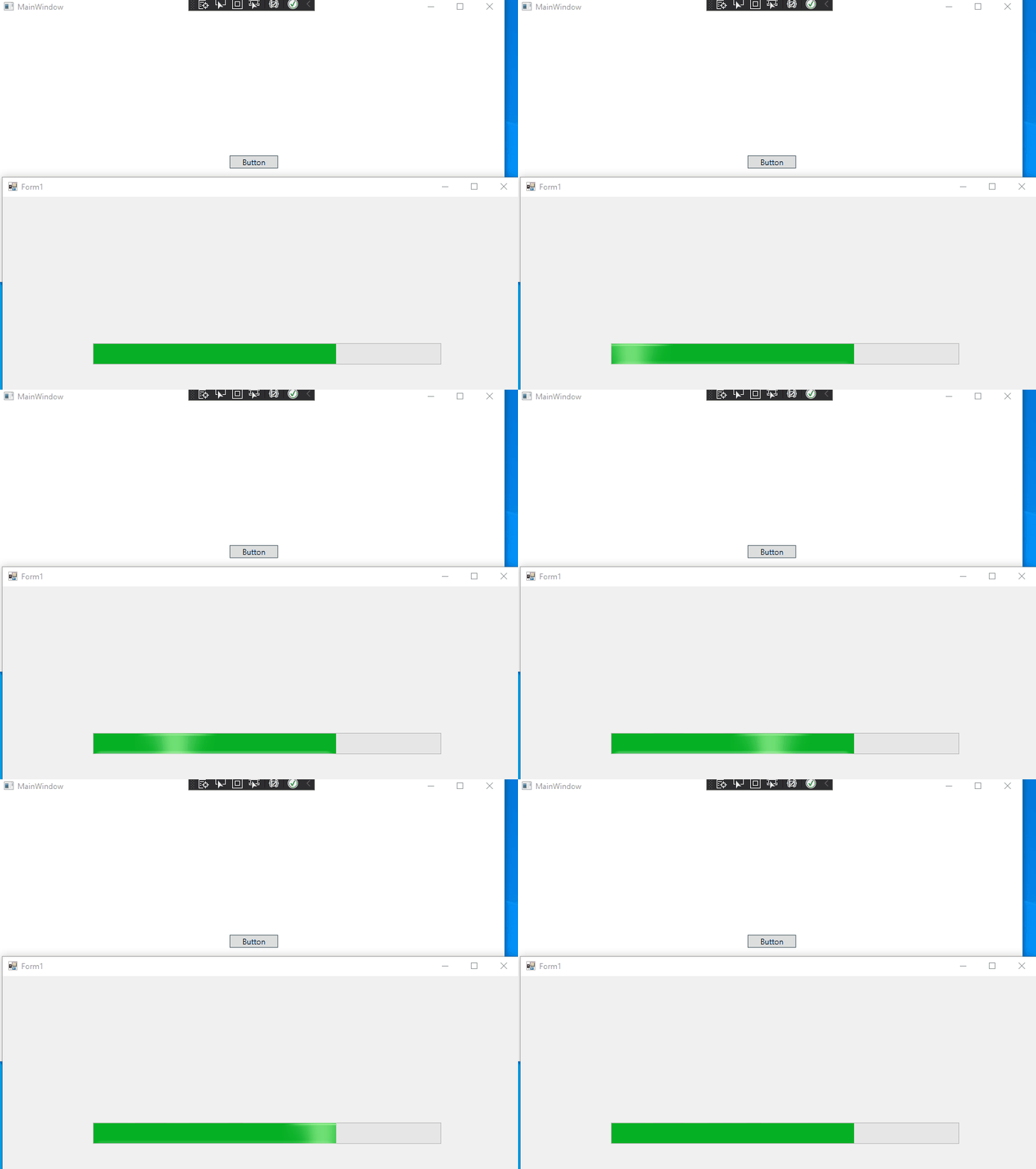
I added the above code in the MainWindow method instead of Form1.Designer.cs and it works normally
  public partial class MainWindow : Window
        {
            public MainWindow()
            {
                InitializeComponent();
                System.Windows.Forms.Application.EnableVisualStyles();
                System.Windows.Forms.Application.SetCompatibleTextRenderingDefault(false);
            }
      }
The picture of result:
If the answer is the right solution, please click Accept Answer and kindly upvote it. If you have extra questions about this answer, please click Comment.
Note: Please follow the steps in our documentation to enable e-mail notifications if you want to receive the related email notification for this thread.
Thanks a lot, HuiLiu.
I do get the result as shown in your answer.
However, when I close Form1 and re-click the button on the MainWindow. The MainWindow will collapse a few seconds later.
Thanks again.
Hi,@Richard Jian . I updated my answer, you could check it out.
Yes! It works perfectly!
Thank you very much! HuiLiu