Azure Virtual Machines
An Azure service that is used to provision Windows and Linux virtual machines.
This browser is no longer supported.
Upgrade to Microsoft Edge to take advantage of the latest features, security updates, and technical support.
' cx='32' cy='32' r='32' /%3E%3Ctext x='50%25' y='55%25' dominant-baseline='middle' text-anchor='middle' fill='%23FFF' %3EC%3C/text%3E%3C/svg%3E)
Hello,
I'm trying to check the type of virtual machines that I deployed using the activity log. I've found the related logs ('Create or Update Virtual Machine' and 'Delete Virtual Machine') for that vm. However, it's not easy to extract its type from the logs (summary and JSON) as far as I can see. Is this info available in any log or is there any other way to find this out? Thanks.

@colchon753 , thank you for your question. You can try following these steps:
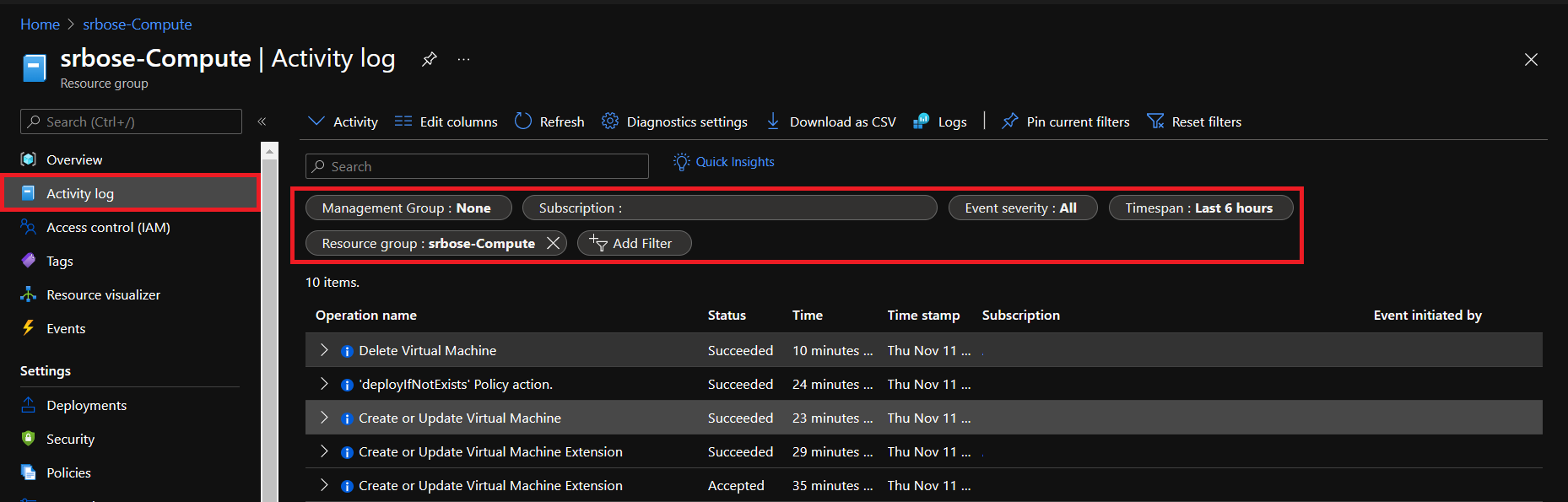
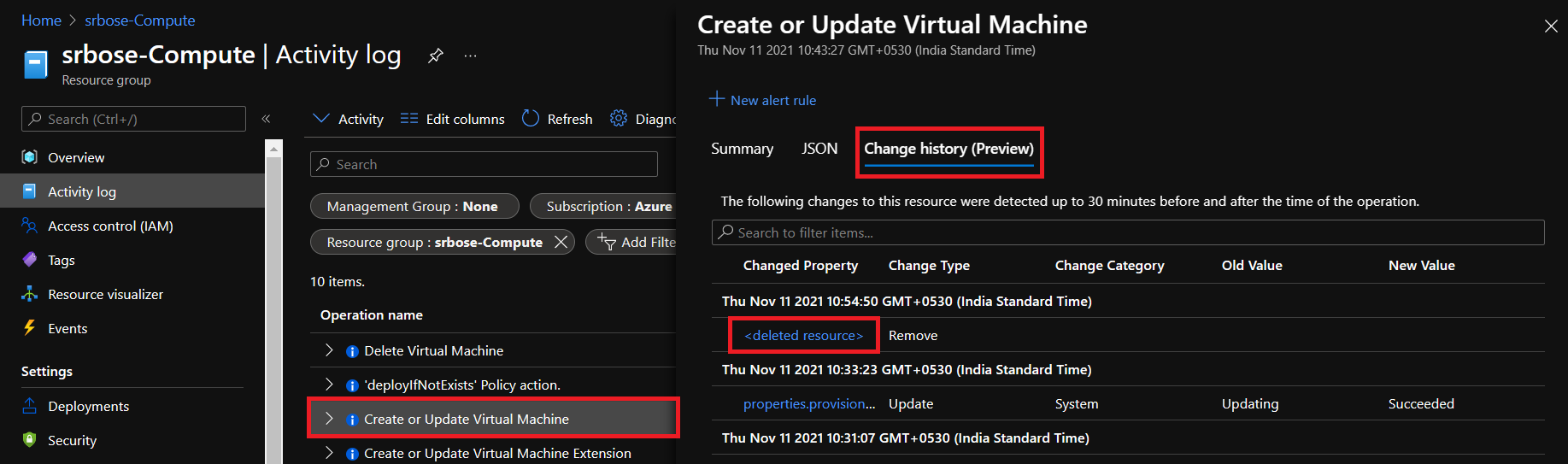
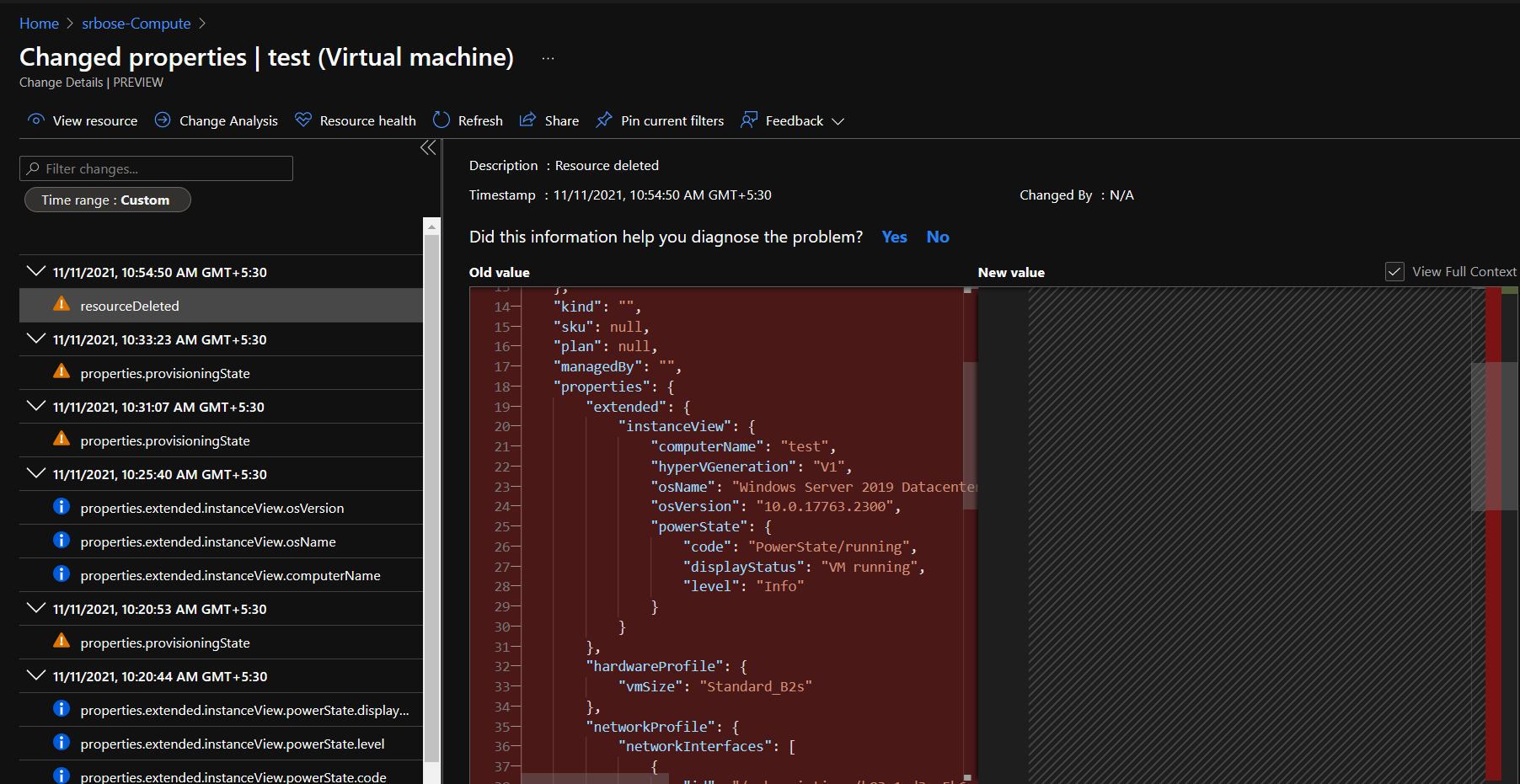
Note: Currently changes are covered for upto 14 days.
----
Hope this helps.
Please "Accept as Answer" if it helped, so that it can help others in the community looking for help on similar topics.
Hi @SRIJIT-BOSE-MSFT ,
Excellent! Now I can see the vm type in the "hardwareProfile" section. Thanks.

Hi, you could use the Azure Resource Query service to find out this information. If you search for Azure resource graph explorer then you should see some same queries pop up. Choose the query titled List virtual machines with their network interface and public IP and run the query.
This will show all VMs including the VM size which I think is what you are looking for. The query can be modified to extract the information that you require.
Here's the guide on how to use it:
https://learn.microsoft.com/en-us/azure/governance/resource-graph/overview
Hi @AlanKinane,
I should probably have worded my question more carefully. The vms that I'm talking about were terminated a few days ago (that is why I was using the activity log that has a lot of metadata for the vms but apparently not the instance type and size). The Azure Resource Graph Explorer is new to me but it seems to work only on running vms (unless I'm missing something). Thanks.