
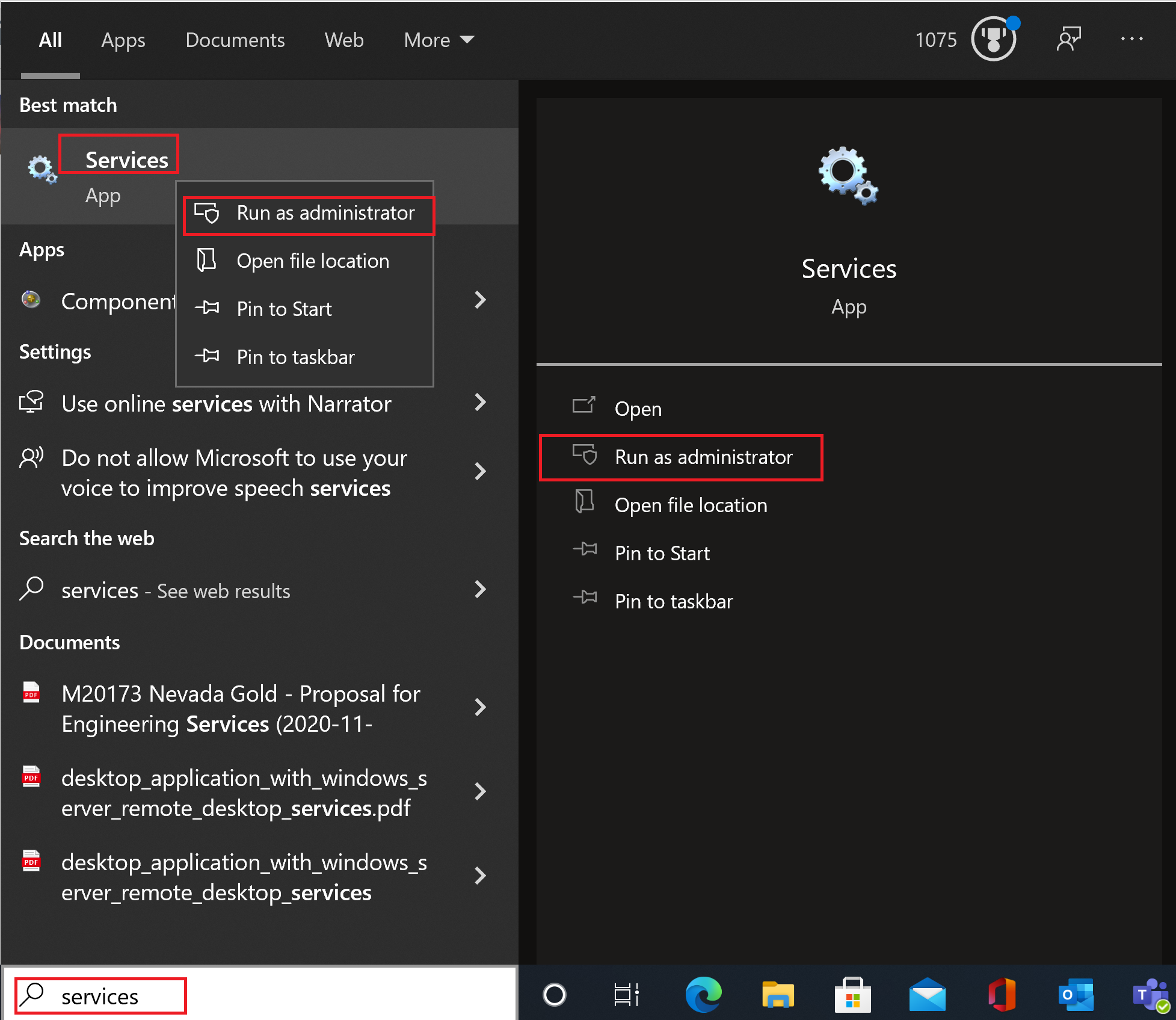
I'd try it again but this time make sure to Run as administrator
--please don't forget to upvote and Accept as answer if the reply is helpful--
This browser is no longer supported.
Upgrade to Microsoft Edge to take advantage of the latest features, security updates, and technical support.
' cx='32' cy='32' r='32' /%3E%3Ctext x='50%25' y='55%25' dominant-baseline='middle' text-anchor='middle' fill='%23FFF' %3ELK%3C/text%3E%3C/svg%3E)
I can't update my Windows 10 for whatever reason. The troubleshooter doesn't find any problem so i searched a little bit for myself and it came out that the Windows Update Service is disabled. I tried running it but always when i am trying to start it manually or automatic, a window pops up saying "Access is denied". During the whole time trying I was an administrator and i can't figure out my problem.
' cx='32' cy='32' r='32' /%3E%3Ctext x='50%25' y='55%25' dominant-baseline='middle' text-anchor='middle' fill='%23FFF' %3ERH%3C/text%3E%3C/svg%3E)
@Logan Klugmann
Thanks for your posting on Q&A.
It is recommended to review the windowsupdate.log to get more informations. Open the PowerShell as an administrator and print the get-windowsupdatelog command.
It will be better if you could share the log in this forum.
Thanks for your time.
Regards,
Rita
' cx='32' cy='32' r='32' /%3E%3Ctext x='50%25' y='55%25' dominant-baseline='middle' text-anchor='middle' fill='%23FFF' %3EA%3C/text%3E%3C/svg%3E)
I'd try it again but this time make sure to Run as administrator
--please don't forget to upvote and Accept as answer if the reply is helpful--
as stated in my question i was in administrator mode the whole time
Ok, you stated " I was an administrator" Just to be clear logging on as an administrator and running a process elevated as administrator are two different things.
I made sure that i ran the services application as an administrator the whole time in the process. So yes i opened it with the option "Run as Administrator"
from cmd.exe what is the result of whoami /groups
Unaware of what exact result you mean, i can translate if you need any of those
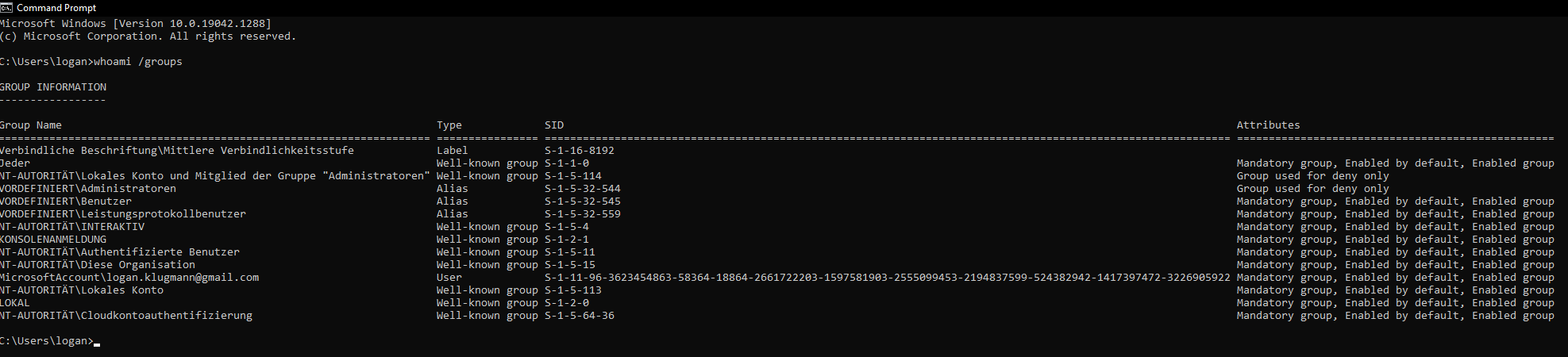
Ha, yea I can't read any of that. Was looking for this
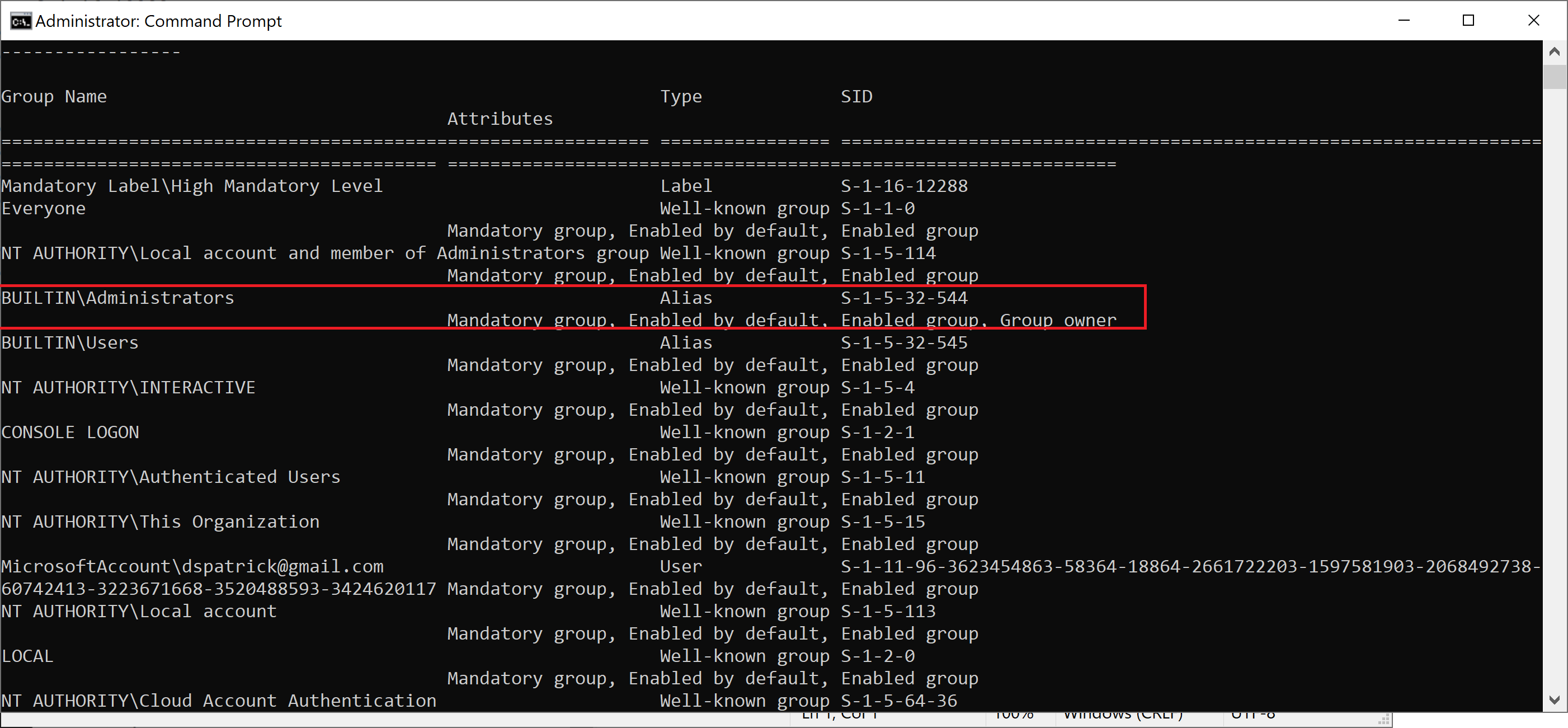
Okay so for my line it states:
Type: Alias
SID: S-1-5-32-544
Attributes: Group used for deny only (yeah there is our difference)
You may not have run elevated
What do you mean?
Sounds like the cmd.exe may not have been run as administrator.
Tried it again running as administrator and now it shows the exact same thing as in your photo.
Then it sounds like this one has been somehow compromised. You can try a repair install but I wouldn't hold much hope. Time may be better spent on backup data and clean installing it.
Windows clean install or what do you mean?
Yes, a clean install. Delete / recreate partition reinstall windows.
Okay thanks a lot!
You're welcome.
--please don't forget to upvote and Accept as answer if the reply is helpful--
It should be manual startup. Try setting it to Manual and then reboot.
--please don't forget to upvote and Accept as answer if the reply is helpful--

I tried that before but it still says "Access is denied"
it still says "Access is denied"
what action is being performed when this happens?
what do you mean what action
just trying to understand what action caused "Access is denied"
I tried to set the Windows Update Service to manual or automatic and when i wanted to press "Ok" or "Apply" it said "Access is denied"
Just checking if there's any progress or updates?
--please don't forget to upvote and Accept as answer if the reply is helpful--
Imma install Windows 11 in the near future, until that i can wait with the Update so i won't make a clean install. Still thanks a lot!
Sounds good, you're welcome.
' cx='32' cy='32' r='32' /%3E%3Ctext x='50%25' y='55%25' dominant-baseline='middle' text-anchor='middle' fill='%23FFF' %3ESL%3C/text%3E%3C/svg%3E)
Open Start Menu from the
open Settings
Click on the tab of Update & Security.
In this new window, you need to select View update history and find the last successful update installed on your Windows.
You will now see a list of updates installed on your system.
Click on the Uninstall updates at the top.
When you click Uninstall updates, a new window will pop up which shows the new updates that are installed on the PC.
You can choose to uninstall any of these updates but proceed with caution as uninstalling a critical update will lead to a PC that is full of bugs.
After the completion of restore, your computer will work fine.
Delete all files from the Software Distribution directory
5.1 Use the Windows Services
Press Windows Key + R, enter services.msc, and press Enter or click OK.
open services
Locate Background Intelligent Transfer Service, right-click it, and choose Stop from the menu.
Do the same for the Windows Update service.
After disabling these services go to the following folder:
C:WindowsSoftwareDistribution
Select all files in the SoftwareDistribution directory and click on Delete.
Go back to the Services window and start both Windows Update and Background Intelligent Transfer Services.
After doing that, try to download updates manually and check if the problem is resolved.
Use Command Prompt
1 Type cmd in the Search box and select Run as administrator to start Command Prompt with elevated privileges (If the Command Prompt isn’t available, you can also use PowerShell).
2 Enter the following command lines and run them one by one:
net stop wuauserv
net stop cryptSvc
net stop bits
net stop msiserver
ren C:WindowsSoftwareDistributionSoftwareDistribution.old
ren C:WindowsSystem32catroot2catroot2.old
net start wuauserv
net start cryptSvc
net start bits
net start msiserver
pause
Exit
After running these commands, the issues with Windows Update should be resolved and everything will start working again.