
@Limitless Technology if this file serve is part of AD domain, where to apply this?
This browser is no longer supported.
Upgrade to Microsoft Edge to take advantage of the latest features, security updates, and technical support.
' cx='32' cy='32' r='32' /%3E%3Ctext x='50%25' y='55%25' dominant-baseline='middle' text-anchor='middle' fill='%23FFF' %3EI%3C/text%3E%3C/svg%3E)
Hi,
after clean reinstall whole environment with Win Srv 2019 & WIn 10 (latest patch), we are having this issue when user initial logs on:
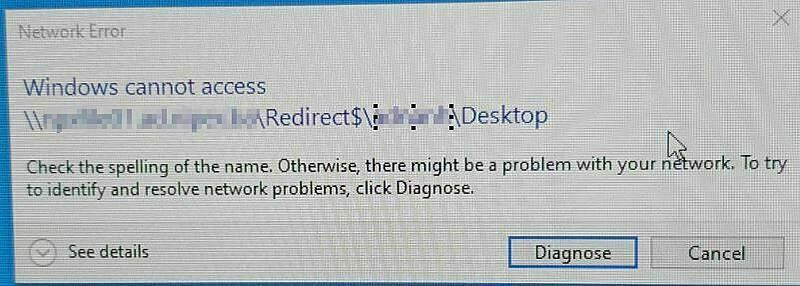
after user hit refresh with F5, everything works as expected. DNS/DHCP are Ok. We checked other stuff as well but were unable to find anything odd. Any idea where to look?
And we are getting error:
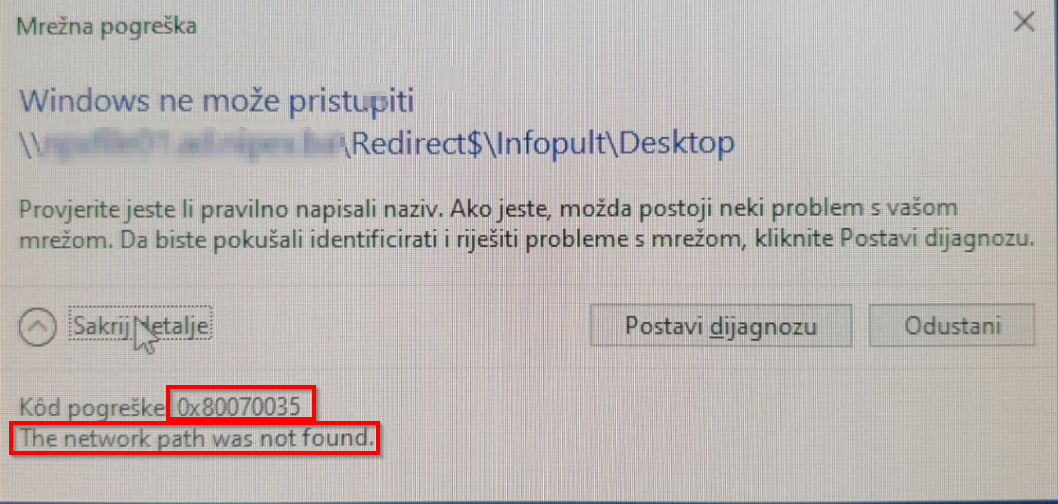
@Limitless Technology if this file serve is part of AD domain, where to apply this?

Hi there,
Try changing the Network Security settings and see if they are helpful
Hit Start button, then type in the search box secpol.msc and hit Enter.
Then follow the path: Local Policies > Security Options > Network security: LAN Manager authentication level. Double click the option Network security: LAN Manager authentication level.
Then choose from the drop-down menu Send LM & NTLM-use NTLMv2 session security if negotiated. Then choose Apply and OK to save the change.
You can also try resetting the TCP/IP and see if this resolves the Issue.
----------------------------------------------------------------------------------------------------------------------------------------------------------#
--If the reply is helpful, please Upvote and Accept it as an answer--
also, please note \servername.ad.company.com\ as path. We are not using netbios names here.
Win Srv 2019 & WIn 10 (latest patch): as far as this goes, I have to say that this is done several months before. I can check patch level if that is important.