Azure SQL Database
An Azure relational database service.
This browser is no longer supported.
Upgrade to Microsoft Edge to take advantage of the latest features, security updates, and technical support.

Hi Team,
Facing a weird issue and have no clue how to troubleshoot. This is urgent so any quick assistance on this would be appreciated. Please read below.
We are using managed identity to connect to the Azure SQL database.
Connection is fine when tested as shown below
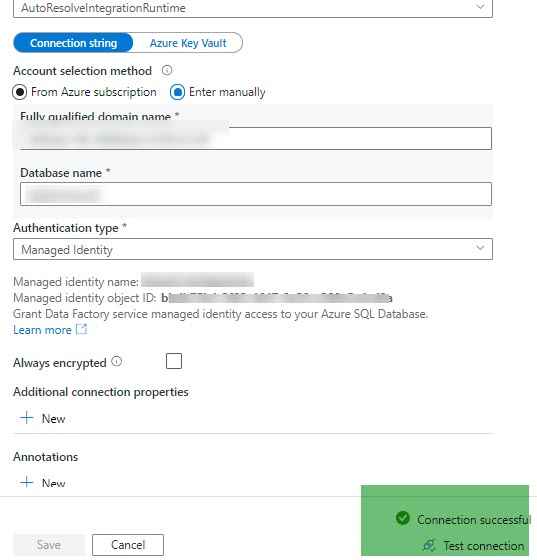
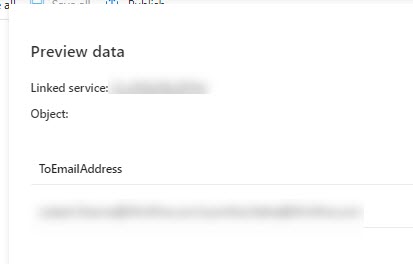
We are able to preview the data as well (using lookup activity, name = get_email_address)
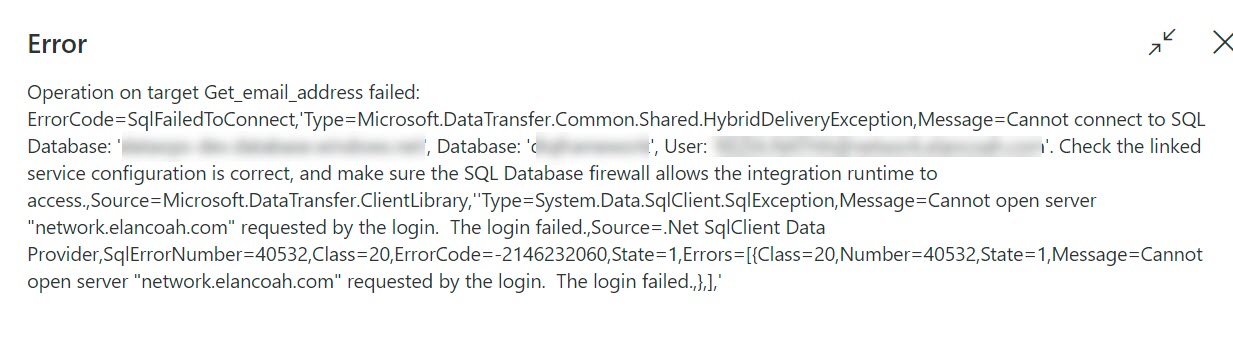
However, when we trigger the pipeline we get the following error
Managed to fix it.
Just reconfigure the linked service with the same properties, save and publish.

Hey,
Are you using Copy activity in the ADF pipeline?
If yes, can you please provide the source and the sink details?
Based on the above scenario, it seems that there is an integration run time involved and in case of a copy activity, it is a need that the server on which the IR is set up should be able to access both the source and sink.
So you might need to allow connectivity to Azure database from the server either via opening the Ports or IP whitelisting etc.
This would depend on the details which you provide as the above scenario which I mentioned is only for Copy activity with IR involved
Hi Nandan,
Thanks for getting back. As explained in the question, We are getting this error on the lookup activity.
There is no copy activity on the pipeline.
We were able to run the pipeline couple of weeks ago.
Since then nothing has been changed (apart from the fact that Azure password has been reset for one of the users displayed in the error message in the above screenshot)
Regards
Lokesh
Could anyone from Microsoft help us with the above issue?