Azure App Service
Azure App Service is a service used to create and deploy scalable, mission-critical web apps.
This browser is no longer supported.
Upgrade to Microsoft Edge to take advantage of the latest features, security updates, and technical support.
' cx='32' cy='32' r='32' /%3E%3Ctext x='50%25' y='55%25' dominant-baseline='middle' text-anchor='middle' fill='%23FFF' %3EMP%3C/text%3E%3C/svg%3E)
Hello
Beginner here.
I am trying to apply changes on my QnA Bot via command deploy.cmd , C# , when I use console in App service editor I got this message :
C:\home\site\wwwroot\bot\QnABotAllFeatures.runtimeconfig.json, C:\home\site\wwwroot\bot\bin\Release\netcoreapp3.1\QnABotAllFeatures.runtimeconfig.json. [C:\home\site\wwwroot\bot\QnABotAllFeatures.csproj] Failed exitCode=1, command=dotnet publish "bot\QnABotAllFeatures.csproj" --output "C:\local\Temp\___deployTemp27487" --configuration Release An error has occurred during web site deployment.
If I use console via my app service , it doesn't do anything , it will just ignore the command, screenshot attached.
Please help. 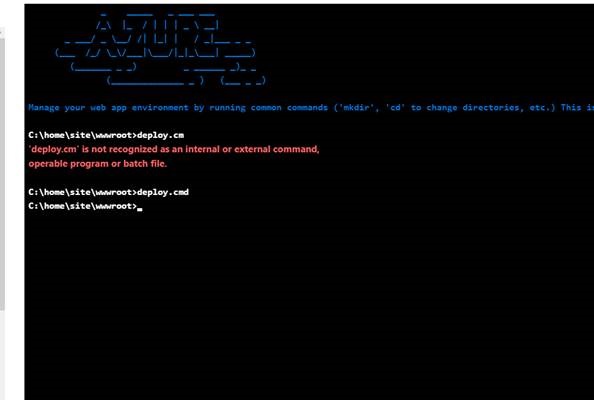
I didn't edit the QnABotAllFeatures.csproj file , I changed only default message in QnAMakerBaseDialog.cs
It worked last time. What could go wrong ?
Please help.
Thank you
Azure App Service is a service used to create and deploy scalable, mission-critical web apps.
' cx='32' cy='32' r='32' /%3E%3Ctext x='50%25' y='55%25' dominant-baseline='middle' text-anchor='middle' fill='%23FFF' %3EAK%3C/text%3E%3C/svg%3E)
MartinPeter-2089, Firstly, please accept my apologies for the delayed response.
To assist you better, I would like to understand a few more details, what specific sample are you leveraging? and, what config changes are you attempting perform?
Please do provide more details about your setup and scenario.
On App Service - deploy.cmd. This is the batch script that will contain all the steps for Kudu to deploy the App. deploy.cmd (which is the default for Kudu deployments).
.deployment. This is the entry point for Kudu to detect that there is a custom deployment script. This will point to the correct batch/bash script.
You may follow the steps outlined in this doc, to update your initialization code to load the service information for your knowledge base.
Just to add more clarity on this:
On App service, the Kudu console (https://<yourwebpp-name>.scm.azurewebsites.net/) - is the engine behind a number of features in Azure App Service related to source control based deployment, and other deployment methods.
Kindly see this doc for more information : Customizing-deployments
Please let us know, I'll follow-up with you further.