Microsoft Security | Intune | Configuration Manager | Other
Other Configuration Manager-related features and issues

This browser is no longer supported.
Upgrade to Microsoft Edge to take advantage of the latest features, security updates, and technical support.
' cx='32' cy='32' r='32' /%3E%3Ctext x='50%25' y='55%25' dominant-baseline='middle' text-anchor='middle' fill='%23FFF' %3EBS%3C/text%3E%3C/svg%3E)
Hi Team,
I am asked to create a report to generate list of computers type as Desktop and Laptop. I am using report builder for the same.

Created the below query to test it before creating the report.
select distinct SMS_R_System.Name, SMS_G_System_COMPUTER_SYSTEM.Manufacturer, SMS_G_System_COMPUTER_SYSTEM.Model, SMS_G_System_PC_BIOS.SerialNumber, SMS_R_System.LastLogonUserName, SMS_G_System_OPERATING_SYSTEM.Caption, SMS_G_System_SYSTEM_ENCLOSURE.ChassisTypes, SMS_G_System_WORKSTATION_STATUS.LastHardwareScan from SMS_R_System inner join SMS_G_System_COMPUTER_SYSTEM on SMS_G_System_COMPUTER_SYSTEM.ResourceID = SMS_R_System.ResourceId inner join SMS_G_System_PC_BIOS on SMS_G_System_PC_BIOS.ResourceID = SMS_R_System.ResourceId inner join SMS_G_System_OPERATING_SYSTEM on SMS_G_System_OPERATING_SYSTEM.ResourceID = SMS_R_System.ResourceId inner join SMS_G_System_SYSTEM_ENCLOSURE on SMS_G_System_SYSTEM_ENCLOSURE.ResourceID = SMS_R_System.ResourceId inner join SMS_G_System_WORKSTATION_STATUS on SMS_G_System_WORKSTATION_STATUS.ResourceId = SMS_R_System.ResourceId
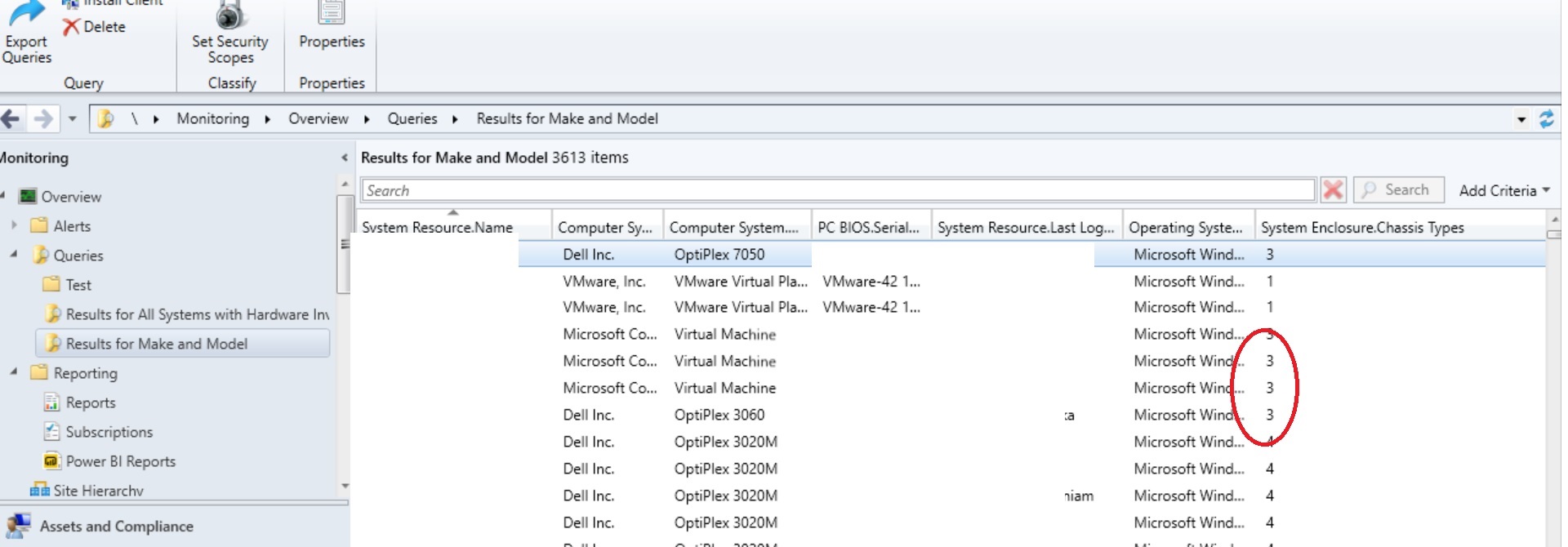
How do I modify the above query that device type as Desktop or Laptop using chassis Type.
' cx='32' cy='32' r='32' /%3E%3Ctext x='50%25' y='55%25' dominant-baseline='middle' text-anchor='middle' fill='%23FFF' %3ERJ%3C/text%3E%3C/svg%3E)
Add a where condition to filter out the relevant chassis. You can find details at the link below. It is a little old but will get you started.chassis-type-values-in-sccm

You can't modify that wql query to do that. You will need to write a Sql query and Sql report for that.