Azure IoT Hub
An Azure service that enables bidirectional communication between internet of things (IoT) devices and applications.
This browser is no longer supported.
Upgrade to Microsoft Edge to take advantage of the latest features, security updates, and technical support.

Hi,
I'm trying to send a C2D message on arrival of an IoTHub event (through this tutorial).
I've created an Azure function through the portal with .NET and I successfully receive the device to cloud message.
I want to do all this through the portal if possible but I get this error when I add this line to the code:
using Microsoft.Azure.Devices;.
the error is the following:
"The type or namespace name 'Devices' does not exist in the namespace 'Microsoft.Azure'"
I've seen this error come up frequently but i haven't managed to solve it. Again, I want to do all this through the portal.
Any tips?
thanks
An Azure service that enables bidirectional communication between internet of things (IoT) devices and applications.
Answer accepted by question author

Hello @Haris Papageorge ,
adding an Azure Function using the azure portal editor can b a challenge.
When possible, use the template projects using either Visual Studio or VS Code.
It seems you are missing the much needed Nuget package references.
There are normally part of the project file. In the Azure Function portal, this file is omitted.
Still, you can add it by hand...
I added this 'function.csproj' file by uploaded it from disk:
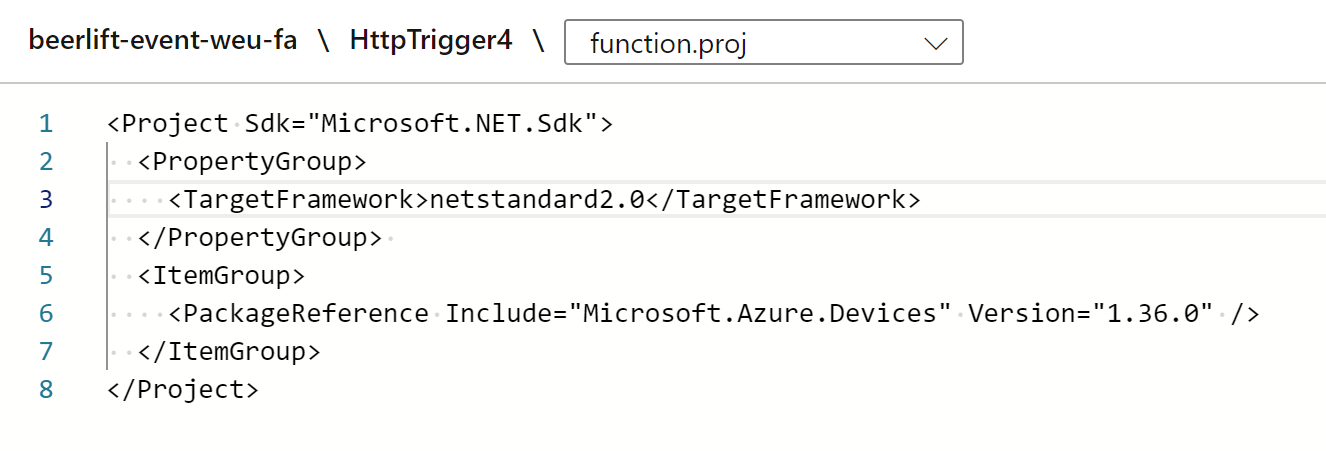
<Project Sdk="Microsoft.NET.Sdk">
  <PropertyGroup>
    <TargetFramework>netstandard2.0</TargetFramework>
  </PropertyGroup>
  <ItemGroup>
    <PackageReference Include="Microsoft.Azure.Devices" Version="1.36.0" />
  </ItemGroup>
</Project>
Note: make sure the file actually has this text.
See, the Nuget package for IoT devices is added.
Try to recompile your function again:
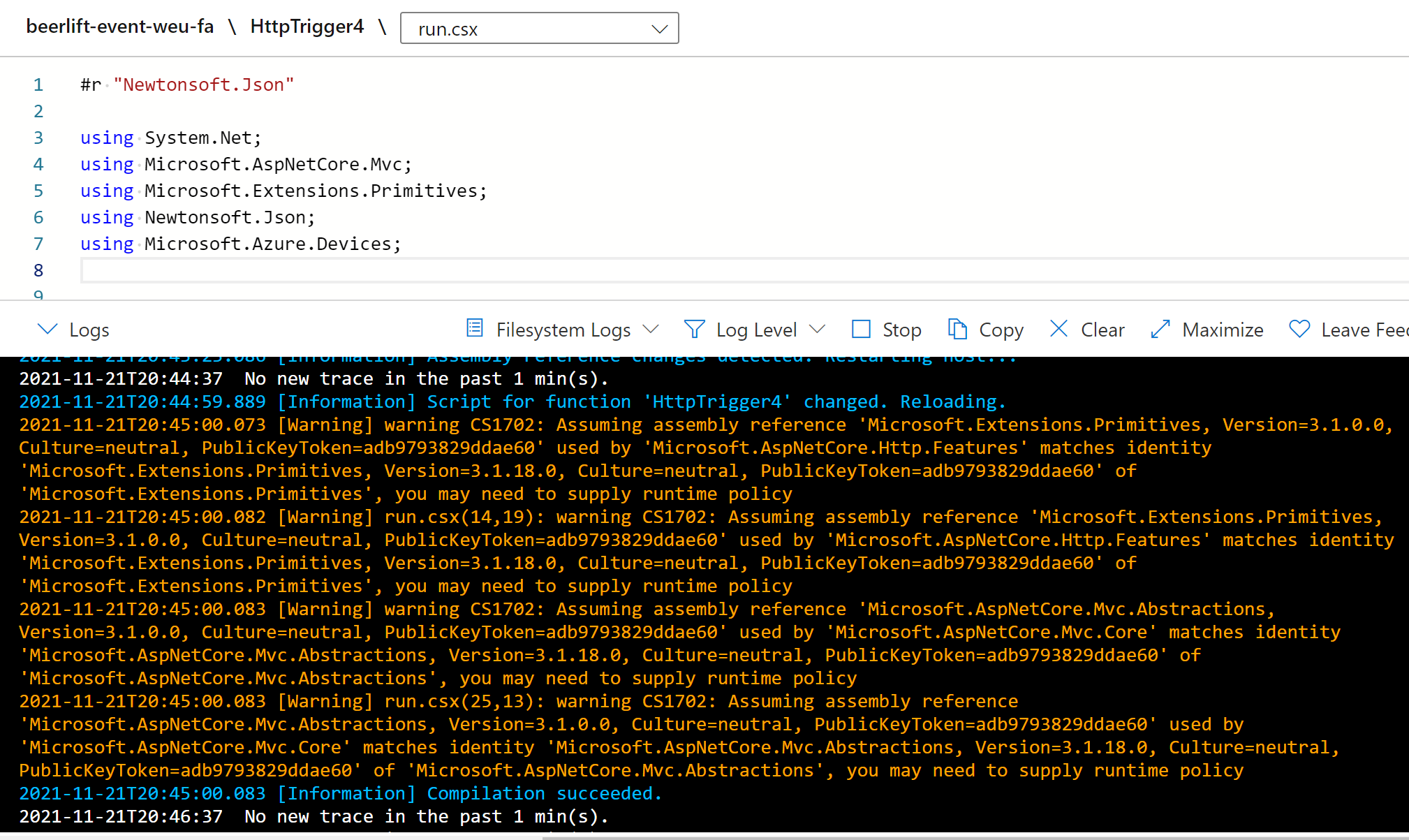
If compilation does not complete successfully, consider again to work with the more mature project templates.
Thanks a lot for the answer.
Now are there any examples that show how I could send a C2D message for a device to subscribe to (MQTT) with csx?
I have tried with VSCode as you suggested and now I get this error: The type or namespace name 'EventData' could not be found (are you missing a using directive or an assembly reference?) [cSharpFunction]
thanks
Hello @Haris Papageorge ,
Take a look at the documentation where the device twin update of a single device is sent.
To make a C2D Direct Method call, check out this example.
Here is an example of a device receiving a direct method.
Great.
Let me create a different question based on the documentation you send me since this one is solved.
here's the new question.
thanks