Microsoft 365 and Office | Excel | For business | Windows
A family of Microsoft spreadsheet software with tools for analyzing, charting, and communicating data

This browser is no longer supported.
Upgrade to Microsoft Edge to take advantage of the latest features, security updates, and technical support.
' cx='32' cy='32' r='32' /%3E%3Ctext x='50%25' y='55%25' dominant-baseline='middle' text-anchor='middle' fill='%23FFF' %3EA%3C/text%3E%3C/svg%3E)
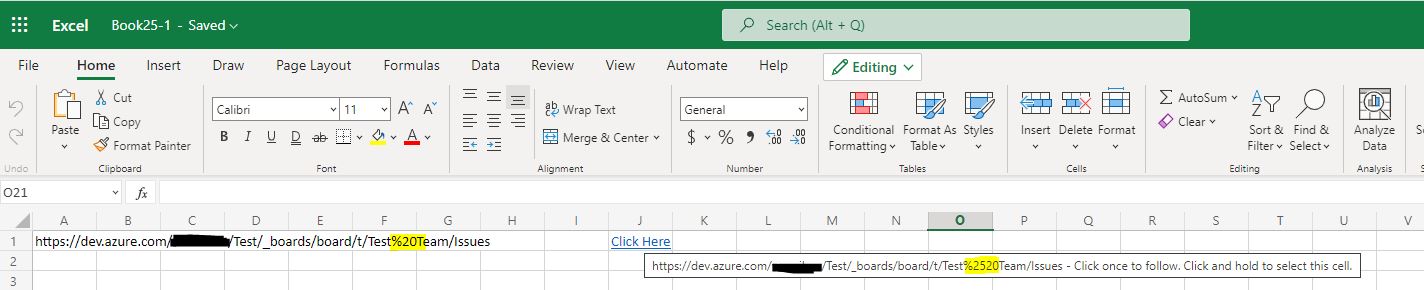
This was working fine as of last Thursday but now seems to only affect Excel online which my company uses a lot. I'm finding that all hyperlinks containing %20 are being encoding to %2520 when clicked on. This is causing the hyperlink to go to the wrong website (as it isn't decoded back to %20). Any help would be greatly appreciated

Hi @Anonymous ,
> This was working fine as of last Thursday but now seems to only affect Excel online which my company uses a lot
Are these links inserted into the Excel files?
Or do these links point to workbooks saved on clould, such as OneDrive, SharePoint or others? That you open these files in Excel app and find the wrong url?
Do you use a network proxy in company?
If yes, please temporarily disconnect for a test.
In addition, I find 2 similar thread you could have a look.
Recent (Sharepoint) Files which was opened local gets corrupted URL where %20 is replaced to %2520
Encoded URL's are Re-Encoded When Clicked
Any updates, welcome to share with us.
If the answer is helpful, please click "Accept Answer" and kindly upvote it. If you have extra questions about this answer, please click "Comment".
Note: Please follow the steps in our documentation to enable e-mail notifications if you want to receive the related email notification for this thread.
Yes. We use excel online, and I need to hyperlink a lot to devops boards on dev.azure.com (therefore a website rather than another URL). At the moment we're all remotely connecting into physical machines via a remote connection service.
I did find those same threads and tried to follow their solutions. Unfortunately when trying to edit the registry key, that specific key isn't enabled (i.e I can't find in those locations). I was hoping this might be an easy fix, but I might need to contact my systems administrator and ask them to put in a ticket. It could be due to how my remote connection is set up.
@Anonymous
Thanks for your reply.
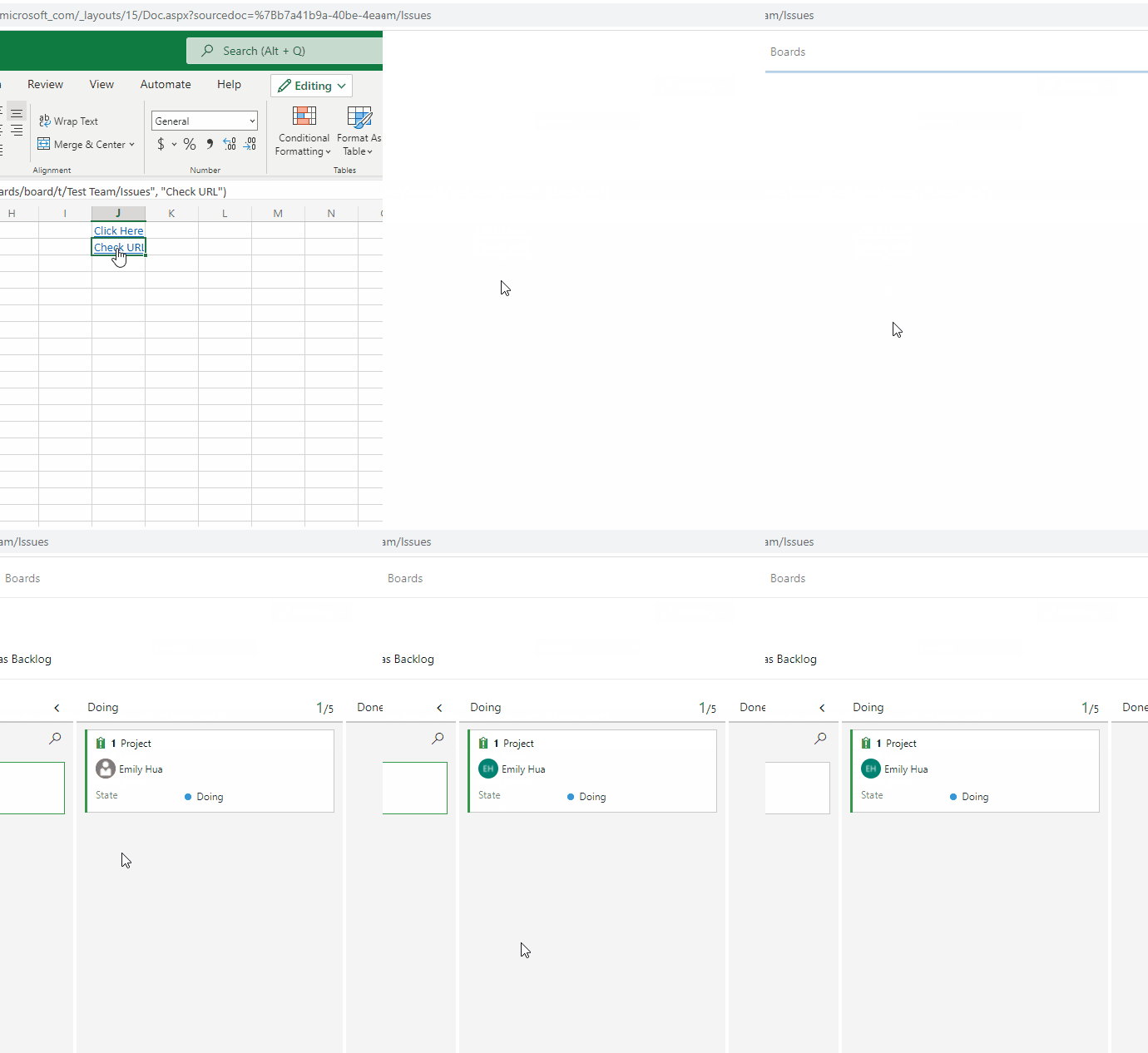
According to youd guide, I could reproduce your issue on Excel Online.
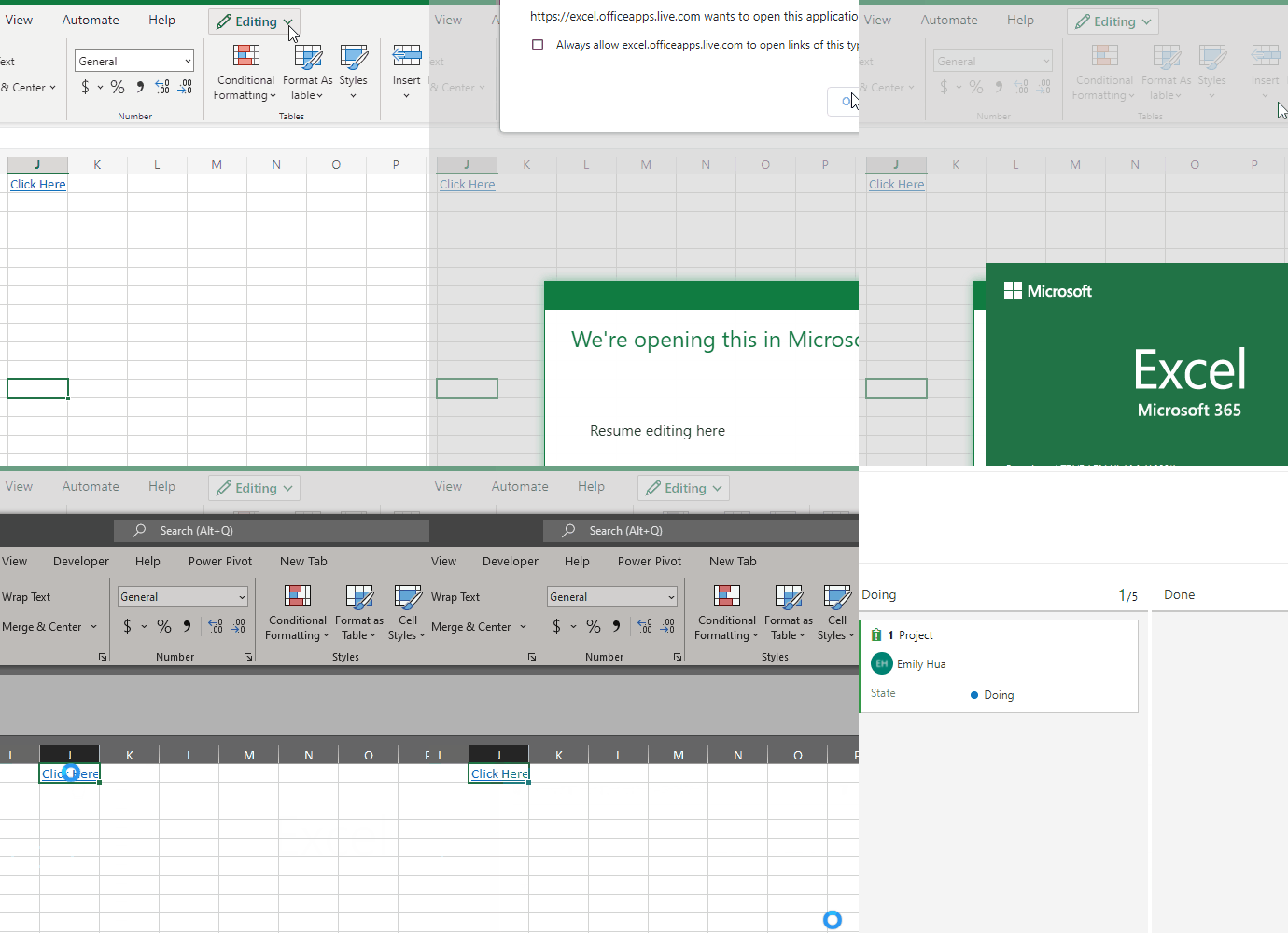
But if I open it via Excel Desktop App, this issue would goes away.
As Excel online is not supported on Q&A forum currently, to better help you, I would like to suggest you post a new thread on Microsoft Answers forum. Thanks for your understanding.
Personally, I find if you use Hyperlink function, and replace "%20" with space back for URL ("%20" which is a space in the path), you could open the website normally.