Microsoft 365 and Office | SharePoint | For business | Windows
A group of Microsoft Products and technologies used for sharing and managing content, knowledge, and applications.

This browser is no longer supported.
Upgrade to Microsoft Edge to take advantage of the latest features, security updates, and technical support.
' cx='32' cy='32' r='32' /%3E%3Ctext x='50%25' y='55%25' dominant-baseline='middle' text-anchor='middle' fill='%23FFF' %3EA%3C/text%3E%3C/svg%3E)
I'd like to set a flow to post automatically in Teams channel when a specific excel file in Sharepoint is changed. I saw through your info about Power Automate, https://learn.microsoft.com/ja-jp/power-automate/get-started-logic-flow, but I could only find the similar one, not about specific file but about specific folder. Could you please let me know how I should do?


Hi
I am checking your situation here.
Any progress on your troubleshooting?
This thread has been around for a long time. Please remember to accept them Answer if they helped. Your action would be helpful to other users who encounter the same issue and read this thread.
Thank you for understanding! If you have any questions, or updates, please feel free to let me know.
Hi @斉藤 久美子
Do you have any progress on this thread? If you find any reply helpful, please remember to accept it as answer.
It will help others who meet similar questions in this forum. Thank you for your understanding.
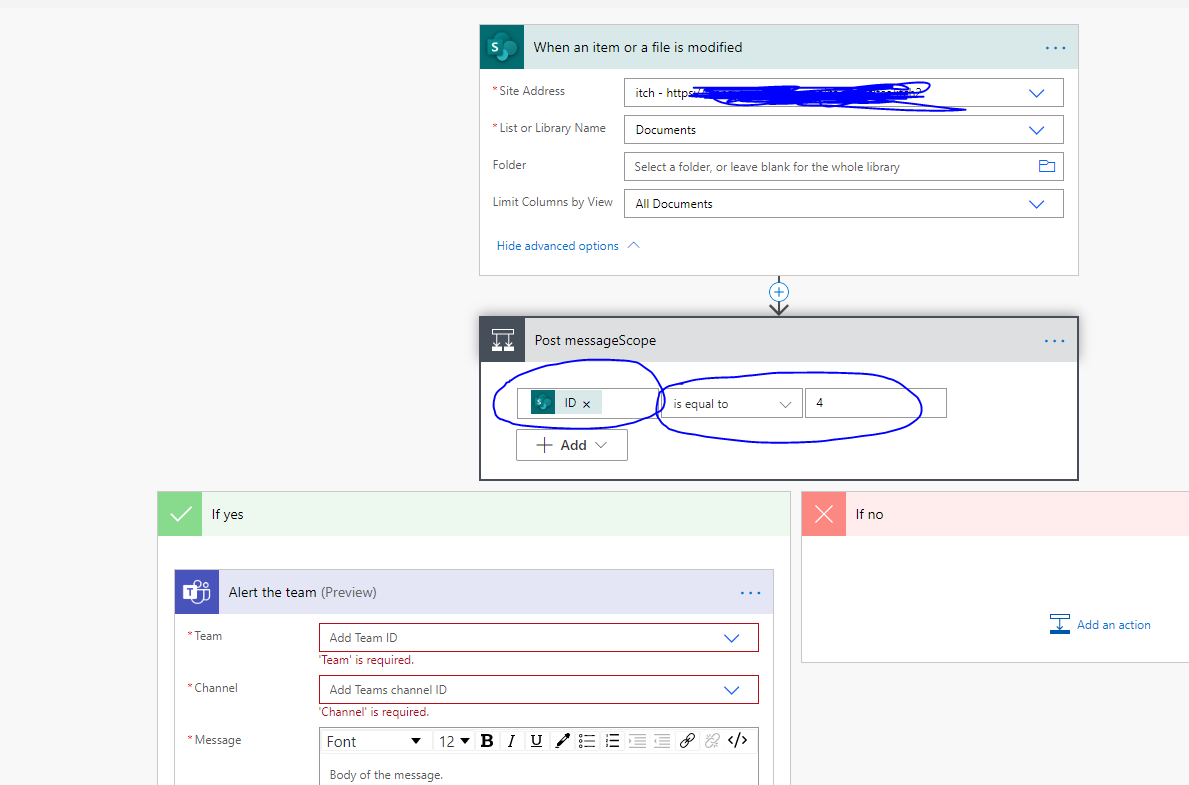
You can create a flow by referring to the screenshot below, just specify a document id.
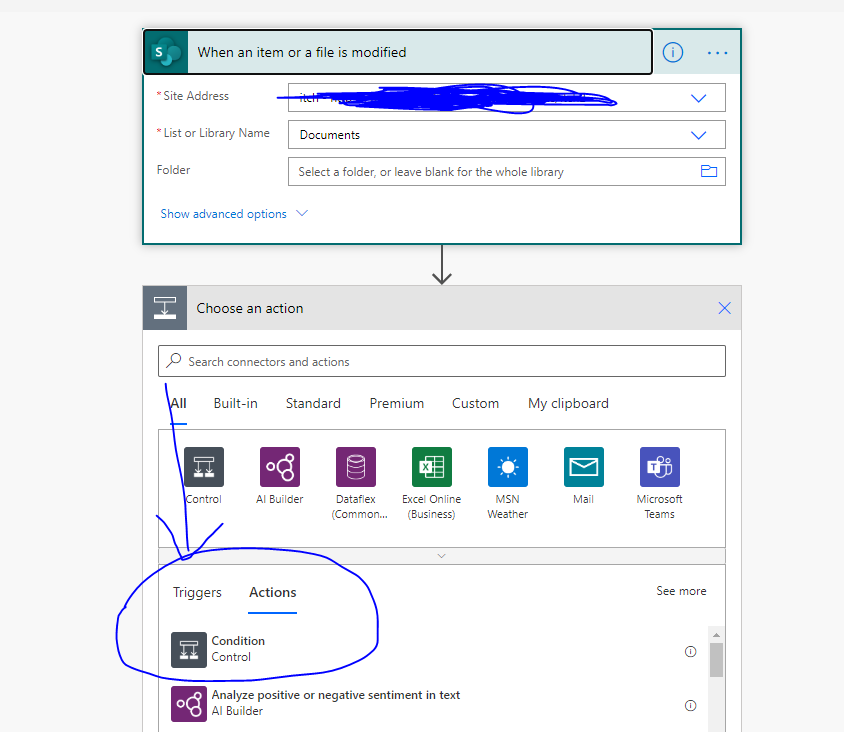
The process is roughly as follows:
Specify a library in a site
Make the specified file a condition
Add if conditions