Azure Application Gateway
An Azure service that provides a platform-managed, scalable, and highly available application delivery controller as a service.
This browser is no longer supported.
Upgrade to Microsoft Edge to take advantage of the latest features, security updates, and technical support.
' cx='32' cy='32' r='32' /%3E%3Ctext x='50%25' y='55%25' dominant-baseline='middle' text-anchor='middle' fill='%23FFF' %3EKA%3C/text%3E%3C/svg%3E)
We have two environment Test and Stage. On the Test env Application Gateway Listeners and Rules have already configured. But for the Stage env we have to create Application Gateway Listeners and Rules , we have created as the same as in the Test env.
But the problem is the application listeners routing is not going through URL and may be there is a chance we missed any settings or to enable the Listeners routing, due to which our server is not hitting.
And our complete infrastructure is App Services based.
Here is the screenshot that server is not hitting.

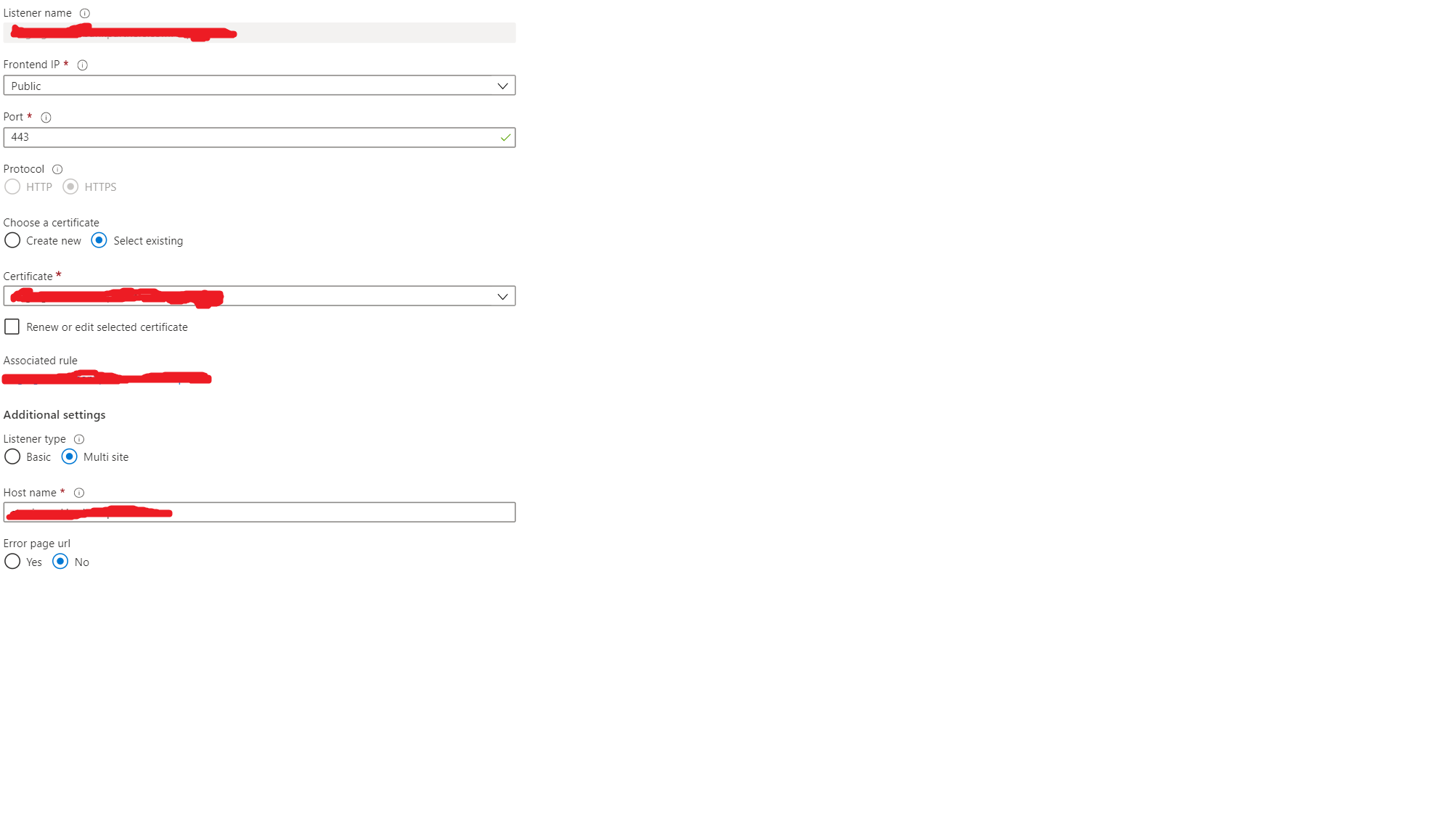
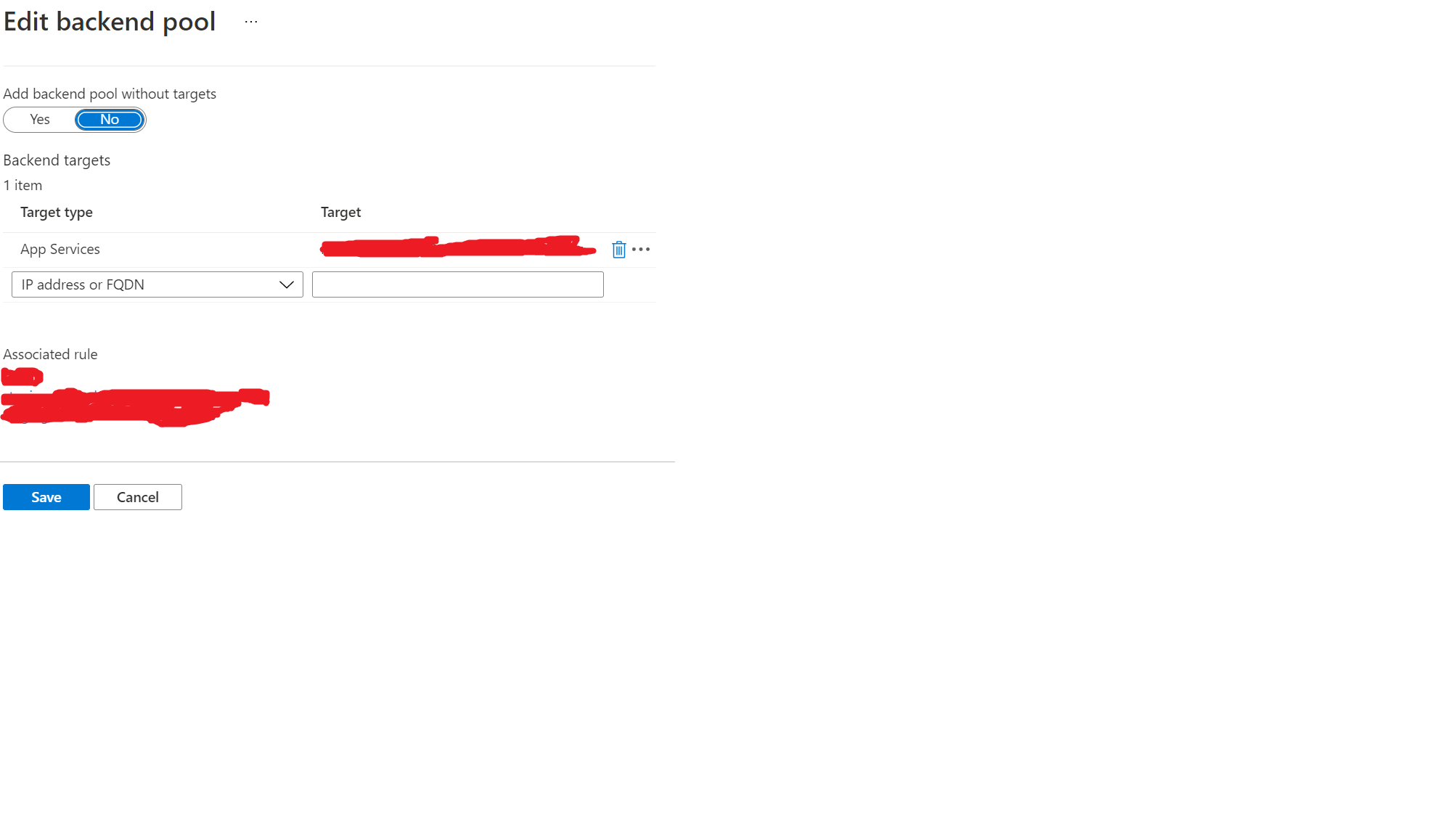
And also here are some steps or screenshot as we created the Listeners and Rules and take care of some settings.
Please suggest us if we miss any settings o to enable the Listeners due to this is not working

Hello @Kartik Agarwal ,
Welcome to Microsoft Q&A Platform. Thank you for reaching out & hope you are doing well.
I see your listener type is multi-site with Public frontend and certificate configured for HTTPs traffic. You also have the backend pool configured with an associated rule, which all seem correct. Now coming to the error message which says "this site can't be reached", may I know if you have created a CNAME mapping in your DNS to point hostnames to your Application gateway IP address?
When you access a host name via the App gateway, the DNS resolves that host name to the public IP address of the App gateway (which should be configured as a CNAME in your DNS or local host files) and then the app gateway uses that host header to find the associated listener. Once it finds the correct listener, it checks the associated rule and use the configured http settings to direct the traffic to the configured backend service.
Without the CNAME mapping in your DNS, the application gateway will not be aware of the host name/domain name that you are using to access the site.
If you have not created a CNAME mapping to your Application gateway's IP in your DNS, you can also make use of host files in your local machine for the name resolution as part of testing.
Reference : https://learn.microsoft.com/en-us/azure/application-gateway/create-multiple-sites-portal#edit-your-hosts-file-for-name-resolution
Kindly let us know if the above helps or you need further assistance on this issue.
----------------------------------------------------------------------------------------------------------------
Please "Accept the answer" if the information helped you. This will help us and others in the community as well.
Hi @GitaraniSharma-MSFT
Thanks a lot for suggesting this answer that we are looking for. We have used the local host file and URL is working now.
Really thank you so much.
' cx='32' cy='32' r='32' /%3E%3Ctext x='50%25' y='55%25' dominant-baseline='middle' text-anchor='middle' fill='%23FFF' %3EMA%3C/text%3E%3C/svg%3E)
hello, i want to define subdomains, as multisite listeners, that point to app services, how should the cnames be configured in this case? if i define the cnames using the app service custom domains it will bypass the gateway.