Microsoft Security | Intune | Configuration Manager | Deployment
Deploying software and updates using Configuration Manager

This browser is no longer supported.
Upgrade to Microsoft Edge to take advantage of the latest features, security updates, and technical support.
' cx='32' cy='32' r='32' /%3E%3Ctext x='50%25' y='55%25' dominant-baseline='middle' text-anchor='middle' fill='%23FFF' %3EGD%3C/text%3E%3C/svg%3E)
Hi everyone,
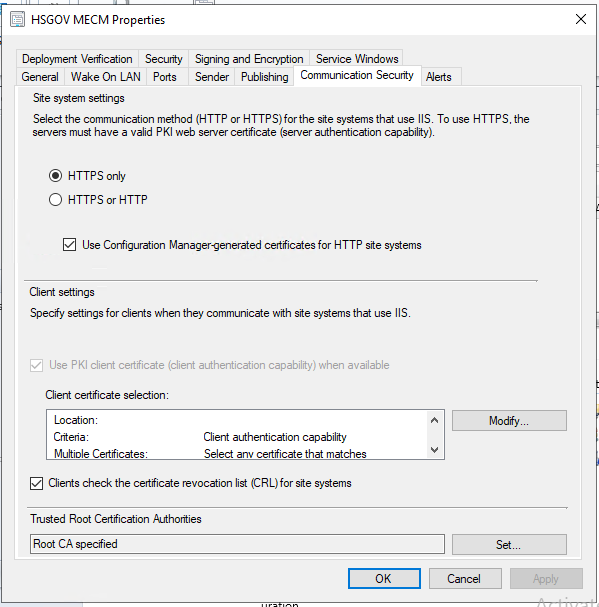
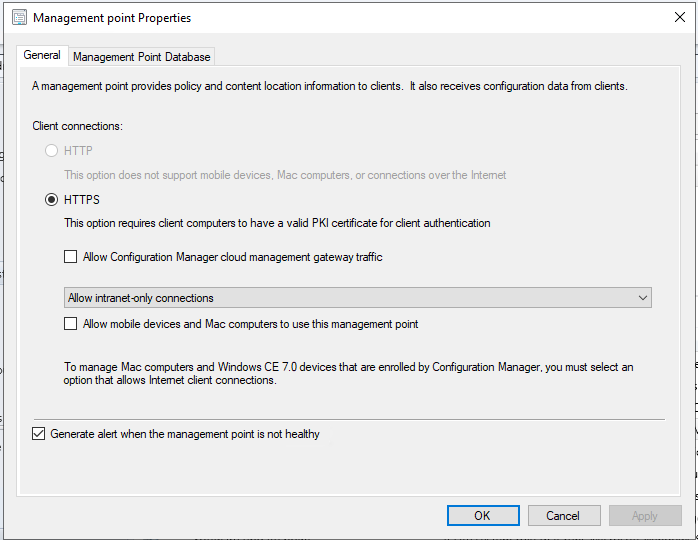
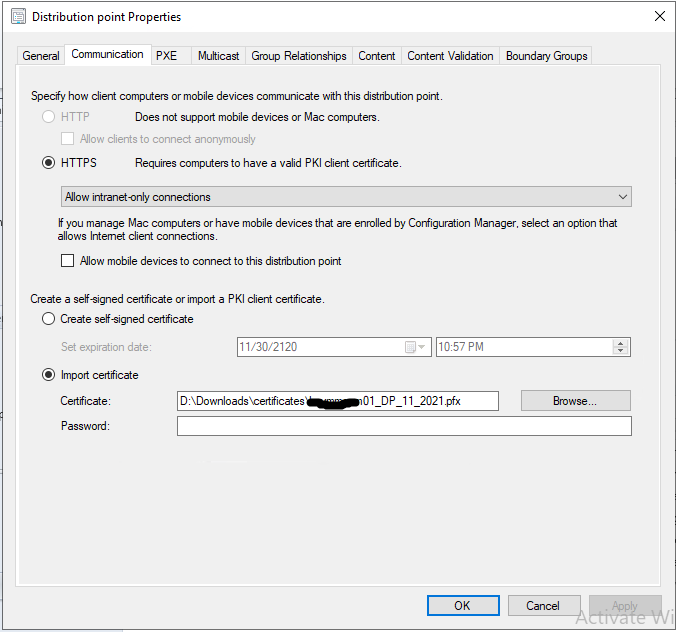
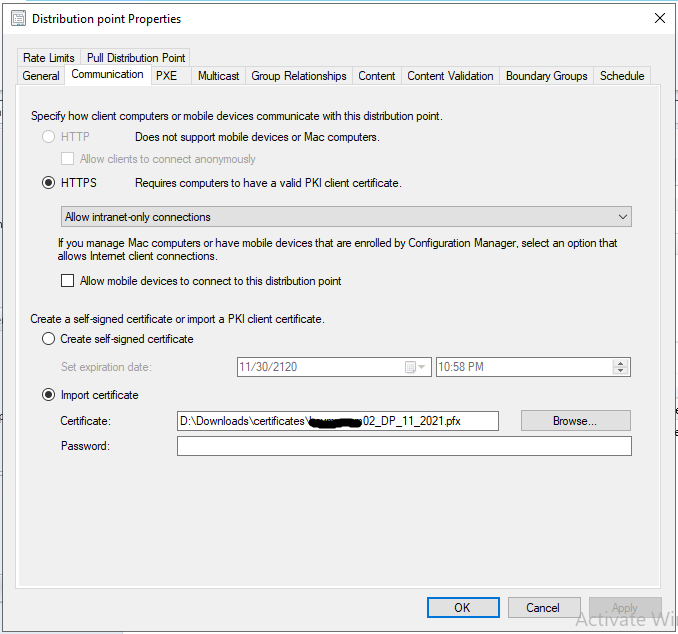
I have SCCM 2107 installed in my environment. I have the MP configured as HTTPS and I have provided the necessary certificates in the IIS. Along with this, I have also included a DP certificate in the DP properties. Along with this, the site communication protocol is set to HTTPS only in the environment. All the settings can be seen as shown below:
I am trying to perform OSD using this SCCM server but it is throwing me the below-mentioned error.

What could be the cause of this error?
' cx='32' cy='32' r='32' /%3E%3Ctext x='50%25' y='55%25' dominant-baseline='middle' text-anchor='middle' fill='%23FFF' %3ERJ%3C/text%3E%3C/svg%3E)
Check the time on the device you are trying to image. A time difference can result in errors while attempting to communicate with MP to pull down the policies. You will need to sync it WinPE. Look it up.
There is an error related to incorrect certificate. However, it doesn't appear to be repetitive. Let's fix the time on the device first and then if need be we can come back to fixing the cert.
Since the environment is HTTPS, which certificate should be used during TS deployment?
The incorrect cert error is also there when I traverse down the logs. Please refer to the attached log image:
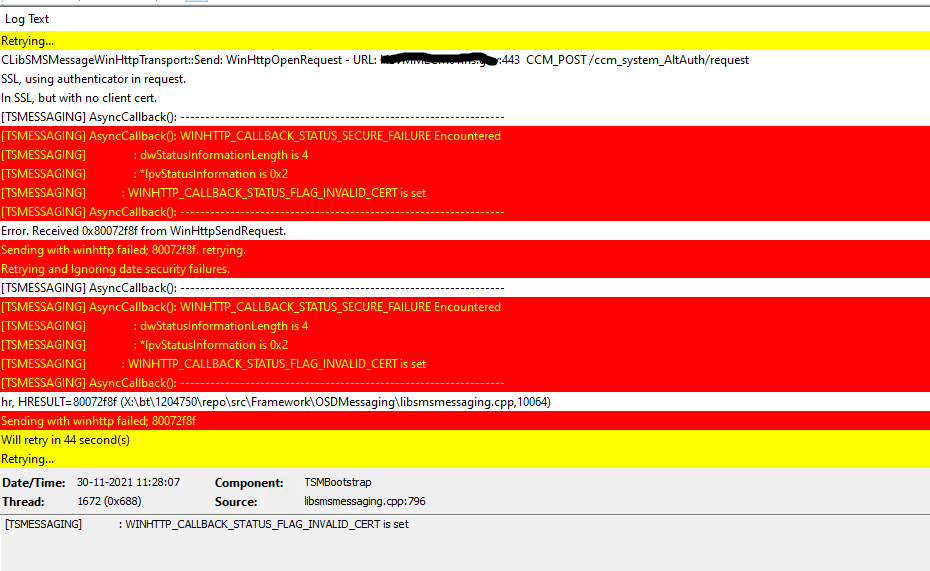
Did you fix the time sync?
I was able to remove the Cert-related issue. It looks like the Root CA that was specified was incorrect. But the "Sending with winhttp failed; 80072ee7" error still persists.
Below is the Screenshot of the error log file.
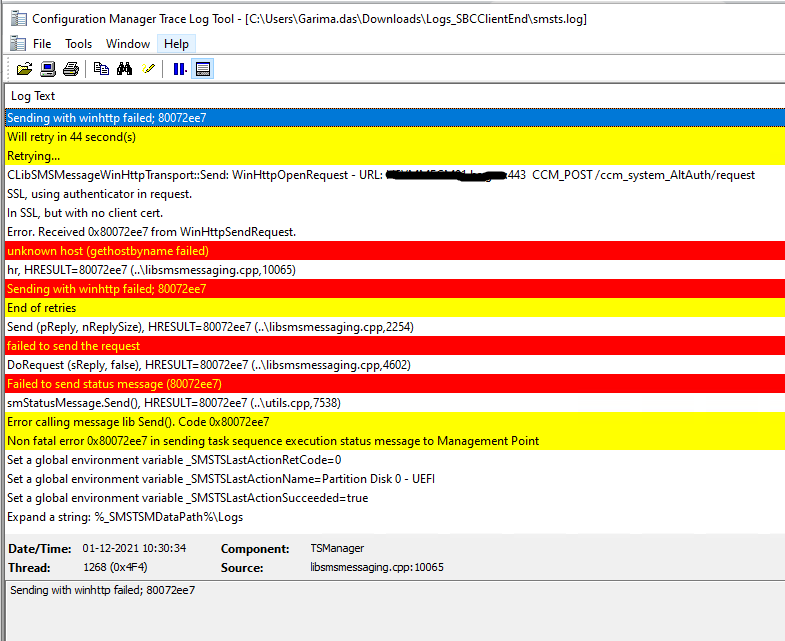
What all could be the reason for this error?
If you are not going to respond to what I am asking then I can't help you. Maybe someone else can help you here..Good luck.

Hi, @Garima Das
Thank you for posting in Microsoft Q&A forum.
80072ee7 means The server name or address could not be resolved.
You may try to check the scope option 006 DNS Servers in DHCP to see if the IP configured correctly.
https://www.danielengberg.com/unknown-host-gethostbyname-failed-80072ee-sccm/
(Please note: Information posted in the given link is hosted by a third party. Microsoft does not guarantee the accuracy and effectiveness of information.)
If the answer is helpful, please click "Accept Answer" and kindly upvote it. If you have extra questions about this answer, please click "Comment".
Note: Please follow the steps in our documentation to enable e-mail notifications if you want to receive the related email notification for this thread.