' cx='32' cy='32' r='32' /%3E%3Ctext x='50%25' y='55%25' dominant-baseline='middle' text-anchor='middle' fill='%23FFF' %3EJ%3C/text%3E%3C/svg%3E)
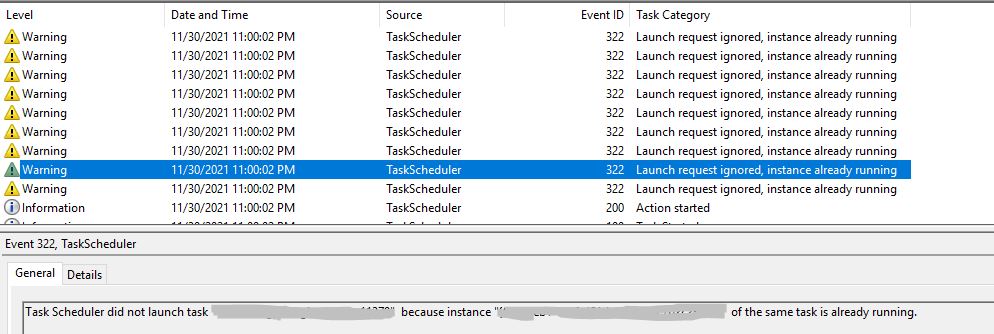



Use the task manager and check to see if the client application is still running. If it is, kill it. Then check the status of the task to verify that it is not running.
You can't guess as to what that program is doing. You have to implement logging of some kind. Hopefully that application is a command line program and not a GUI. You need to use a bat file to call it so that you can capture the stdout and stderr that the program generates.
Create a bat file containing this (with the correct names and any command line arguments):
@echo %date% %time% Script is starting.
C:\SomeAppFolder\YourApp.exe /someswitch=whatevertheappislookingfor
@echo %date% %time% Script is ending.
You might also want to add in a directory list command to verify that the network shares are visible to the account that the task executes as.
Then in the task definition set it to execute program cmd.exe. In the arguments, point it to your bat file, and the log file+folder where you want to put them.
/c c:\jobs\CallYourApp.bat 1>>c:\Logs\CallYourApp-%date:~10,4%-%date:~4,2%-%date:~7,2%.log 2>%1
This will create a daily log file for all executions of the task.
It should look something like my cleanup task.

After the task runs, check the log file for errors and expected output.
If the application is Windows forms app (GUI), then you have a problem. GUI programs do things like display message boxes with instructions to "click ok to continue". They were developed to interact with a human and not to run in unattended mode. If you have a GUI, you have to go back to whoever supports the app and ask them how you are expected to troubleshoot it when there is no way for any user to visually see it's window. Ask them if they can convert it to a console program.
