
Add a second trigger.

This browser is no longer supported.
Upgrade to Microsoft Edge to take advantage of the latest features, security updates, and technical support.

Hello guys,
I have 3 .net core generic host console applications which I will use as scheduled tasks. I wonder if I can schedule as follows and if so, how?
Task A 09:00 runs
Task B 09:10 runs
Task C 09:20 runs
Task A 09:29 runs
Task B 09:39 runs
Task C 09:50 runs
Scheduled for every hour indefinitely.
Thanks in advance.

Add a second trigger.
' cx='32' cy='32' r='32' /%3E%3Ctext x='50%25' y='55%25' dominant-baseline='middle' text-anchor='middle' fill='%23FFF' %3EA%3C/text%3E%3C/svg%3E)
Configure each task as below to run every hour for 24 hours
--please don't forget to upvote and Accept as answer if the reply is helpful--
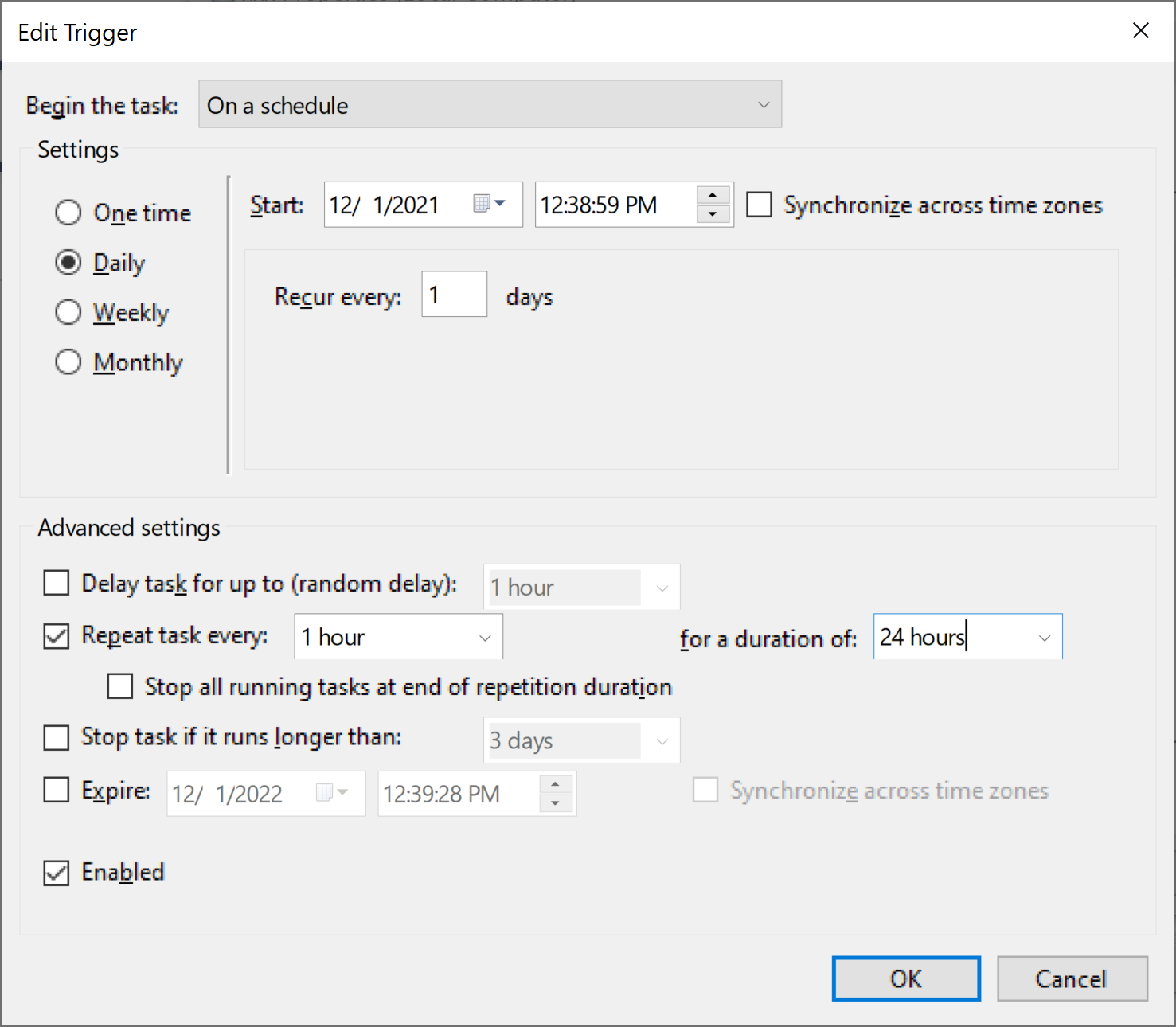
I did as you suggested but how does Task A run on 9:00 and 9:29 in your configuration? I don't understand.
but how does Task A run on 9:00 and 9:29 in your configuration? I don't understand.
For that scenario it is two separate tasks for the same process.
--please don't forget to upvote and Accept as answer if the reply is helpful--
Let me put it this way, there is this .net console application which I need to run at 09:00 and 09:29 for every hour and indefinitely. I don't want to create separate scheduled tasks for each time (09:00 and 09:29) Is that clear?