Azure SQL Database
An Azure relational database service.
This browser is no longer supported.
Upgrade to Microsoft Edge to take advantage of the latest features, security updates, and technical support.
' cx='32' cy='32' r='32' /%3E%3Ctext x='50%25' y='55%25' dominant-baseline='middle' text-anchor='middle' fill='%23FFF' %3EB%3C/text%3E%3C/svg%3E)
I want to restore my SQL SERVER DB from local system to Azure SQL DB.
The DB is exist in my local system , I will take the backup of the DB.
Now what are the steps do I need to follow to restore this DB on Azure SQL DB

Hi, @Bharathi Welcome to Microsoft Q&A, Thanks for posting your question,
Thanks, @Nandan Hegde for your contribution and providing the documentation.
Here are the steps where you can also follow using DAC package
Moving schema from on-Premise SQL database to Azure SQL database
select extract Data-tier Application as shown
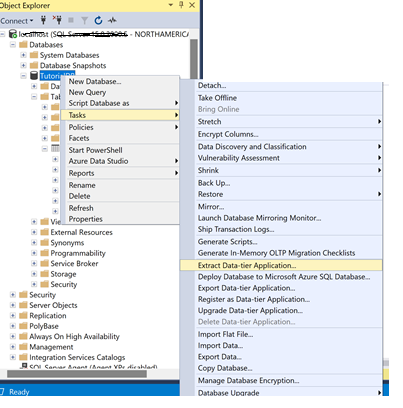
Click on next and Provide the location where the file should be placed,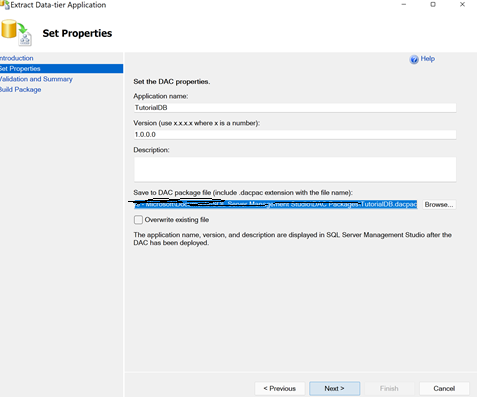
Click on next under validation and summary, Build Package screen is displayed click on finish once done
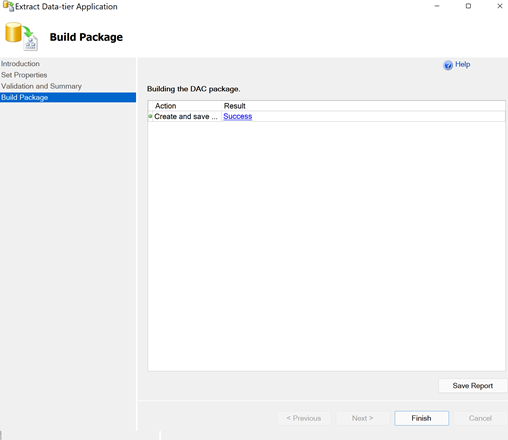
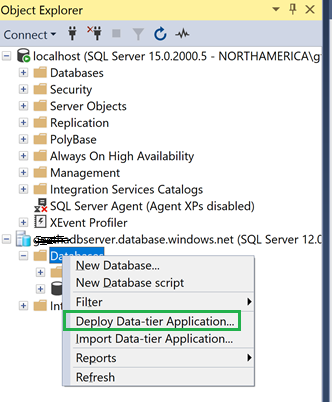
Once the dacpac file is created. connect to Azure SQL Db from SSMS, right-click “Databases” and select “Deploy Data-tier Application”.
Click on next on Deploy Data- tier Application
Select Package screen is displayed browse the path where dacpac file created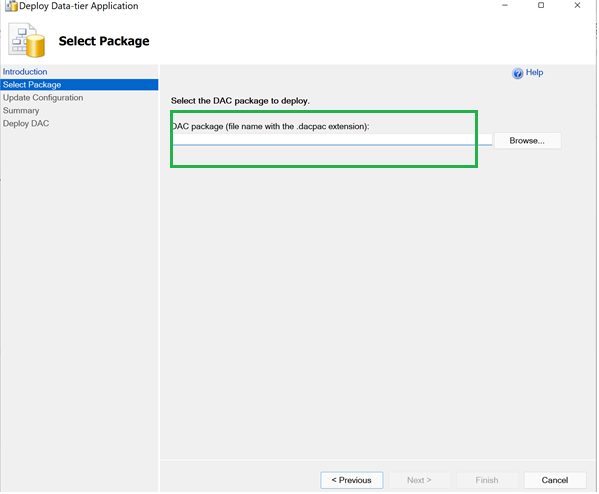
Update configuration screen is displayed click Next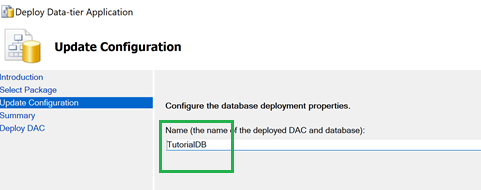
Click next on the summary, Deploy DAC screen is displayed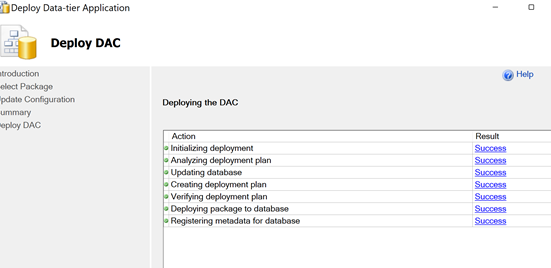
Click Finish
It is now completed and we should see the database in Azure,
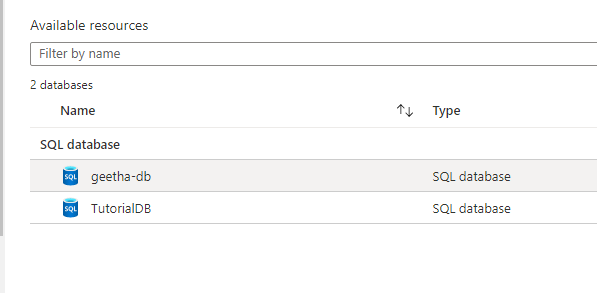
Please let us know if you face any issues or need more information.
Regards
Geetha
Thank you Geetha
' cx='32' cy='32' r='32' /%3E%3Ctext x='50%25' y='55%25' dominant-baseline='middle' text-anchor='middle' fill='%23FFF' %3ESS%3C/text%3E%3C/svg%3E)
@GeethaThatipatri-MSFT DAC package will only move schema. But how do we move the data from on-prem to Azure SQL, as well?

Hey,
The below link provides step by step details for the same:
sqlshack.com/migrate-an-on-premises-sql-server-database-to-the-azure-sql-database/
Thank you NandanHegde.