SSMS 18.1 to SQL 2008 TLS Error

Sam Garth 26 Reputation points Microsoft Employee
2021-12-09T16:32:27.3+00:00

Hi

I have recently patched a SQL 2008 instance (On Windows Server 2008 R2) to 10.0.6556 which enabled TLS 1.2

When I try to connect from SSMS 18.1 it fails with

A connection was successfully established with the server, but then an error occurred during the login process. (provider: SSL Provider, error: 0 - An existing connection was forcibly closed by the remote host.) (.Net SqlClient Data Provider)

In the event viewer I see the following

An TLS 1.2 connection request was received from a remote client application, but none of the cipher suites supported by the client application are supported by the server. The SSL connection request has failed.

Is there a quick fix for this? I have also patched a different Windows 2008 R2/SQL 2008 with the same CU update and it works fine.

I have tried most things I googled such as Windows patches or registry keys but it does not make a difference.

Some suggestions reference drivers or .net installations maybe?

Any help would be good.

Thanks

Sam

SQL Server | Other
0 comments No comments
{count} votes

3 answers

Sort by: Most helpful
  1. Tom Phillips 17,781 Reputation points
    2021-12-09T17:37:25.193+00:00

    Did you do follow this:
    https://learn.microsoft.com/en-us/previous-versions/windows/it-pro/windows-server-2012-R2-and-2012/dn786418(v=ws.11)?redirectedfrom=MSDN#tls-12

    Note: For TLS 1.2 to be enabled and negotiated on servers that run Windows Server 2008 R2, you MUST create the "DisabledByDefault" entry in the appropriate subkey (Client, Server) and set it to "0". The entry will not be seen in the registry and it is set to "1" by default.


  2. Yitzhak Khabinsky 27,091 Reputation points
    2021-12-09T21:38:30.157+00:00

    Hi @Anonymous ,

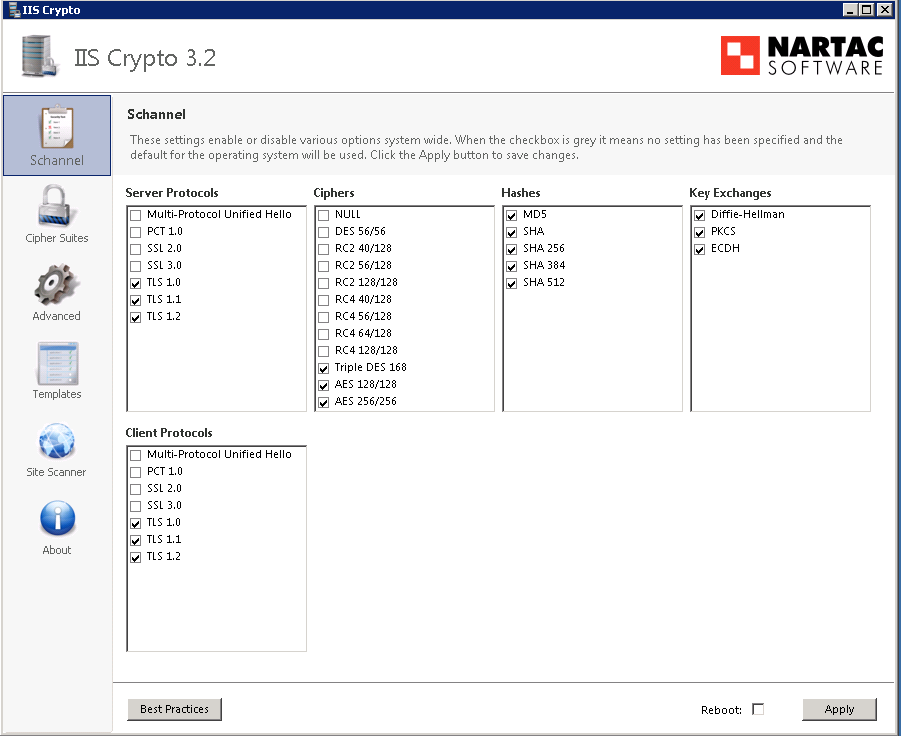
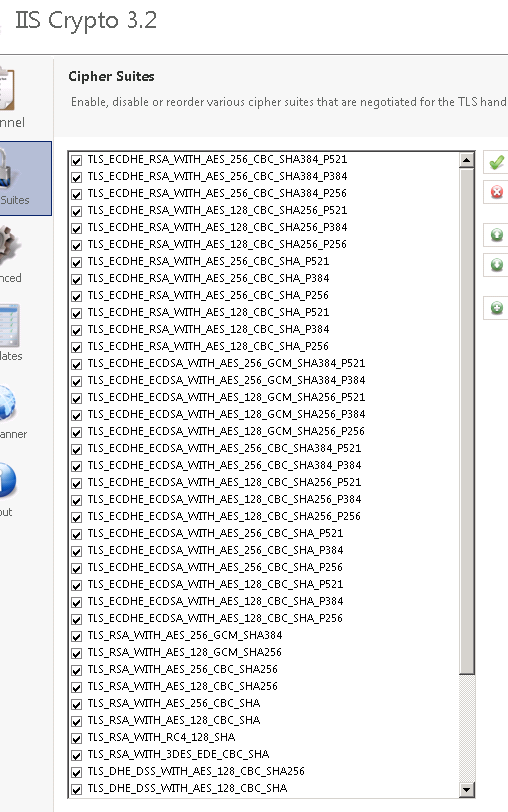
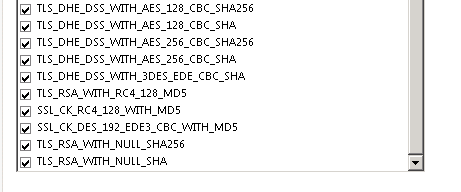
    Both, (1) TLS and (2) Cipher Suites should be properly configured on the Windows Server 2008 R2 server.
    Just TLS is not enough.

    You could run a free utility: IISCrypto on both machines, compare and adjust TLS protocols and Cipher Suites settings.


  3. CathyJi-MSFT 22,406 Reputation points Microsoft External Staff
    2021-12-10T02:58:02.387+00:00

    Hi @Anonymous ,

    Agree with YitzhakKhabinsky-0887, suggest you using the IISCrypto to compare the settings of TLS and Cipher Suites between SQL server and Client.

    In addition, you can also capture the network package on SQL server side and client side, then find which Cipher Suites they are using.

    By the way, did you read the blog KB3135244 - TLS 1.2 support for Microsoft SQL Server.


    If the answer is helpful, please click "Accept Answer" and kindly upvote it. If you have extra questions about this answer, please click "Comment".

    0 comments No comments

Your answer

Answers can be marked as 'Accepted' by the question author and 'Recommended' by moderators, which helps users know the answer solved the author's problem.