Azure Database Migration service
An Azure service designed to help simplify, guide, and automate database migrations to Azure.
This browser is no longer supported.
Upgrade to Microsoft Edge to take advantage of the latest features, security updates, and technical support.
' cx='32' cy='32' r='32' /%3E%3Ctext x='50%25' y='55%25' dominant-baseline='middle' text-anchor='middle' fill='%23FFF' %3ENP%3C/text%3E%3C/svg%3E)
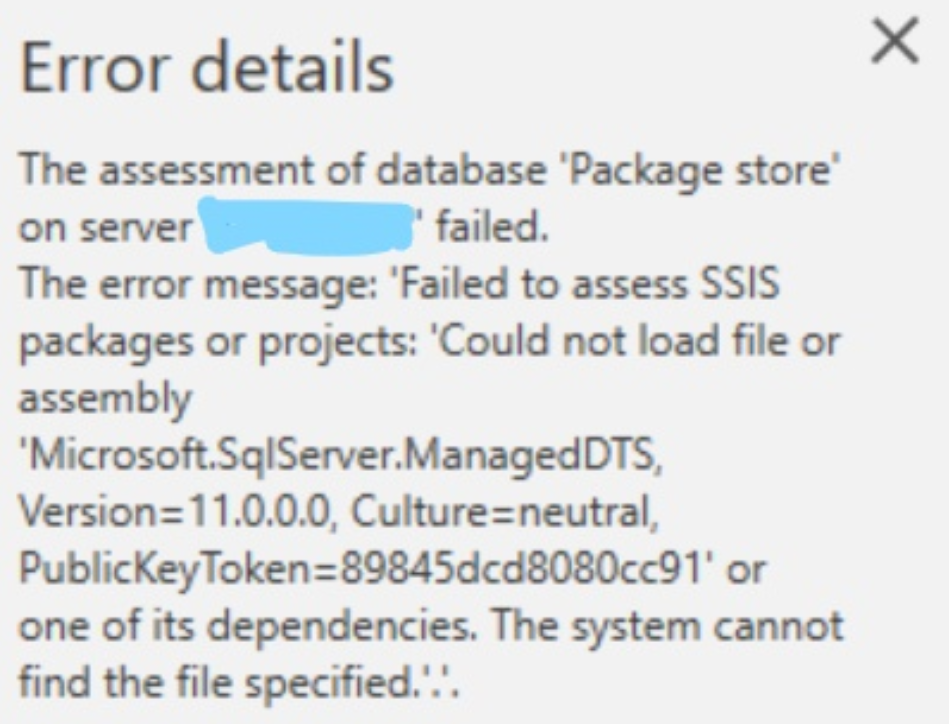
Getting error while doing assessment using DMA tool for choosing assessment type as Integration services.
Attaching the screenshot for the steps how I am proceeding and attaching the error message.
![156488-overview1.png][2] [2]: /api/attachments/156488-overview1.png?platform=QnA
An Azure service designed to help simplify, guide, and automate database migrations to Azure.

Hi @Nilesh Patel Thanks for posting your question in Microsoft Q&A,
Can you please confirm if you are following the below prerequisites?
Regards
Geetha

To move your existing SSIS packages and projects to Azure and use them with Azure SQL and Azure Managed Instance you need to read this documentation.
To assess SQL Server Integration Service(SSIS) packages, below components need to be installed with Data Migration Assistant:
DMA needs to run with administrator access to assess SSIS packages in Package Store.
Please read this documentation for more information.
I answered this question for you yesterday (December 10th) at StackOverflow as you can see here.