SQL Server Reporting Services
A SQL Server technology that supports the creation, management, and delivery of both traditional, paper-oriented reports and interactive, web-based reports.
This browser is no longer supported.
Upgrade to Microsoft Edge to take advantage of the latest features, security updates, and technical support.
' cx='32' cy='32' r='32' /%3E%3Ctext x='50%25' y='55%25' dominant-baseline='middle' text-anchor='middle' fill='%23FFF' %3ER%3C/text%3E%3C/svg%3E)
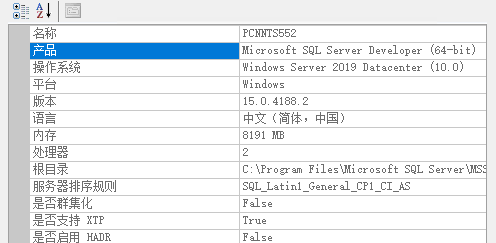
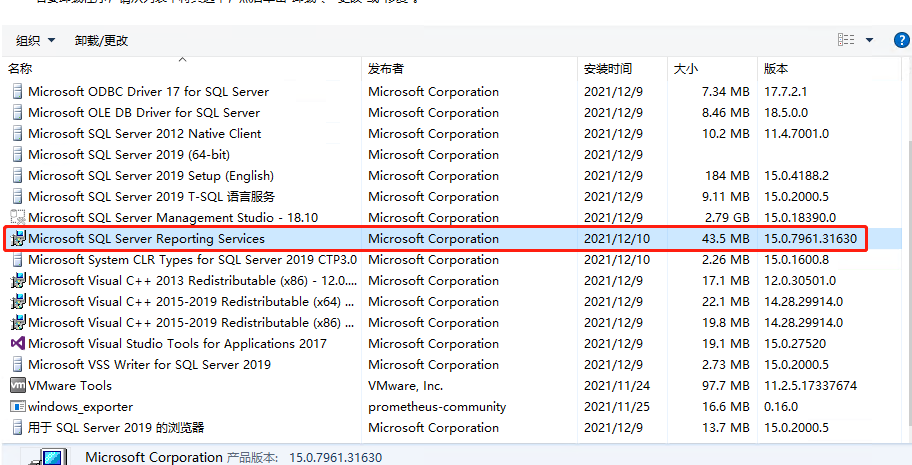
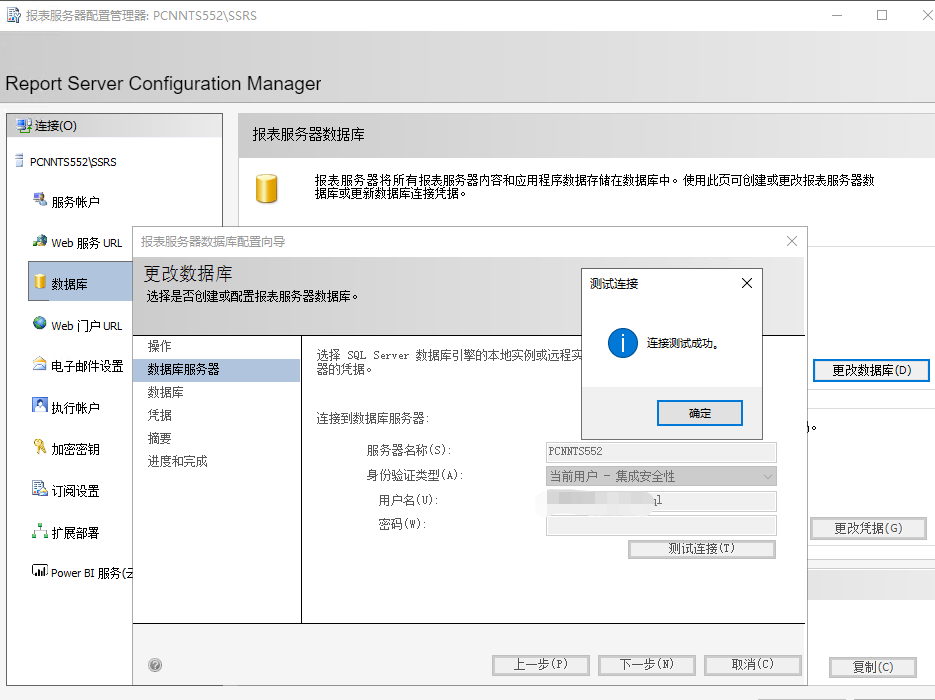
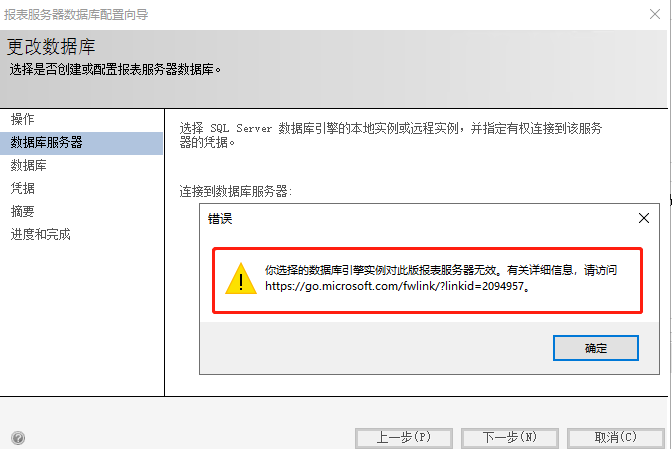
I installed the report server on the sqlserver2019 server, and when I created the database, this error was reported. How can I troubleshoot? Please help guide
A SQL Server technology that supports the creation, management, and delivery of both traditional, paper-oriented reports and interactive, web-based reports.

Hi @Richard ,
Has your issue been resolved?
If you have any questions, please feel free to let me know.
If the answer is helpful, please click "Accept Answer" and upvote it.
Regards,
Joy
Hi @Richard ,
I want to confirm whether you created a new report server database or selected an existing report server database when configuring the report server. I assume you choose an existing report server database. Does the sql server engine hosting the database of the report server exist locally? We know that SQL Server is used to host the report server database. The SQL Server database engine instance can be a local or remote instance.
When you create a report server database, not all editions of SQL Server can be used to host the database. For more information, see Edition requirements for the report server database in SQL Server Reporting Services features supported by its editions.
In addition, please make sure that the editions of the sql server and report server are consistent. The editions of the report server and the backend sql database need to match. e.g. Developer Edition for RS on Developer Edition for SQL.
Best Regards,
Joy
If the answer is the right solution, please click "Accept Answer" and kindly upvote it. If you have extra questions about this answer, please click "Comment".
Note: Please follow the steps in our documentation to enable e-mail notifications if you want to receive the related email notification for this thread.