Windows for business | Windows Server | Storage high availability | Clustering and high availability

This browser is no longer supported.
Upgrade to Microsoft Edge to take advantage of the latest features, security updates, and technical support.
' cx='32' cy='32' r='32' /%3E%3Ctext x='50%25' y='55%25' dominant-baseline='middle' text-anchor='middle' fill='%23FFF' %3EM%3C/text%3E%3C/svg%3E)
The CSV in our cluster is running out of space soon, is it safe to extend the cluster volume, will it cause VM downtime?
Appreciate your advice!

Hi,
I would like to check what the Cluster storage, ISCSI or Fibre channel or others?
It is safe to extend the CSV if we perform correctly, the VMs on the CSV won't have downtime during the extend process.
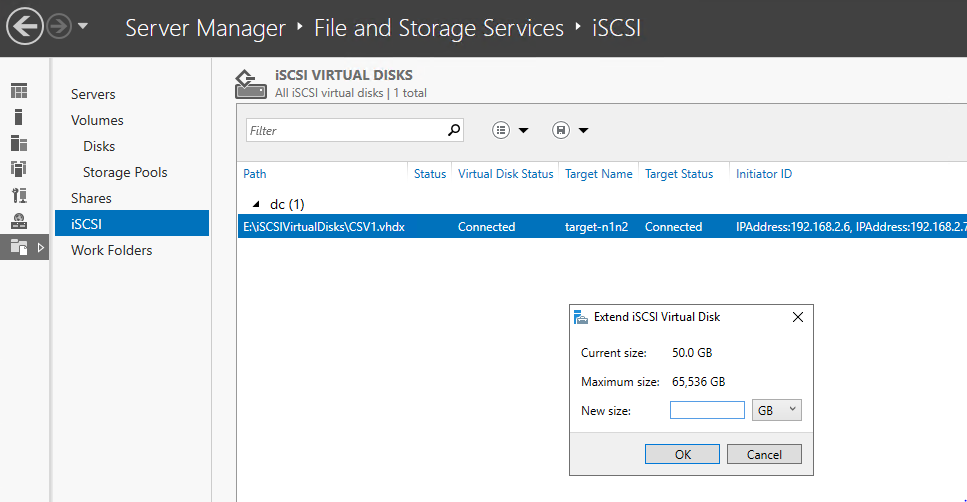
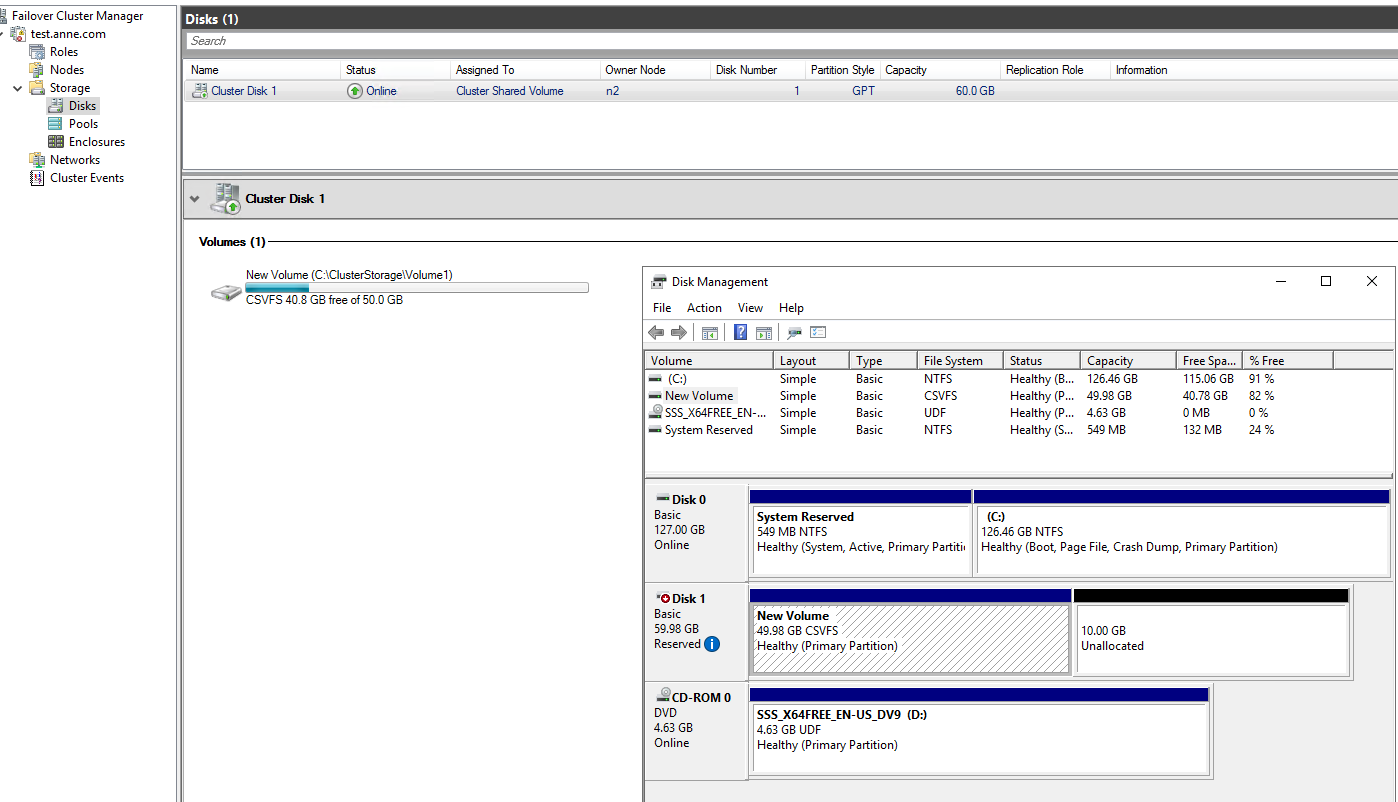
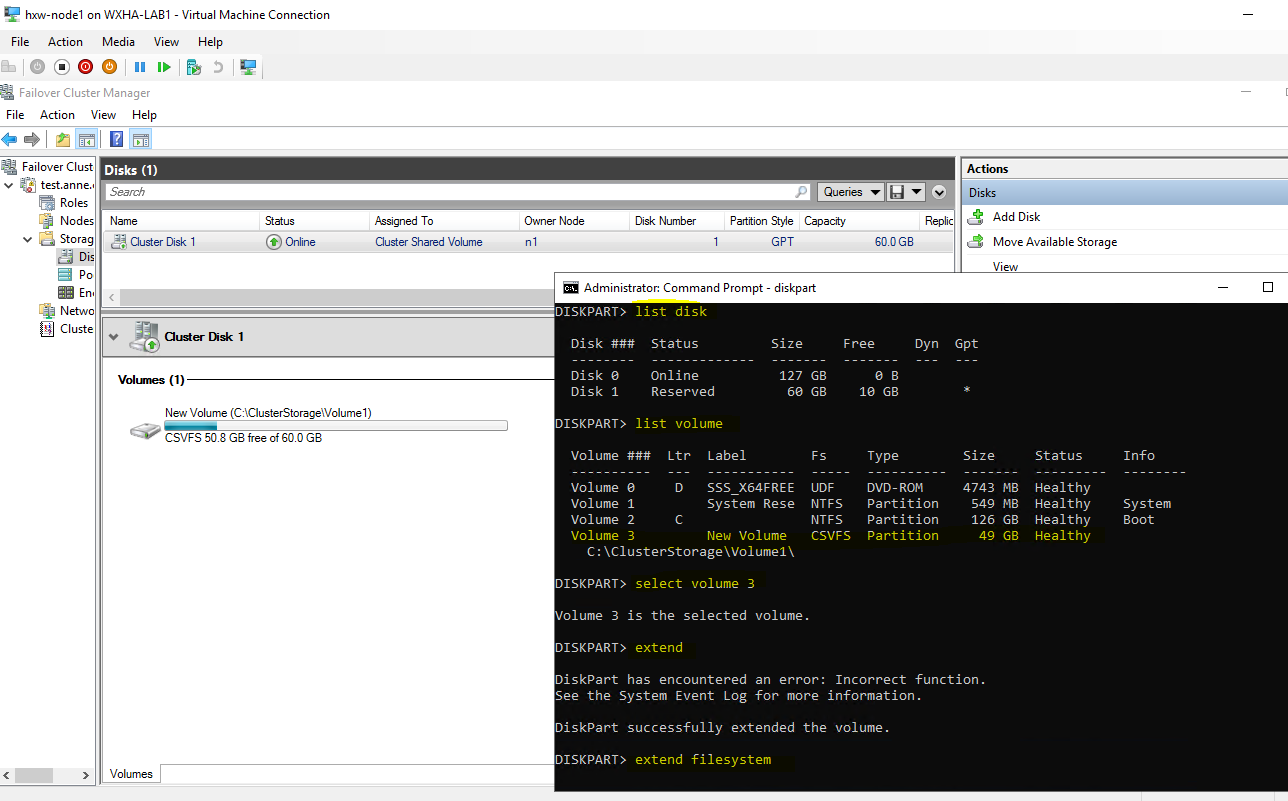
Below is the detailed steps to extend a CSV which connected via ISCSI on windows storage server.
If the reply could be of help, please help to accept it as an answer, thanks for your cooperation!
Thanks for your time!
Best Regards,
Anne

No problem. Perform the operation from the owning node.
thank you timcerling.