Community Center | Not monitored
Tag not monitored by Microsoft.

This browser is no longer supported.
Upgrade to Microsoft Edge to take advantage of the latest features, security updates, and technical support.
' cx='32' cy='32' r='32' /%3E%3Ctext x='50%25' y='55%25' dominant-baseline='middle' text-anchor='middle' fill='%23FFF' %3EK%3C/text%3E%3C/svg%3E)
I'm having an issue using a singleton after converting a Microsoft.Build console project with a separate task library project from .NET Framework 4.7.2 to .NET 5.
With the .NET Framework version, I'm able to set the singleton in the console application and read the value in the build task (Microsoft.Build.Utilities.Task).
This will not work with .NET 5.
Any thoughts on this?
Console app (also containing the Context singleton)...
class Program
{
    static void Main(string[] args)
    {
        // Singleton to be used in the build task (visible in .NET Framework, but not on .NET 5)
        Context.Instance.Id = Guid.NewGuid();

        // Create project
        Microsoft.Build.Evaluation.ProjectCollection projectCollection = new Microsoft.Build.Evaluation.ProjectCollection();
        projectCollection.DefaultToolsVersion = "Current";

        Microsoft.Build.Evaluation.Project project = projectCollection.LoadProject(@".\TestProject.proj");

        // Return true if there is a value in the singleton Id, false if null.
        bool success = project.Build("Target");

        System.Diagnostics.Debug.WriteLine($"Context contains a value: {success}");
    }
}
In a library, this task is defined.
public class TestTask : Microsoft.Build.Utilities.Task
{
public override bool Execute()
{
return MsBuildTest.Context.Instance.Id != null;
}
}
' cx='32' cy='32' r='32' /%3E%3Ctext x='50%25' y='55%25' dominant-baseline='middle' text-anchor='middle' fill='%23FFF' %3ETS%3C/text%3E%3C/svg%3E)
Hello @kthage , did you change some codes when you migrated the project to .NET 5? Could you share some detailed steps with me to reproduce this issue? Besides, may I ask, what’s the expected outcome you want?
Hello @Tianyu Sun-MSFT
I want to reuse a not serializable object (simplified by a guid in my sample) created from the host thread with the custom build tasks in .NET 5 as I do in the .NET Framework version.
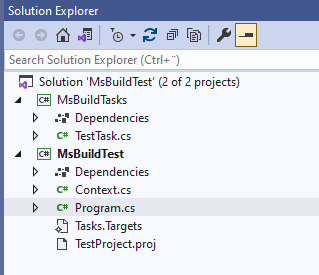
I've attached a simple sample solution containing two projects (MsBuildTest and MsBuildTasks), both targeting .NET5 and .NET Framework (<TargetFrameworks>net5.0;net472</TargetFrameworks>).
When targeting the .NET Framework, the static instance can be shared between threads. When targeting .NET 5, the static instance cannot be shared (the instance is null), hence the constructor is called again.
My question is: is this expected behavior for MsBuild on .NET 5 and if so, how can I share the object I create in my host thread with the custom task?
Let me know if there is an easier way to share the solution than attaching text files.
157756-taskstargets.txt
157822-contextcs.txt
157767-testprojectproj.txt
157801-programcs.txt
157802-msbuildtestcsproj.txt
157754-testtaskcs.txt
157746-msbuildtestsln.txt
157748-msbuildtaskscsproj.txt
Solution in VS.
Hi @Tianyu Sun-MSFT
Do you have any thoughts about the missing ability to get access to a static object created on a host thread from msbuild tasks on .NET 5?
Hi @kthage , is this the result that you want? I tested with TargetFramework => .net 5.0 and the output showed Context contains a value: True. I used the sample codes you shared.
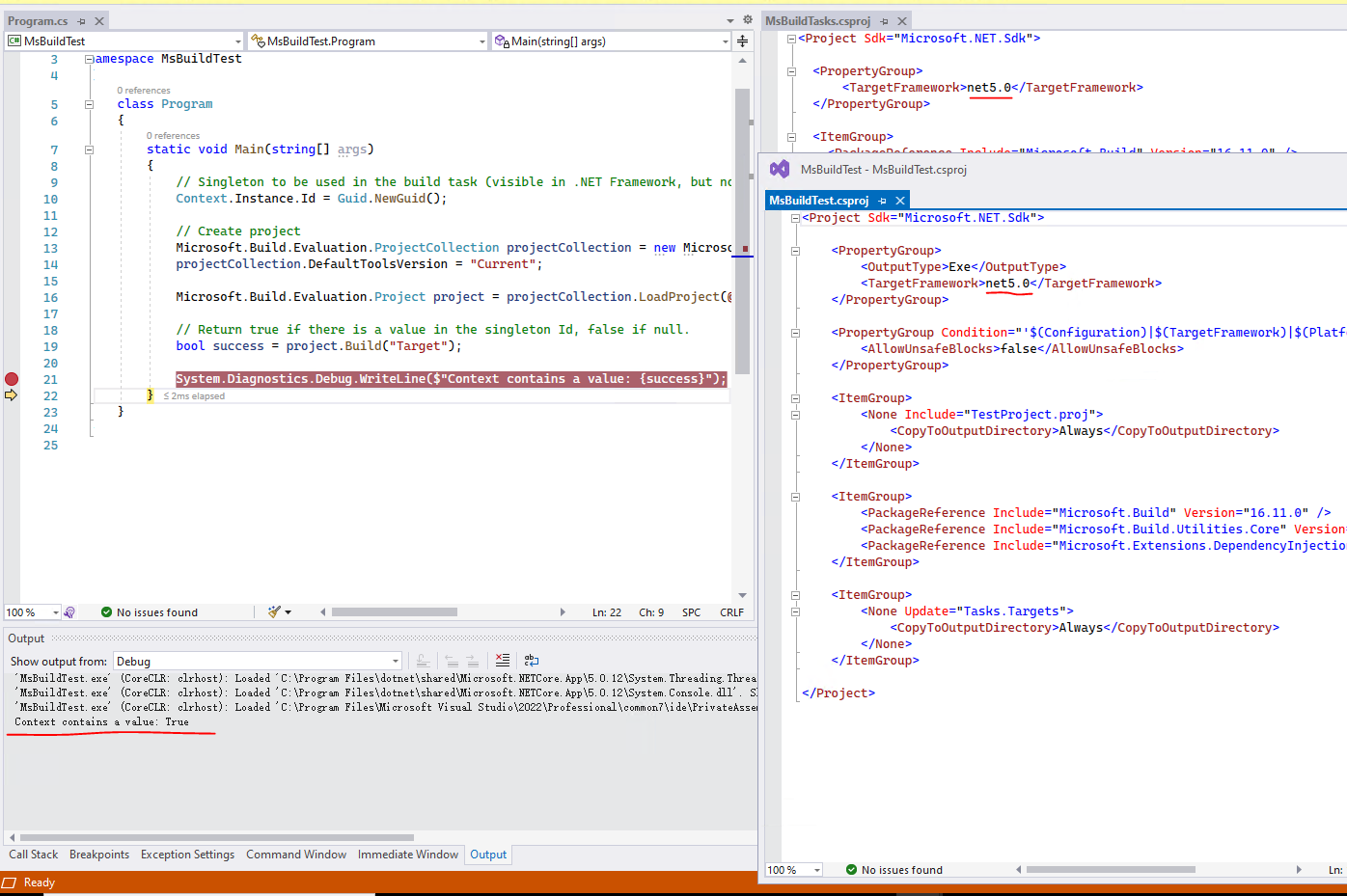
Yes, this is indeed what I want to see. I tried changing my project files as you did, but still get the same result "false".
Also tried moving this project to another workstation, with the same result (false).
Really don't know what is hitting me.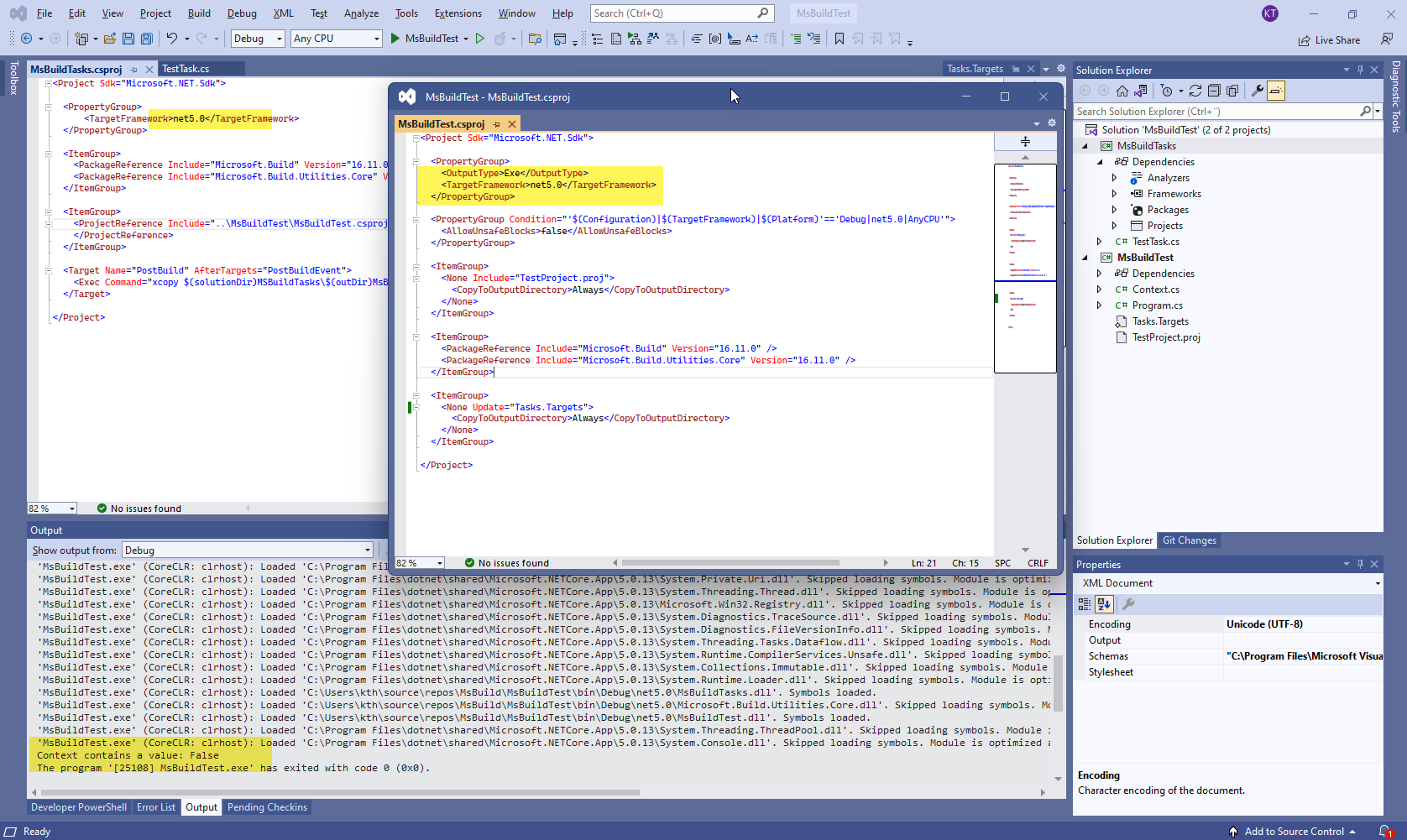
Hi @kthage , does it still work for you, if you use this solution and change the TargetFramework to net472? Or/And work on another workstation?
Hi @Tianyu Sun-MSFT
Yes, targeting net472 stills works as expected where the id initially set can be used in the ´custom MS Build task.
Did you do any other changes?
How does your code look in the custom task (TestTask.cs)?

Remember .net 5 is cross platform. You will need to use a Mutex to make app single instance
 const string mutexName = @"Global\appName";

 var mutex = new Mutex(true, mutexName, out var createdNew);

 if (!createdNew)
 {
       Console.WriteLine(mutexName + " is already running! Exiting the application.");
       return;
 }
Thanks for the update.
I've tried using a mutex like this, but the instance is created again (_instance == null) in the task, even though the mutex is recognized (createNew = false).
Any explanation?
public sealed class Context
{
    const string mutexName = @"Global\JobRunner";
    private static Context _instance;
    private static readonly System.Threading.Mutex _mutex = new System.Threading.Mutex(true, mutexName);

    public static Context Instance
    {
        get
        {
            lock (_mutex)
            {
                if (_instance == null)
                {
                    _instance = new Context();
                }

                return _instance;
            }
        }
    }