Developer technologies | ASP.NET | ASP.NET Core
A set of technologies in the .NET Framework for building web applications and XML web services.
This browser is no longer supported.
Upgrade to Microsoft Edge to take advantage of the latest features, security updates, and technical support.
' cx='32' cy='32' r='32' /%3E%3Ctext x='50%25' y='55%25' dominant-baseline='middle' text-anchor='middle' fill='%23FFF' %3EAJ%3C/text%3E%3C/svg%3E)
Im tring to code following this youtube video from freecodecamp and the template page doesnt show up. So when I create a new project and choose Asp.Net core web app and so on, the "Create new asp.net core web application pannel" doesnt show up, which is annoying cause I cant continue cause the tutiral has auto generated files and stuff.
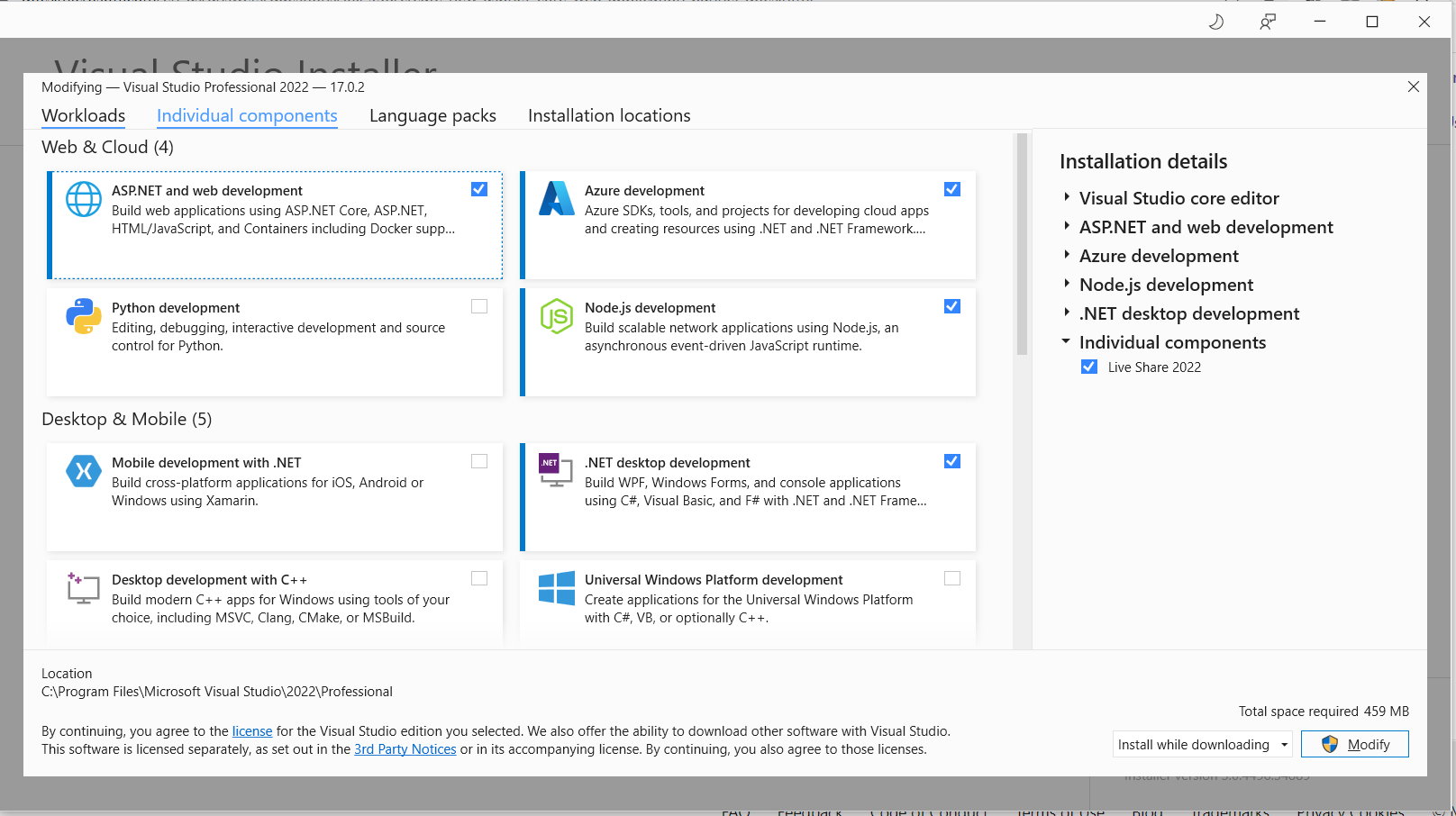
I have ASP.NET and web development as well as .NET desktop development installed.
For context, im using the latest version of visual studio 2022.
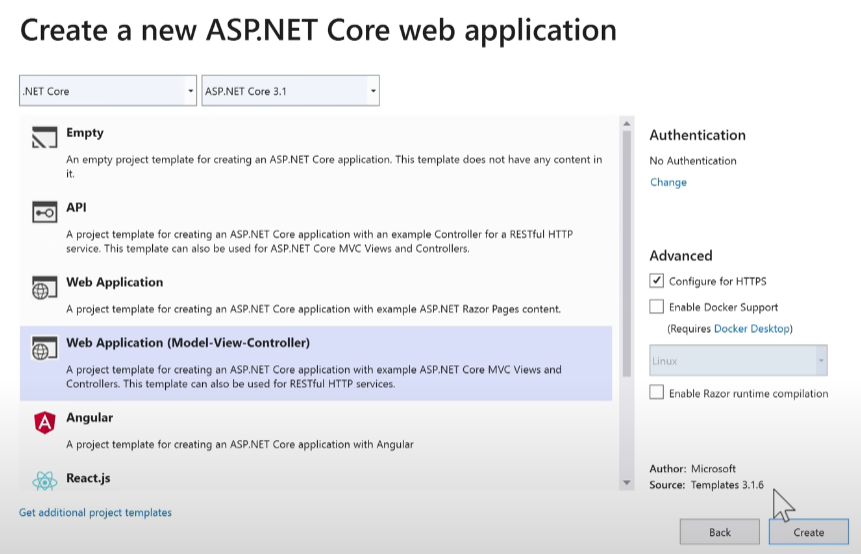
Below is an image of the window I cant get to show up, wheras for other people it does.

I recommend the official tutorials on this site.
Tutorial: Get started with Razor Pages in ASP.NET Core
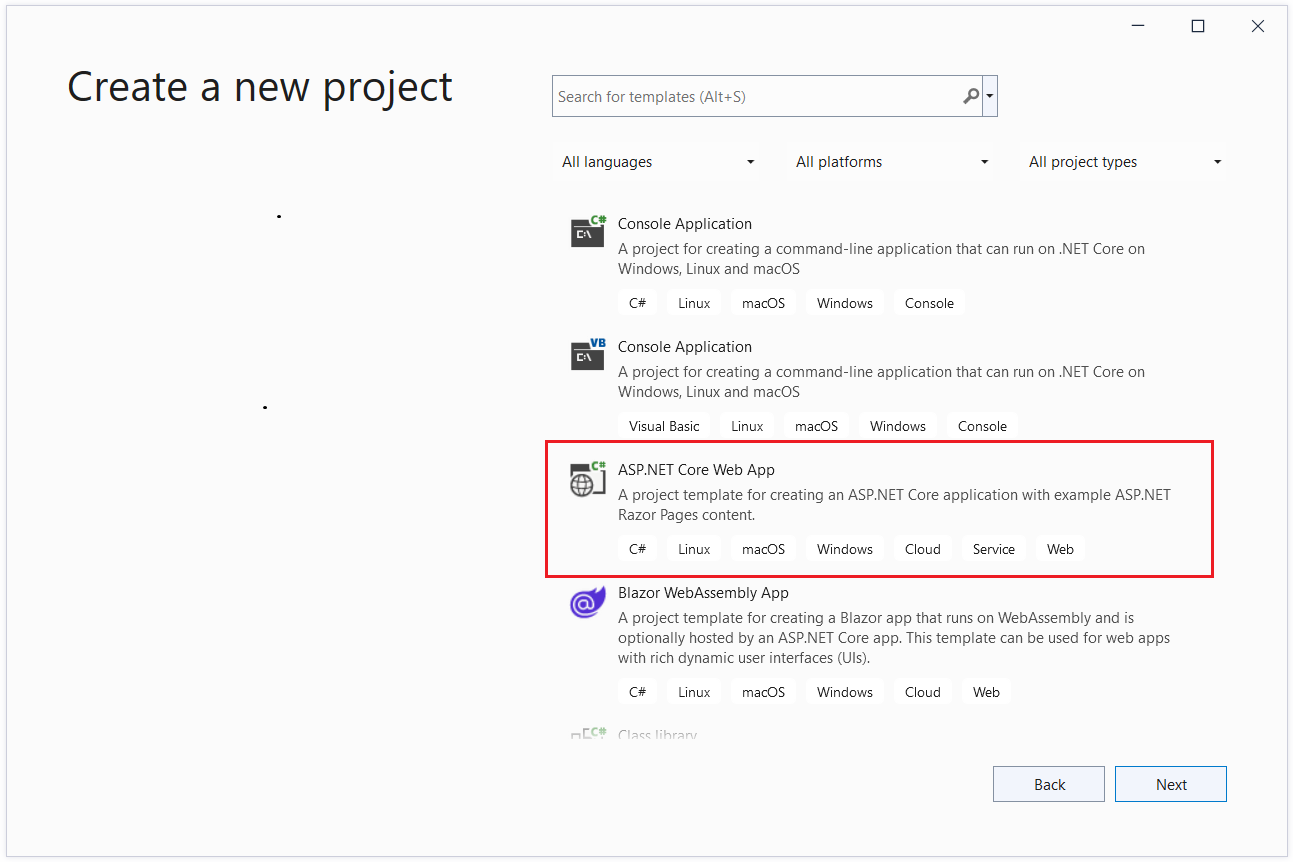
If you do not see the "ASP.NET Core Web App" then you probably did not install the ASP.NET Web Development Workload.
Open the Visual Studio Installer. Click the "Modify" button and install ASP.NET Core Web App.
Or use the CLI command.
dotnet new webapp -o aspnetcoreapp
I linked more informtaion, a screenshot of the window I cant get to show up as well as the workloads I have installed. So what I do is
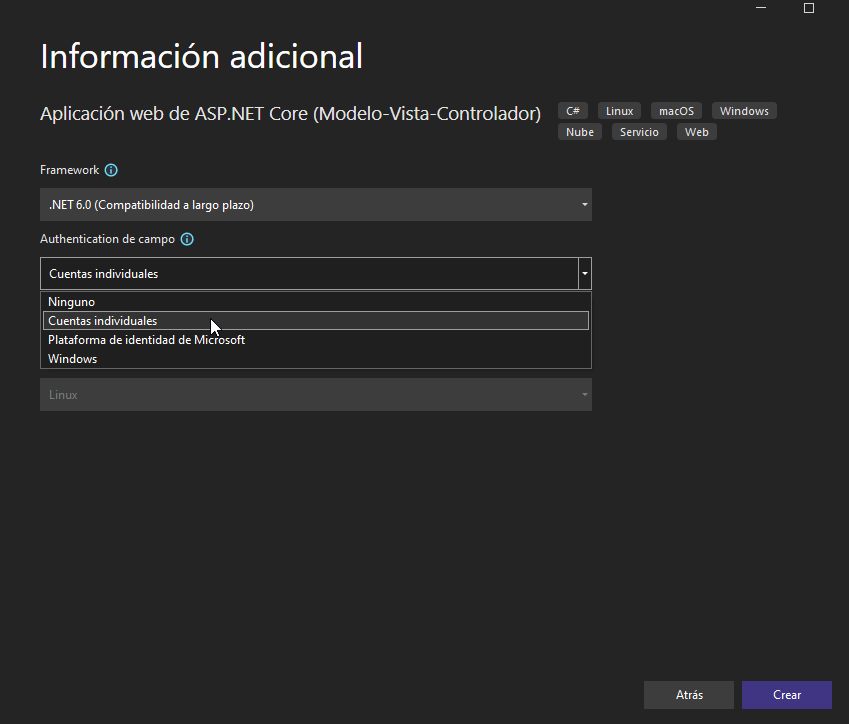
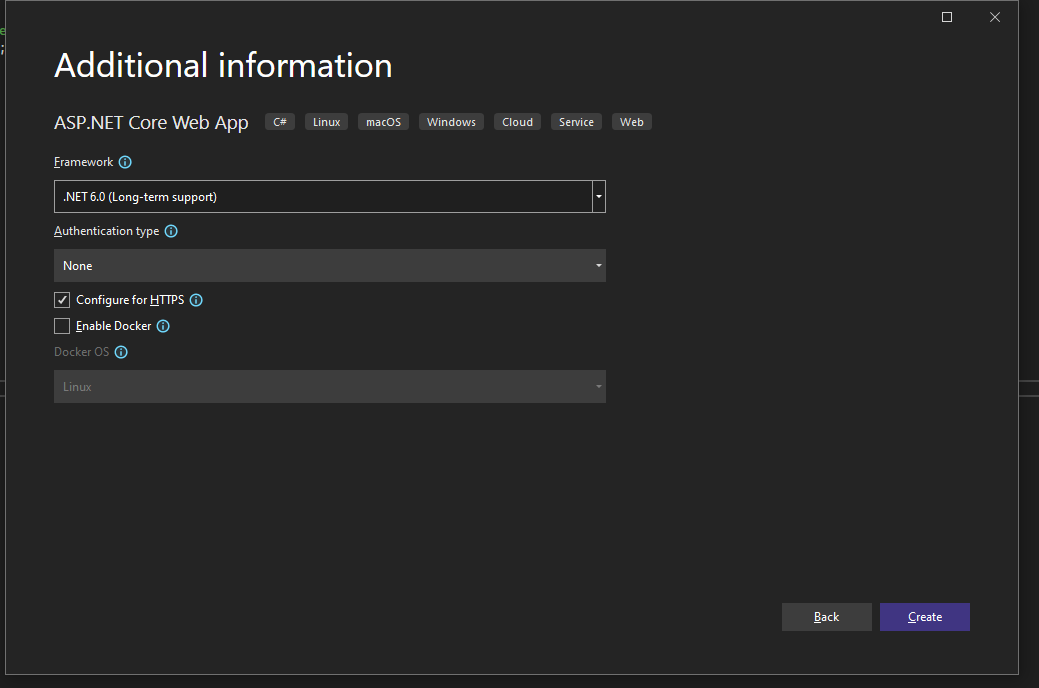
Create new project > ASP.NET Core Web App > configure your project menu shows up, i name it > additional information windows shows up I choose .Net 6.0 (i have also tested 5.0 and 3.1) leave configure for HTTPS ticked > then it just creates it.
But in all the tutorials I've seen it takes you to a "Create a new ASP.NET core web application where I should be able to modify authentication and choose from a list of templates like the one above. Thanks in advance.
But in all the tutorials I've seen it takes you to a "Create a new ASP.NET core web application where I should be able to modify authentication and choose from a list of templates like the one above. Thanks in advance.
My best guess is you are viewing older tutorials and the Visual Studio wizard has changed slightly which is why I recommend the tutorials in this site which are typically up-to-date with .NET/Visual Studio releases.
But in all the tutorials I've seen it takes you to a "Create a new ASP.NET core web application where I should be able to modify authentication and choose from a list of templates like the one above. Thanks in advance.
The "Authentication type" options are in the same wizard window and just above the Configure for HTTPS check.
Command line tools (CLI) is another option for creating projects.
The Workload options can be found by finding the "Visual Studio Installer" in the Windows start menu.
' cx='32' cy='32' r='32' /%3E%3Ctext x='50%25' y='55%25' dominant-baseline='middle' text-anchor='middle' fill='%23FFF' %3ECR%3C/text%3E%3C/svg%3E)
Hi, I might be a bit late but u just need to click on authentication type and the authentication options from the tutorial pop up
As seen in the following screenshot (sorry I use the spanish version)