Azure Migrate
A central hub of Azure cloud migration services and tools to discover, assess, and migrate workloads to the cloud.
This browser is no longer supported.
Upgrade to Microsoft Edge to take advantage of the latest features, security updates, and technical support.
' cx='32' cy='32' r='32' /%3E%3Ctext x='50%25' y='55%25' dominant-baseline='middle' text-anchor='middle' fill='%23FFF' %3EDA%3C/text%3E%3C/svg%3E)
I'm running the Appliance Configuration Manager in a VM with the VHD provided. It passes the prerequisites and registers with Azure Migrate, but on item 3 step 2 to add a discovery source I get a "Validation Failed" status with detail listed as "This operating system type is not supported". The hypervisor is Windows Server 2012.
Any ideas of what is going on?


Hello @Danilo Andrade Sorry for the inconvenience this must have caused!
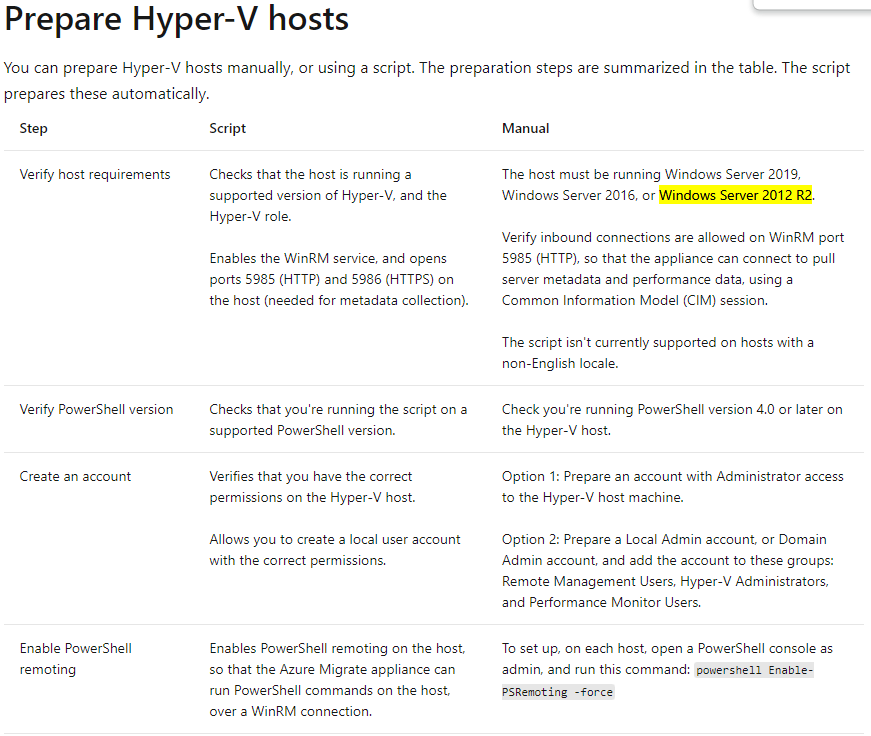
The server has to be "Windows Server 2012 R2". See the documentation here - https://learn.microsoft.com/en-us/azure/migrate/tutorial-discover-hyper-v#prepare-hyper-v-hosts
----------------------------------------------------------------------------------------------------------------------
If the response helped, do "Accept Answer" and up-vote it
' cx='32' cy='32' r='32' /%3E%3Ctext x='50%25' y='55%25' dominant-baseline='middle' text-anchor='middle' fill='%23FFF' %3EMG%3C/text%3E%3C/svg%3E)
For older than 2012R2 you can use "Physical machines" migration. It doesn't matter that they are virtual machines.